Showing posts with label Autel MaxiIM IM508. Show all posts

Sunday, February 27, 2022

Autel IM608 Program Toyota Corolla 2021 Smart Key

Autel MaxiIM IM508 and IM608 Released Toyota 2019-2021 Proximity Smart Key Programming without PIN or NASTF. Here Cnautotool.com introduce 2 ways to add spare key to Corolla with 4A proximity.

Way 1: Remove Smart Box
Way 2: Don’t need to remove smart box

Way 1: Remove Smart Key
Model example: Toyota Corolla Altis 2021

Autel-IM608-Program-Toyota-Corolla-2021-Smart-Key-1

Remove Smart Box from the vehicle and connect with Gbox following operation guide
Select Toyota-Manual selection- Other- Corolla- 2009 onwards- Smart Key- ZRE (2019-)
Autel-IM608-Program-Toyota-Corolla-2021-Smart-Key-2
Autel-IM608-Program-Toyota-Corolla-2021-Smart-Key-3
Autel-IM608-Program-Toyota-Corolla-2021-Smart-Key-4

Select Control Unit- Kyeless Ssystem(CAN)- Backup IMMO Data
Backing up EEPROM data that can be used to add more smart key without password
Remove the smart box and then connect with G-Box follow operation guide

Autel-IM608-Program-Toyota-Corolla-2021-Smart-Key-5
Autel-IM608-Program-Toyota-Corolla-2021-Smart-Key-6
Autel-IM608-Program-Toyota-Corolla-2021-Smart-Key-7

Press Yes to continue
Communicating with the smart box
Autel-IM608-Program-Toyota-Corolla-2021-Smart-Key-8
Autel-IM608-Program-Toyota-Corolla-2021-Smart-Key-9

Backing up EEPROM
File your name file and press Save
Autel-IM608-Program-Toyota-Corolla-2021-Smart-Key-10

Re-plug smart box back to the vehicle
Select Add Smart Key
Add more Key Max 4 keys
Turn on ignition switch
Turn ignition off and turn hazard light on
Press Yes to continue
Confirm you have backuped eeprom file from this vehicle

Autel-IM608-Program-Toyota-Corolla-2021-Smart-Key-11

Choose your backup EEPROM data file

Touching working key on push start button if will hear 1 beep

Autel-IM608-Program-Toyota-Corolla-2021-Smart-Key-12

Touching new key on push start button if will hear 2 beeps

Autel-IM608-Program-Toyota-Corolla-2021-Smart-Key-13

Keep touching new smart remote on ignition button until finish
Turn on ignition switch
Touching ignition b button with new smart key again
Sound 1 beeplearn key success
Test remote, all remote ok
Way 2: Without removing smart box+ OBD

Connect G-box2 directly with fuse box of the smart box following the operation guide
The connect g-box2 with IM508/IM608 programmer

Autel-IM608-Program-Toyota-Corolla-2021-Smart-Key-14
Autel-IM608-Program-Toyota-Corolla-2021-Smart-Key-15
Autel-IM608-Program-Toyota-Corolla-2021-Smart-Key-16
Autel-IM608-Program-Toyota-Corolla-2021-Smart-Key-17

Follow similar steps in Way 1 to
1). Backup eeprom
2). Add smart key
3). Learn key.

Autel-IM608-Program-Toyota-Corolla-2021-Smart-Key-18
Autel-IM608-Program-Toyota-Corolla-2021-Smart-Key-19


Thursday, January 27, 2022

Autel IM508/608 Program A New PCM on Honda Acura Guide

This article is about to show you how to program a new PCM for most Hondas and Acuras using Autel MaxiIM IM508/IM608.

The support list: https://www.autel.com/vehicle-coverage/coverage2

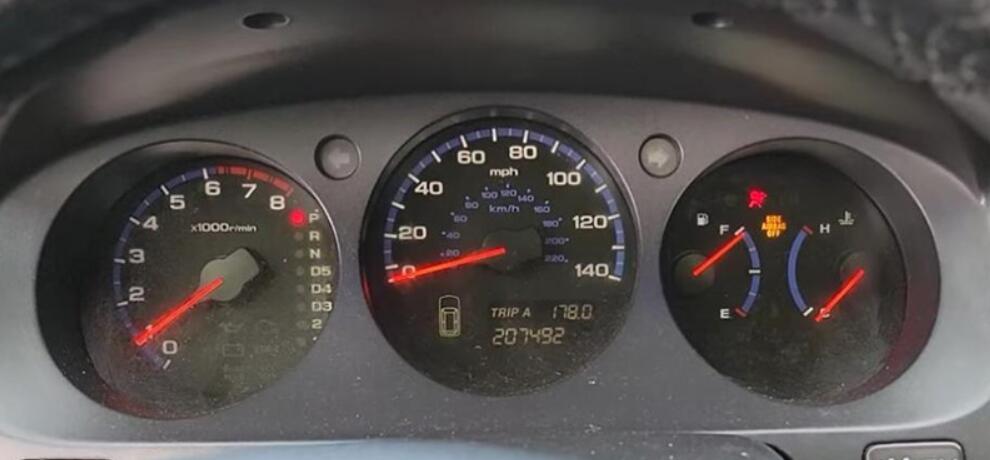
Here we have a Acura MDX 2005 to handle by the Autel IM508 Key Programmer.

This is the 3rd generation immobilizer, which is used on many Hondas like Accord or Acuras like TLX.

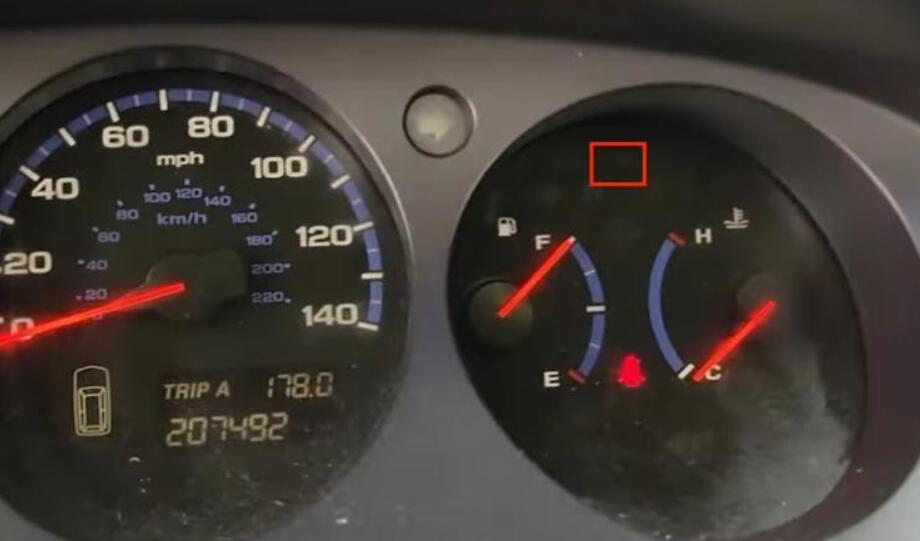
The car won’t start because of the new ECU in.

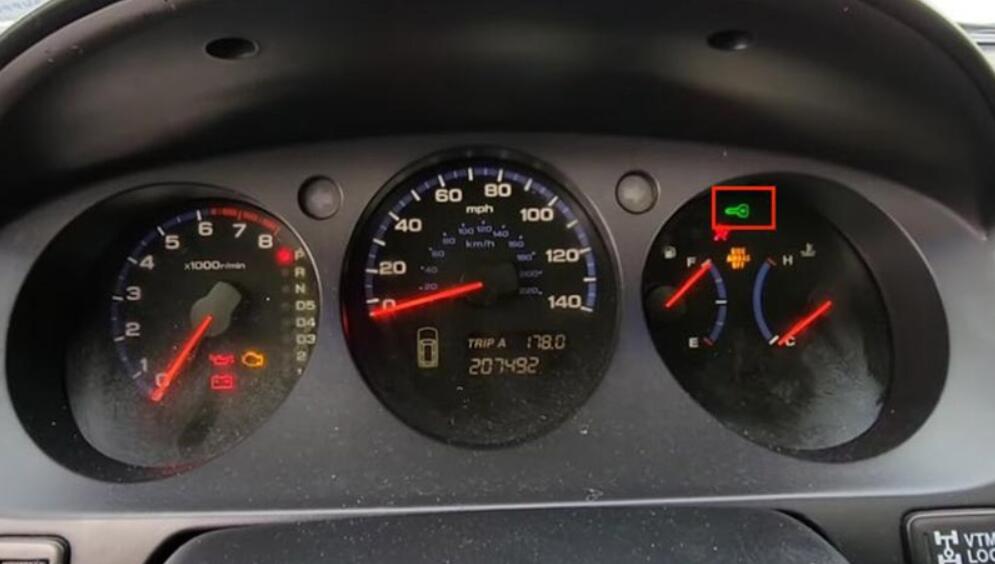
Autel-IM508-608-Program-A-New-PCM-on-Honda-Acura-Guide-1

We will reprogram it, so the key will work again.

Go to

IMMO>>Acura>>Automatic selection

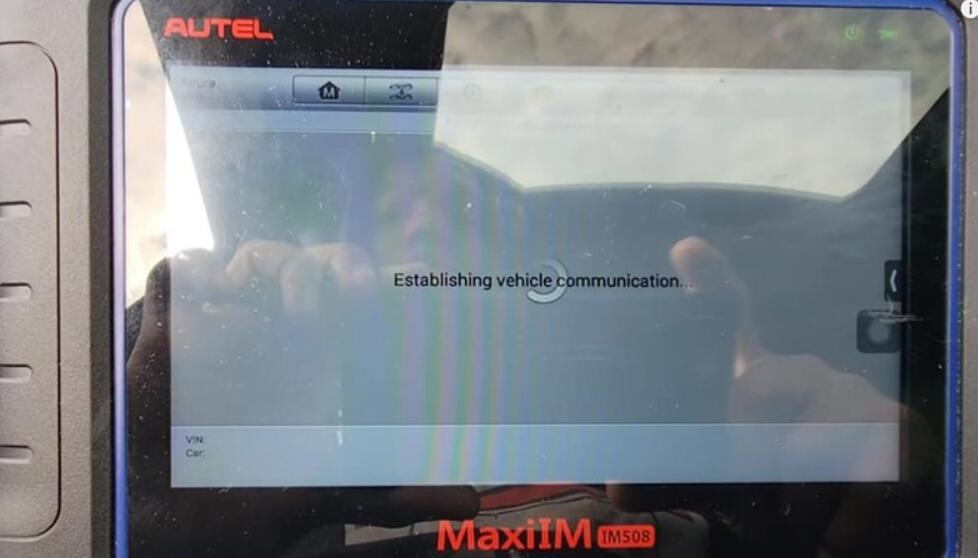
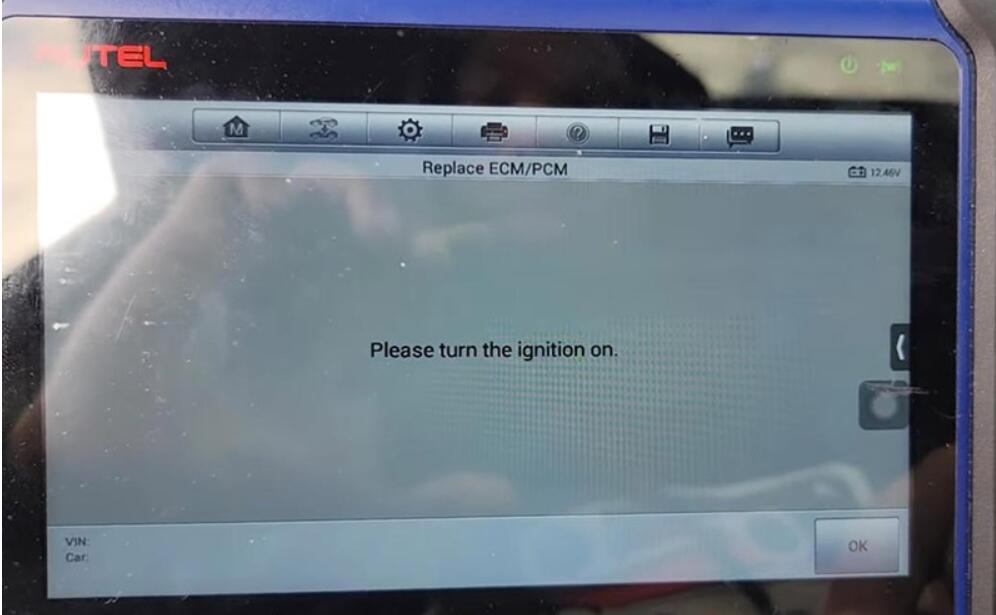
Turn on the ignition so it will pull out the VIN.

Then go to

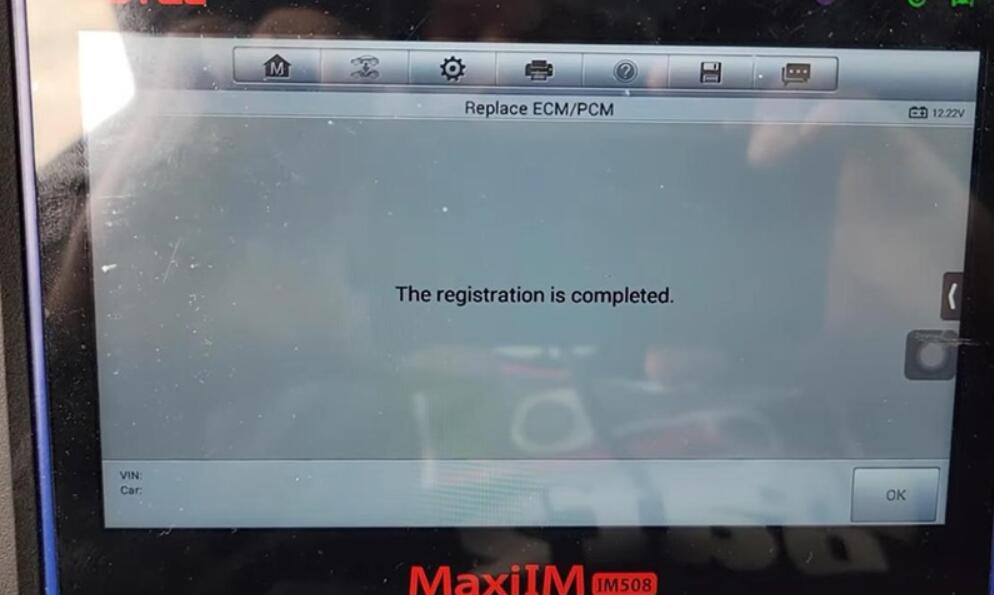
The 3rd mechanical key system>>Replace ECM/PCM

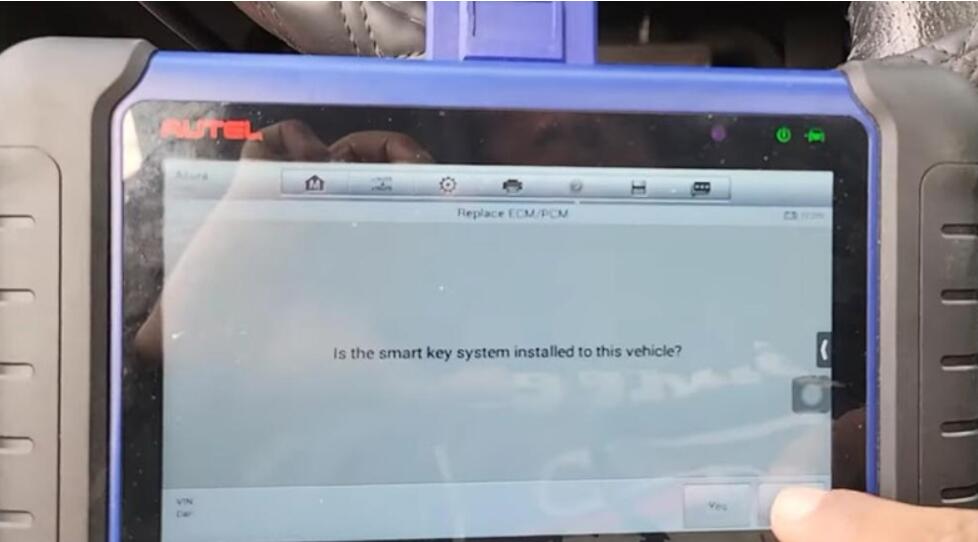
Autel-IM508-608-Program-A-New-PCM-on-Honda-Acura-Guide-2
Autel-IM508-608-Program-A-New-PCM-on-Honda-Acura-Guide-3

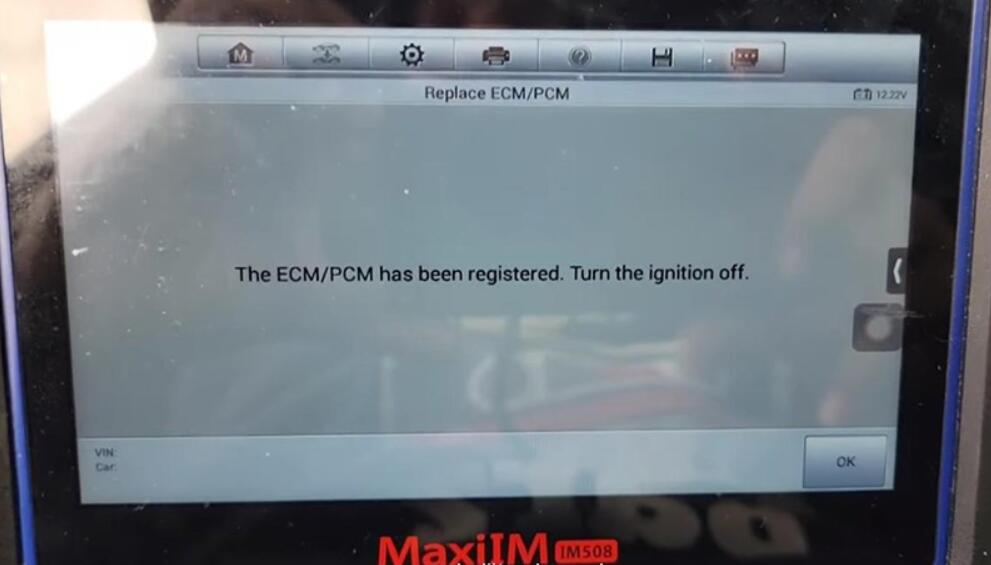
After about 5 minutes, we’ve registered the PCM.

Autel-IM508-608-Program-A-New-PCM-on-Honda-Acura-Guide-4

Meanwhile, the immobilizer light disappears.

Autel-IM508-608-Program-A-New-PCM-on-Honda-Acura-Guide-5

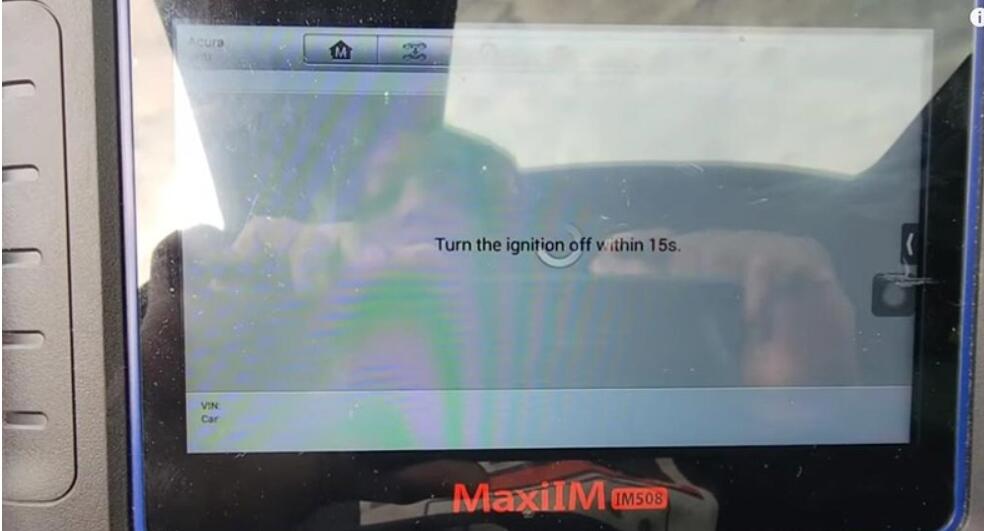
Turn off the ignition as required.

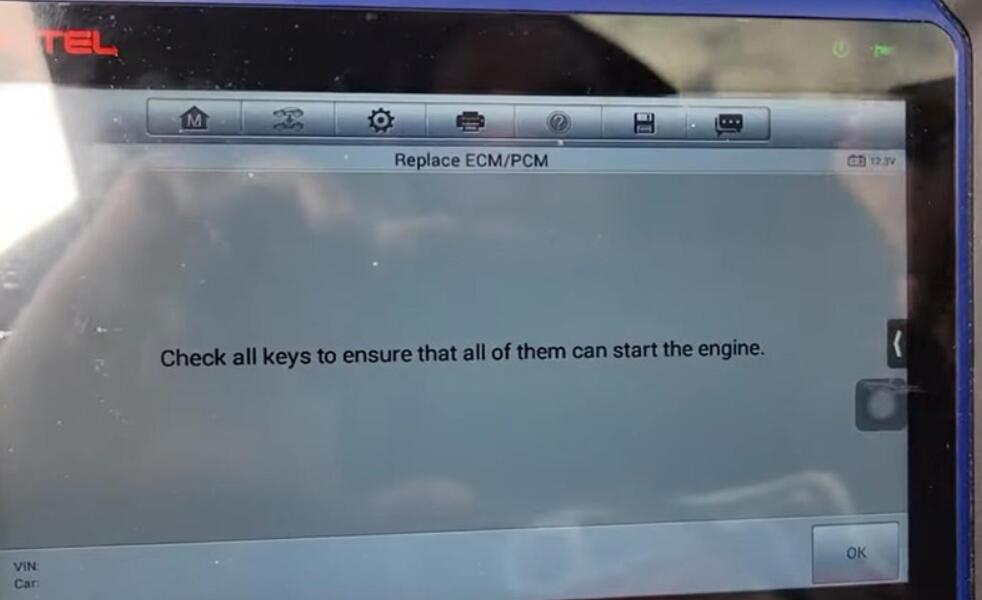
Follow instructions to check keys.

Autel-IM508-608-Program-A-New-PCM-on-Honda-Acura-Guide-6
Autel-IM508-608-Program-A-New-PCM-on-Honda-Acura-Guide-7
Autel-IM508-608-Program-A-New-PCM-on-Honda-Acura-Guide-8
Autel-IM508-608-Program-A-New-PCM-on-Honda-Acura-Guide-10

The car starts without any issues.

Autel-IM508-608-Program-A-New-PCM-on-Honda-Acura-Guide-9

Done! Nice and simple!

That’s the guide of programming a new PCM module using Autel IM508/Autel IM608.

This guide is from MODS FOREVER Team.

Any questions, contact us.

Monday, January 24, 2022

Program Mitsubishi Triton 2019 AKL by Autel IM508 + Xhorse Key Tool Max

Use Autel MaxiIM IM508/ MaxiIM IM608 + Xhorse VVDI Key Tool MAX can successfully program Mitsubishi Triton 2019 when all keys lost. Refer to the following steps to start key programming.

Program-Mitsubishi-Triton-2019-AKL-by-Autel-IM508-Xhorse-Key-Tool-Max-1

Generate Remote
Put the smart key into the VVDI Key Tool MAX coil, go access
Vehicle remote >>Mitsubishi>> Eclipse Cross KeylessGo ID47 >> Generate Remote

Wait for processing until 100%…
Burn success.

Program-Mitsubishi-Triton-2019-AKL-by-Autel-IM508-Xhorse-Key-Tool-Max-2
Program-Mitsubishi-Triton-2019-AKL-by-Autel-IM508-Xhorse-Key-Tool-Max-3
Program-Mitsubishi-Triton-2019-AKL-by-Autel-IM508-Xhorse-Key-Tool-Max-4

Key Learning
Connect Autel IM508 with OBD2, select
IMMO >> Accept >> Mitsubishi >> Manual selection >> Australia >> TRITON(KK#, KL#) >> 2016- >> Smart key >> Yes >> Immo status scan >> Immo learning >> All keys lost

Insert a key into the key card slot, take all other keys out of the vehicle.
(The slot is near the bottom of the steering wheel, or in the co-pilot storage compartment. If there is no card slot, please close the key to the start button).

Learning succeeded.
Press “Yes” to learn the next one. Otherwise, press “No”.

Learning completed.
Test the key, it can normally start the car.
Done!

Program-Mitsubishi-Triton-2019-AKL-by-Autel-IM508-Xhorse-Key-Tool-Max-5
Program-Mitsubishi-Triton-2019-AKL-by-Autel-IM508-Xhorse-Key-Tool-Max-6
Program-Mitsubishi-Triton-2019-AKL-by-Autel-IM508-Xhorse-Key-Tool-Max-7
Program-Mitsubishi-Triton-2019-AKL-by-Autel-IM508-Xhorse-Key-Tool-Max-8
Program-Mitsubishi-Triton-2019-AKL-by-Autel-IM508-Xhorse-Key-Tool-Max-9

Both Autel IM508 Price & VVDI Key Tool MAX Price are lower than usual. Come to pick out your Christmas gift.

Friday, January 7, 2022

How to do MQB Key Programming With Autel IM508 & IM608 & IM608 Pro Immo Tools

Autel MaxiIM IM508, IM608, IM608 Pro immo tools have good feedback on the market .
Engineer have made some details how to do MQB key programming instructions for VW V5.10 as bellowing , please check :
1.Go to Advanced Mode

How-to-do-MQB-Key-Programming-With-Autel-IM508-&-IM608-&-IM608-Pro-Immo-Tools-1
1.MQB
Add key and all key lost two menus as follows:
Advanced Mode>MQB(Beta)>Key learning
Advanced Mode>MQB(Beta)>All keys lost

How-to-do-MQB-Key-Programming-With-Autel-IM508-&-IM608-&-IM608-Pro-Immo-Tools-2

2.IMMO IV
3.Add key and all key lost two menus as follows:
Advanced Mode>IMMO 4 Instrument CAN>Key learning
Advanced Mode>IMMO 4 Instrument CAN>All keys lost

How-to-do-MQB-Key-Programming-With-Autel-IM508-&-IM608-&-IM608-Pro-Immo-Tools-3
How-to-do-MQB-Key-Programming-With-Autel-IM508-&-IM608-&-IM608-Pro-Immo-Tools-4

4.IMMO IV+MQB
5.Add key and all key lost two menus as follows:
Advanced Mode>IMMO 4 Instrument CAN>Key learning
Advanced Mode>IMMO 4 Instrument CAN>All keys lost

How-to-do-MQB-Key-Programming-With-Autel-IM508-&-IM608-&-IM608-Pro-Immo-Tools-5
How-to-do-MQB-Key-Programming-With-Autel-IM508-&-IM608-&-IM608-Pro-Immo-Tools-6

IMMO data computation request interface.
Sever computation failed. Please contact the dealer!
Error code:1001

How-to-do-MQB-Key-Programming-With-Autel-IM508-&-IM608-&-IM608-Pro-Immo-Tools-7

Manually input pincode and cs code to do the key learning.
1.IMMO IV
Make dealer key
Expert Selection>IMMO IV Instrument CAN>VDO NEC 24C64 2014>Make dealer key
Key learning:
Expert Selection>IMMO IV Instrument CAN>VDO NEC 24C64 2014>Key learning

How-to-do-MQB-Key-Programming-With-Autel-IM508-&-IM608-&-IM608-Pro-Immo-Tools-8
How-to-do-MQB-Key-Programming-With-Autel-IM508-&-IM608-&-IM608-Pro-Immo-Tools-9
How-to-do-MQB-Key-Programming-With-Autel-IM508-&-IM608-&-IM608-Pro-Immo-Tools-10
How-to-do-MQB-Key-Programming-With-Autel-IM508-&-IM608-&-IM608-Pro-Immo-Tools-11

Make dealer key input cs code

How-to-do-MQB-Key-Programming-With-Autel-IM508-&-IM608-&-IM608-Pro-Immo-Tools-12

Key learning input pincode and cs code interface.

How-to-do-MQB-Key-Programming-With-Autel-IM508-&-IM608-&-IM608-Pro-Immo-Tools-13

2.Immo iv+MQB key programming
Make dealer key:
Expert Selection>IMMO 4+MQB key >Generate dealer key
Key learning:
Expert Selection> IMMO 4+MQB key >Key learning

How-to-do-MQB-Key-Programming-With-Autel-IM508-&-IM608-&-IM608-Pro-Immo-Tools-14
How-to-do-MQB-Key-Programming-With-Autel-IM508-&-IM608-&-IM608-Pro-Immo-Tools-15

IMMO IV+MQB make dealer key input cs code interface.

How-to-do-MQB-Key-Programming-With-Autel-IM508-&-IM608-&-IM608-Pro-Immo-Tools-16

IMMO IV+MQB Key learning interface.

How-to-do-MQB-Key-Programming-With-Autel-IM508-&-IM608-&-IM608-Pro-Immo-Tools-17

3.MQBkey programming
Menu Path
Expert Selection>Instrument MQB >VDO NEC 35XX>Make dealer key
Expert Selection>Instrument MQB >VDO NEC 35XX>Key learning

How-to-do-MQB-Key-Programming-With-Autel-IM508-&-IM608-&-IM608-Pro-Immo-Tools-18
How-to-do-MQB-Key-Programming-With-Autel-IM508-&-IM608-&-IM608-Pro-Immo-Tools-19

MQB make dealer key input CS code interface.
Without original key then has to input the 32 digits sync data.

How-to-do-MQB-Key-Programming-With-Autel-IM508-&-IM608-&-IM608-Pro-Immo-Tools-20
How-to-do-MQB-Key-Programming-With-Autel-IM508-&-IM608-&-IM608-Pro-Immo-Tools-21
How-to-do-MQB-Key-Programming-With-Autel-IM508-&-IM608-&-IM608-Pro-Immo-Tools-22

MQB key learning input CS code interface.
For more interesting of our Autel scan tool , welcome to check our website
www.cnautotool.com
Or contact us at sale@cnautotool.com
Thank you