Showing posts with label Autel MaxiIM IM608. Show all posts

Monday, May 16, 2022

How to Program 2005 Honda Civic ECM by Autel MaxiIM IM608

How-to-Program-2005-Honda-Civic-ECM-by-Autel-MaxiIM-IM608-7

2005 Honda Civic that has been replacing an refurbished engine computer(ECM). The immobilizer light is on because its module is not programmed to the car with VIN number or security system.  Here is the tutorials to use the Autel MaxiIM IM608 to solve it.

How-to-Program-2005-Honda-Civic-ECM-by-Autel-MaxiIM-IM608-2

Let’s get this car cranked, with not start.

And connect to Autel IM608, click

Diagnostics >> Honda >> Accept >> Automatic selection >> Read >> OK >> USA >> Yes >> Diagnosis >> Control unit >> IMMOBI

Keep ignition ON until the tester directs you to turn the ignition off.

The tester cannot program keys with a T5 stamped on the blade of the key or with the word ILCO on the plastic head. These keys can only be programmed with the ILCO key duplicator.

It’s 3rd immobilizer.

Immobilizer setup >> Special function >> Replace ECM/ PCM

This function does necessary registration for ECM/PCM replacement.

When the ECM/PCM is replaced, it is necessary to be recognized a code each other to the ECM/PCM and the immobilizer Control Unit-Receiver with the diagnostic tool. Also, the vehicle with Keyless Access System needs to be recognized a code each other to the ECM/PCM and Keyless Access Control Unit. Otherwise, the engine cannot be started.

After replacing the ECM/PCM and registering the keys, the new ECM/PCM must be checked for the latest program.

How-to-Program-2005-Honda-Civic-ECM-by-Autel-MaxiIM-IM608-3
How-to-Program-2005-Honda-Civic-ECM-by-Autel-MaxiIM-IM608-4
How-to-Program-2005-Honda-Civic-ECM-by-Autel-MaxiIM-IM608-5
How-to-Program-2005-Honda-Civic-ECM-by-Autel-MaxiIM-IM608-6

The registration of immobilizer codes into the immobilizer unit has been completed.

Turn the ignition switch off.

Check all keys to ensure each will start the engine.

Turn the ignition switch on.

Is this vehicle equipped with a Keyless Access system? No

Before selecting yes, remove the immobilizer key from the vehicle remote, place into the ignition, then turn on.

At this point, immobilizer light is already out.

Let’s try to see if the car starts, it starts normally.

Done.

How-to-Program-2005-Honda-Civic-ECM-by-Autel-MaxiIM-IM608-7

This is how to program an used engine computer for Honda replacement with Autel IM608.

Sunday, February 20, 2022

How to Autel IM608 to Program Porsche Cayenne 93C86 Key

How to program a new key for Porsche Cayenne Continental with Autel IM608? Year 2008 is 315MHz with panic button. Autel XP400 Pro says chip not connected.

How-to-Autel-IM608-to-Program-Porsche-Cayenne-93C86-Key-1
How-to-Autel-IM608-to-Program-Porsche-Cayenne-93C86-Key-2
How-to-Autel-IM608-to-Program-Porsche-Cayenne-93C86-Key-3
How-to-Autel-IM608-to-Program-Porsche-Cayenne-93C86-Key-4

Solution:
Obd or on the bench. 2 options here. Sometimes it’s easy via obd. If not, then in the bank. Gasoline is usually ok by OBD. Diesel on bench. Normally. You need with cs and pin. You just can’t proceed without a PIN and CS. Remove the kessy read the 93c86 and get PIN and 7 digits cs. Then program via obd. CS needs to precode the key and then program it with the PIN code.

Just did one today.
1. Remove chip and read using APA002.
2. Dealer key
3. Load EEprom data
4. Make dealer key
5. Learn key

How-to-Autel-IM608-to-Program-Porsche-Cayenne-93C86-Key-5

Wednesday, February 16, 2022

How to Add Key on Renault Duster 2017 by Autel IM608

Renault Duster 2017 is created by Autel MaxiIM IM608 in 3 minutes. easy money. IM608 can present Duster 2013. Add keys & all lost keys is the same, you have to program old and new from the beginning.

Go to Add key (guided)
Network is required during the process.
Step 1: Read Dflash data and save

How-to-Add-Key-on-Renault-Duster-2017-by-Autel-IM608-1
How-to-Add-Key-on-Renault-Duster-2017-by-Autel-IM608-2
How-to-Add-Key-on-Renault-Duster-2017-by-Autel-IM608-3

Step 2:Read PIN

How-to-Add-Key-on-Renault-Duster-2017-by-Autel-IM608-4

Step 3: Key learning

Insert key into ignition switch

Program successful

Remove and insert next key to be programmed

Program 2nd key success

How-to-Add-Key-on-Renault-Duster-2017-by-Autel-IM608-5
How-to-Add-Key-on-Renault-Duster-2017-by-Autel-IM608-6
How-to-Add-Key-on-Renault-Duster-2017-by-Autel-IM608-7
How-to-Add-Key-on-Renault-Duster-2017-by-Autel-IM608-8

Key learning completed.

How-to-Add-Key-on-Renault-Duster-2017-by-Autel-IM608-9
How-to-Add-Key-on-Renault-Duster-2017-by-Autel-IM608-10


Wednesday, January 19, 2022

Mercedes All Keys Lost Programmed by Autel IM608 Scanner

This article is to guide customers through the whole process of All Keys Lost for a Mercedes with Autel IM608 Scanner. We need to do some necessary preparation before this All Keys Lost for a Mercedes Programming Test.

What tools are needed:
G-box, XP400 Pro, cable to connect XP400 Pro with EIS component, JVCI, JVCI cable
Make sure the network connection is good and follow the instructions for key learning with all keys lost.

Select the model type of “Mercedes Benz”, tap “Smart selection”>>All Keys Lost (Fast)>>On Bench (G-box Fast)

Mercedes-All-Keys-Lost-Programmed-by-Autel-IM608-Scanner-1
Mercedes-All-Keys-Lost-Programmed-by-Autel-IM608-Scanner-2
Mercedes-All-Keys-Lost-Programmed-by-Autel-IM608-Scanner-3

Since we are working on bench, we don’t need to read VIN.
We can check EIS number on the EIS and select it on screen. In this case, it is 209.
So tap “W209/2006-”, it will come to a Note like this:

Mercedes-All-Keys-Lost-Programmed-by-Autel-IM608-Scanner-4
Mercedes-All-Keys-Lost-Programmed-by-Autel-IM608-Scanner-5

Connect the power adapter to the G-box, follow the below diagram to connect the wires to EIS component.

Mercedes-All-Keys-Lost-Programmed-by-Autel-IM608-Scanner-6

You still have to connect the JVCI and JVCI cable to the G-box.
Ready to begin now!
Follow the instructions on the screen and enter a blank key into the XP400 Pro.

Mercedes-All-Keys-Lost-Programmed-by-Autel-IM608-Scanner-7

It will begin communicating the key. Please wait…

If there is no password for the key, tap “NO”. Then you will have to enter “Password Calculation process”.

Mercedes-All-Keys-Lost-Programmed-by-Autel-IM608-Scanner-8
Mercedes-All-Keys-Lost-Programmed-by-Autel-IM608-Scanner-9

Please strictly follow this:

Mercedes-All-Keys-Lost-Programmed-by-Autel-IM608-Scanner-10

This Password Calculation process will take about 5 minutes.

Success!

Mercedes-All-Keys-Lost-Programmed-by-Autel-IM608-Scanner-11

Once the Password Calculation process is completed, the key learning process will just take a few more seconds.

It is now at generating key file>>Write BE key file

Follow this step until it is done.

Mercedes-All-Keys-Lost-Programmed-by-Autel-IM608-Scanner-12

All keys lost completed!

Mercedes-All-Keys-Lost-Programmed-by-Autel-IM608-Scanner-13

The G-box makes the All Keys Lost process much simpler when working with a Mercedes.

A big success in all keys lost programming with Autel IM608 professional scanner.

Friday, January 14, 2022

Program 2014 Audi A6 AKL by Autel MaxiIM IM608

Car model and year: 2014 Audi A6 with all keys lost, it is proximity key and does not has slot. Car has bcm2 unencrypted.

Tool to use: Autel IM608

Program-2014-Audi-A6-AKL-by-Autel-MaxiIM-IM608-1
Program-2014-Audi-A6-AKL-by-Autel-MaxiIM-IM608-2
Program-2014-Audi-A6-AKL-by-Autel-MaxiIM-IM608-3

Autel wants this done to get immo info. Has anyone had success with this Procedure?

Autel official reply:

Currently, the pin and cs of VW A6 Immo4 cannot be calculated and the user needs to obtain it from others.

Here I share one user’s feedback:

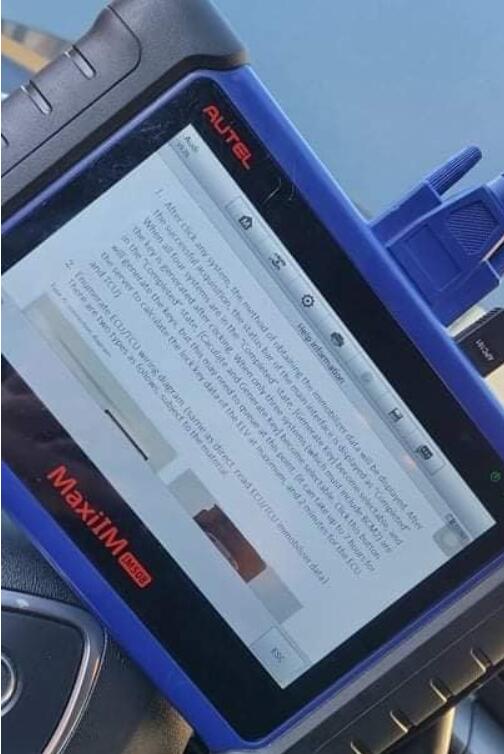
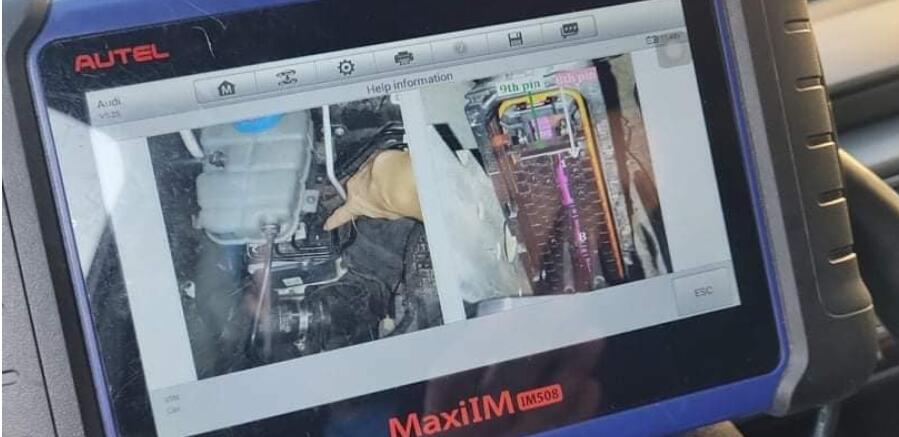
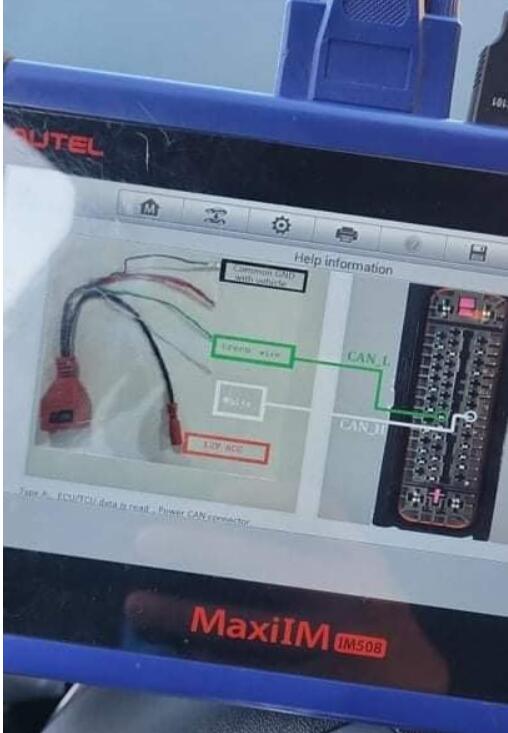
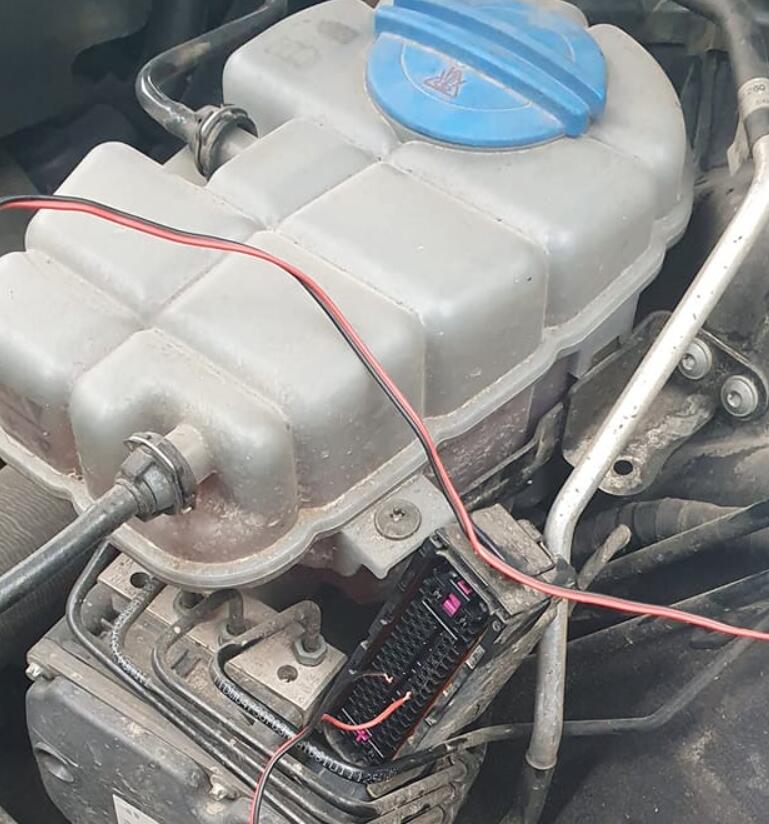
I did, you need read bcm on bench, write key in dump to can turn ignition on, then read ecu and tcu over abs CAN-L and CAN-H.

Then I unlock key with KEYDIY KD-X2 and make dealer key again and adopt on car.

BTW, you don’t need data from elv.

FYI, I use cable from MPPS, only +12, GND, CAN-L-H.
Program-2014-Audi-A6-AKL-by-Autel-MaxiIM-IM608-4
Program-2014-Audi-A6-AKL-by-Autel-MaxiIM-IM608-5
Program-2014-Audi-A6-AKL-by-Autel-MaxiIM-IM608-6

I mean unlock key with KEYDIY KD-X2 (shown as following image):

Program-2014-Audi-A6-AKL-by-Autel-MaxiIM-IM608-8

For the proximity key with no slot:

Put the jumper on 1 and 16 and ignitions. I already have bcm2 immo data. That was easy.

If you already have information about BCM2 you should know that you can now reprogram keys you do not need to do the other procedure, unless you need to do an ECU adaptation but you can do that with a testing harness that you should also know how to do it.

Yup just went thru all that fun stuff?

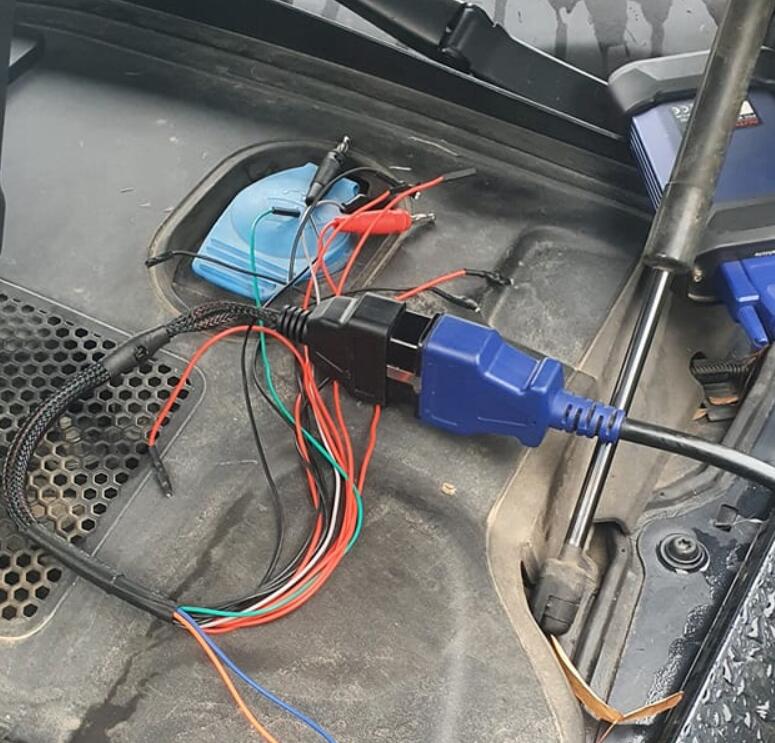
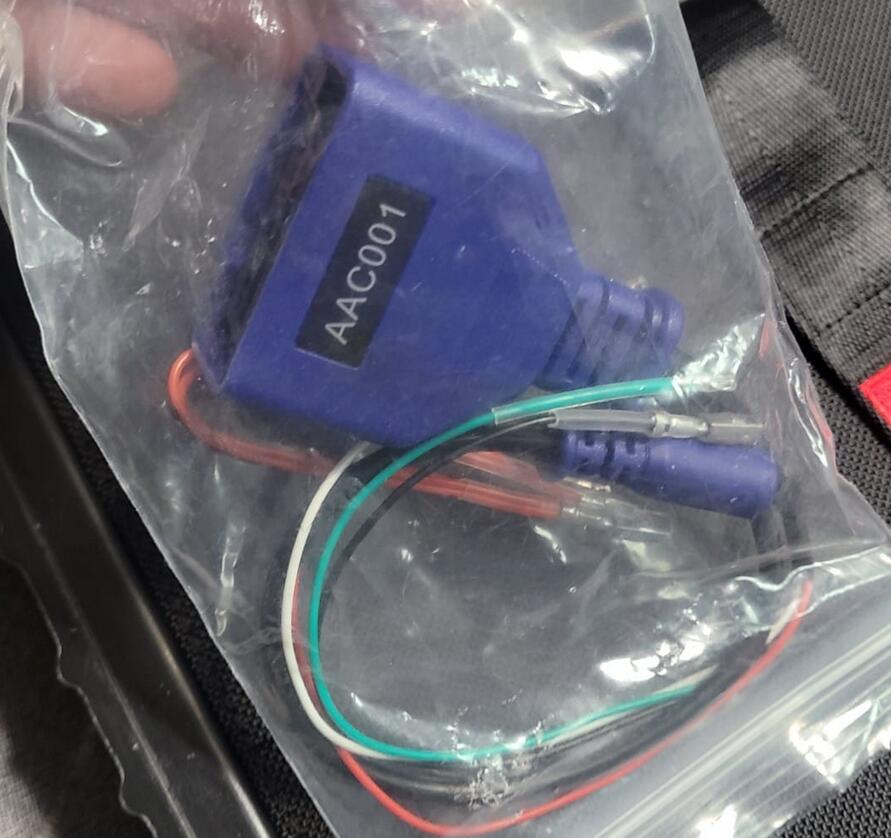
good to know. . So the AAC001 cable (comes with the xp400 kit I believe)  just requires can h and l and that’s it. I looked at diagram looks like it taps into the txu/ecu through harness directly so that’s pretty cool.

Monday, December 20, 2021

Autel IM608 Program 2008 Volvo XC70 All Keys Lost

This is a 2008 Volvo XC70, the client lost all of the keys for the vehicle and we have to program a new semi-smart key to this vehicle with Autel MaxiIM IM608 and XP400 Pro.
In order to do so, we need to remove the CEM module or central electrical module which is located behind the glow component.

Autel-IM608-Program-2008-Volvo-XC70-All-Keys-Lost-1
Autel-IM608-Program-2008-Volvo-XC70-All-Keys-Lost-2
Autel-IM608-Program-2008-Volvo-XC70-All-Keys-Lost-3

it’s behind the glove compartment right over there where you see the m plugs it goes right against the wall firewall and you need to remove the glow compartment.
Now go to immobilizer section with im608, select Volvo- Manual Selection- XC70 – 2008 to 2010- Semi smart key- confirm vehicle information

Autel-IM608-Program-2008-Volvo-XC70-All-Keys-Lost-4
Autel-IM608-Program-2008-Volvo-XC70-All-Keys-Lost-5
Autel-IM608-Program-2008-Volvo-XC70-All-Keys-Lost-6
Autel-IM608-Program-2008-Volvo-XC70-All-Keys-Lost-7
Autel-IM608-Program-2008-Volvo-XC70-All-Keys-Lost-8

i’m gonna get a control unit- Read CEM security data
We basically have to first read the cem module data okay and then you’re gonna be gonna have to use xp 400 it’s not a very simple programming it might be a little bit confusing for some other people but it’s not hard all you have to do is follow the diagrams follow the instructions and you should be good to go.

Autel-IM608-Program-2008-Volvo-XC70-All-Keys-Lost-9

so it’s showing you right now where the CEM module is located and you need to determine what type of sound module you have

in this case this is mine the type two

Autel-IM608-Program-2008-Volvo-XC70-All-Keys-Lost-10
Autel-IM608-Program-2008-Volvo-XC70-All-Keys-Lost-11

there are some other types to check see if yours looks like this one or the other one
I did do my connections on a circuit board according to the wiring diagram.
I did do the connections to the xp400 pro right over here and connected it to my m608

Autel-IM608-Program-2008-Volvo-XC70-All-Keys-Lost-12
Autel-IM608-Program-2008-Volvo-XC70-All-Keys-Lost-13

Let’s minimize
this one for the send type two
and right now it’s going to try to read it out

Autel-IM608-Program-2008-Volvo-XC70-All-Keys-Lost-14
Autel-IM608-Program-2008-Volvo-XC70-All-Keys-Lost-15
Autel-IM608-Program-2008-Volvo-XC70-All-Keys-Lost-16

okay we did it successfully okay
i’m going to save it on in here

Autel-IM608-Program-2008-Volvo-XC70-All-Keys-Lost-17

IM608 says decryption succeeded, not need to read M30882FJ Flash data. so which is easier for us we don’t have to do a whole bunch of the programming, reading, and writing stuff to the module
press ok
We need to desolder everything put it back together
Put the module back together and put it back on the car close everything up
then we’re gonna continue through the obd
We’re back at the car, get the obd plugged in IM608
Select all semi-smart keys lost
press the start button

Autel-IM608-Program-2008-Volvo-XC70-All-Keys-Lost-18

Autel-IM608-Program-2008-Volvo-XC70-All-Keys-Lost-19

Autel-IM608-Program-2008-Volvo-XC70-All-Keys-Lost-20

once okay whatever you guys don’t have the key right here and okay from the dealer okay i
I’m programmed so this is what it says right now same security data are required for performing this function
they can be obtained via data loading or obd reading as much as i know guys to do obd reading on this thing it it takes a very long time as much as i remember at least for the last time so that’s why we had to remove it and read it on the bench much quicker
It says on you select yes to upload data
Select yes to use data loading

Autel-IM608-Program-2008-Volvo-XC70-All-Keys-Lost-21

Then select No, not to load the data flash. You know the flash data which no we don’t need to load it.
if you want to continue perform function there must be one key yes the original key
if clear successfully need to be learned again we don’t have to do that because we have only one key all the keys are lost
verify the type of key first

Autel-IM608-Program-2008-Volvo-XC70-All-Keys-Lost-22
Autel-IM608-Program-2008-Volvo-XC70-All-Keys-Lost-23
Autel-IM608-Program-2008-Volvo-XC70-All-Keys-Lost-24

would you like to continue yes
Turn the ignition off and
remove the key
all right
okay just ignition just turned on
which i just did

Autel-IM608-Program-2008-Volvo-XC70-All-Keys-Lost-25
Autel-IM608-Program-2008-Volvo-XC70-All-Keys-Lost-26
Autel-IM608-Program-2008-Volvo-XC70-All-Keys-Lost-27

Autel IM608 successfully programmed a new key to this vehicle

If you want to know more about Key Programmer , please visit our website: https://www.obd2tool.com