Showing posts with label Xhorse VVDI. Show all posts

Sunday, February 13, 2022

Autel IM608 Program Audi A6 C6 EZS Kessy All Keys Lost

Here is the instruction to Audi A6 C6 4F (2004-2011) EZS kessy All keys lost using Autel MaxiIM IM608 in OBDII mode without removing the BCM immo box. Maybe someone needs a guide to do the same job. Xhorse VVDI2 can’t 100% but need to remove the immo box to read data and then prepare dealer key. It’s a big pain in the butt to remove the module. The IM608 procedure is much simpler and faster.

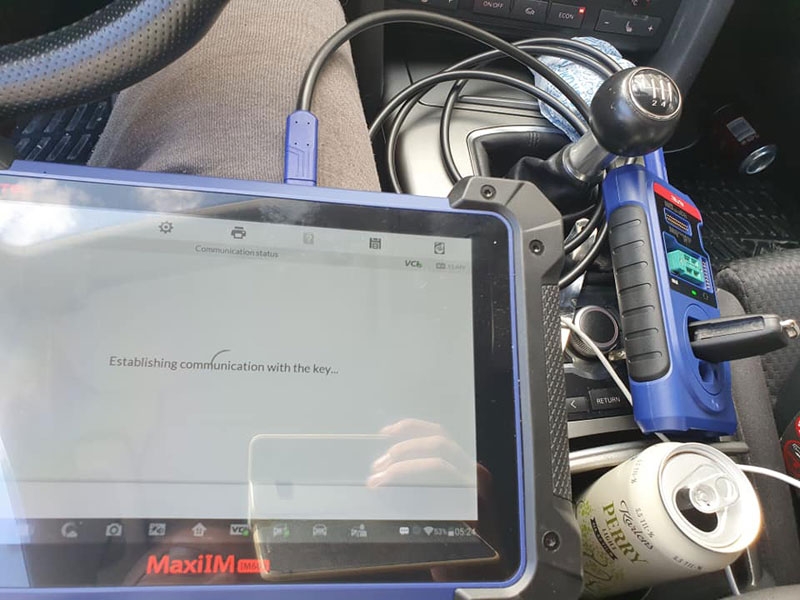
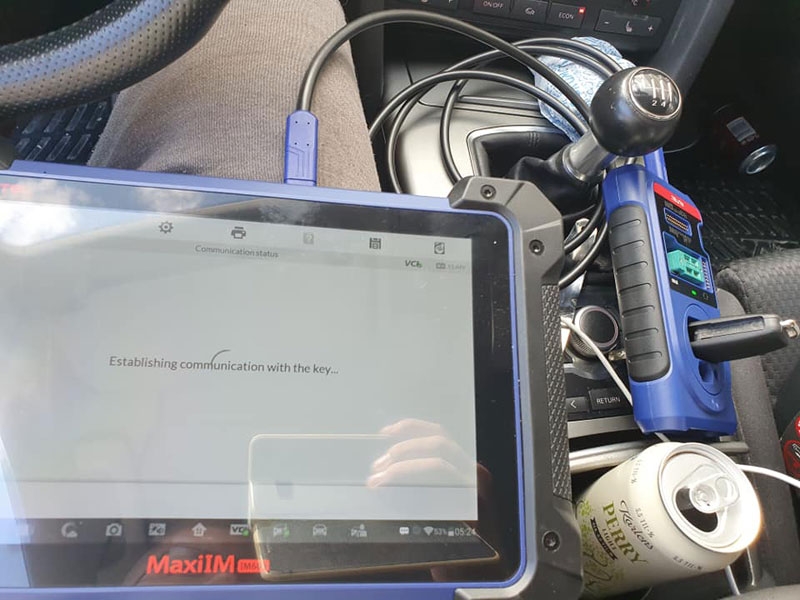
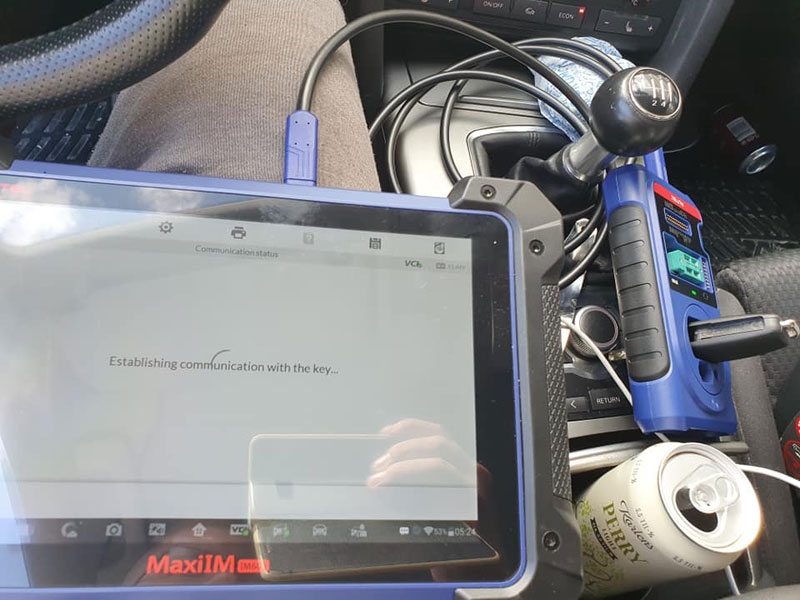
This is a 2005 Audi A6 C6 4F. The customer lost all the keys. I need to connect wires 15 and 30 to the fuse box and turn on the power. Took about 10 minutes of work, very easy job, made dealer key and programmed the key (aftermarket key) using IM608.

Autel-IM608-Program-Audi-A6-C6-4F-2005-All-Keys-Lost-1
Autel-IM608-Program-Audi-A6-C6-4F-2005-All-Keys-Lost-2
Autel-IM608-Program-Audi-A6-C6-4F-2005-All-Keys-Lost-3

The internet was connected all the time the device was in use, I don’t know how much depends on it or not, but the programmed success of the key and the customer have a great day getting the car running again. it gives elv and ecu just extra power then they can read the data and get it to work.

Autel-IM608-Program-Audi-A6-C6-4F-2005-All-Keys-Lost-4
Audi A6 C6 4F All keys lost OBDII procedure with Autel IM608:
Step 1: Read IMMO Data
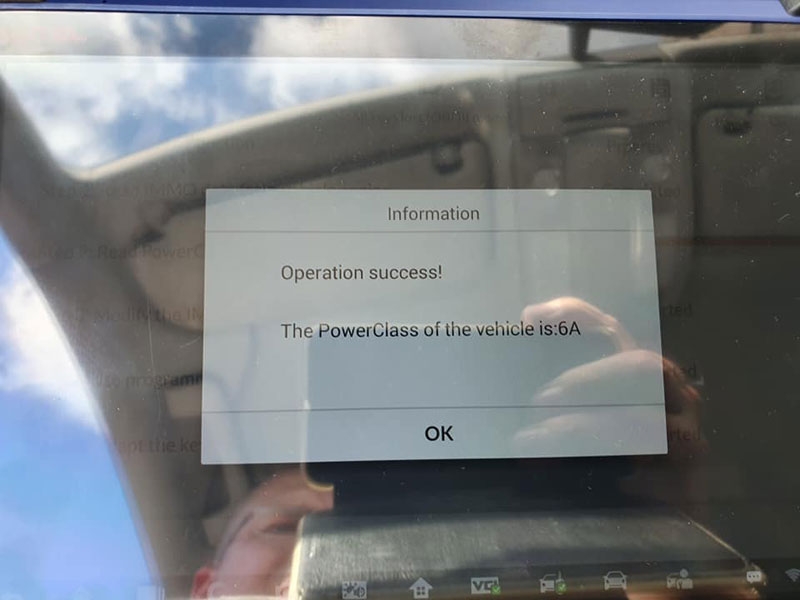
Step 2: Read PowerClass (Read CS & PIN)
Step 3: Modify the IMMO Data
Step 4: Make a dealer key
Step 5: Adapt the key to the immobilizer system
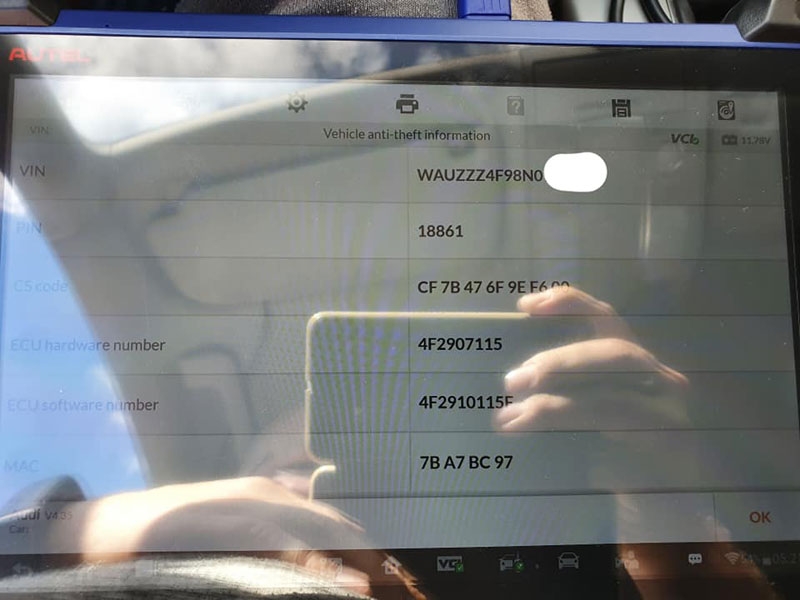
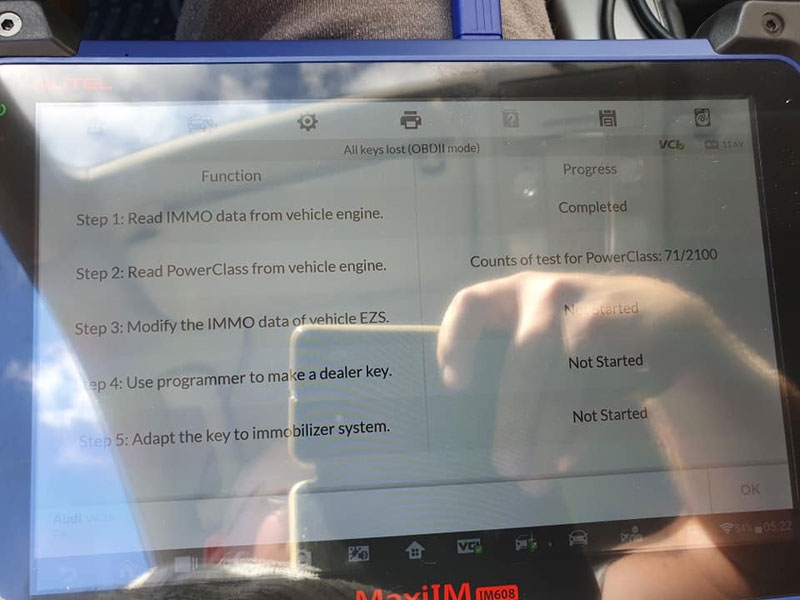
Autel-IM608-Program-Audi-A6-C6-4F-2005-All-Keys-Lost-5
Autel-IM608-Program-Audi-A6-C6-4F-2005-All-Keys-Lost-6
Autel-IM608-Program-Audi-A6-C6-4F-2005-All-Keys-Lost-7
Autel-IM608-Program-Audi-A6-C6-4F-2005-All-Keys-Lost-8
Autel-IM608-Program-Audi-A6-C6-4F-2005-All-Keys-Lost-9
Autel-IM608-Program-Audi-A6-C6-4F-2005-All-Keys-Lost-10

Those fuses you jumped in 2007 Audi A6 would be:
15 amp fuse 31 Rev. lights, multitronic, eng. comp.
30 amp fuse 38 wiper system
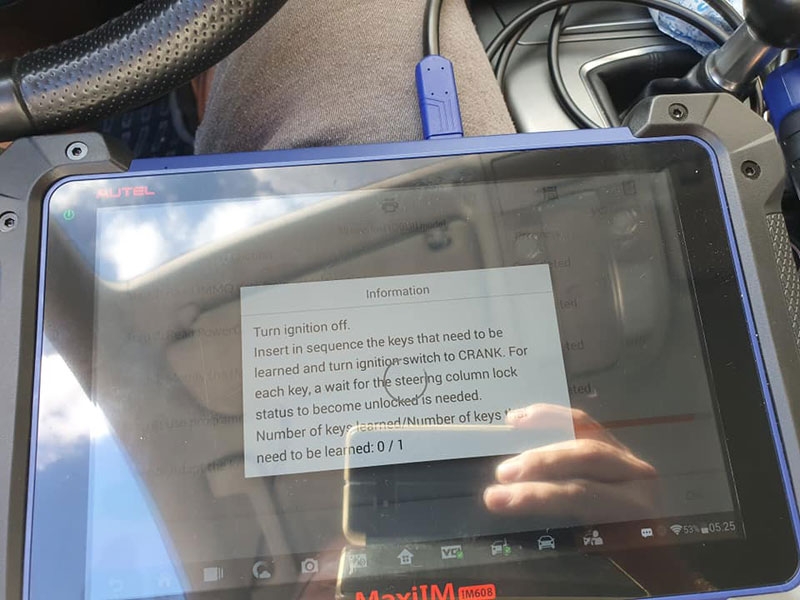
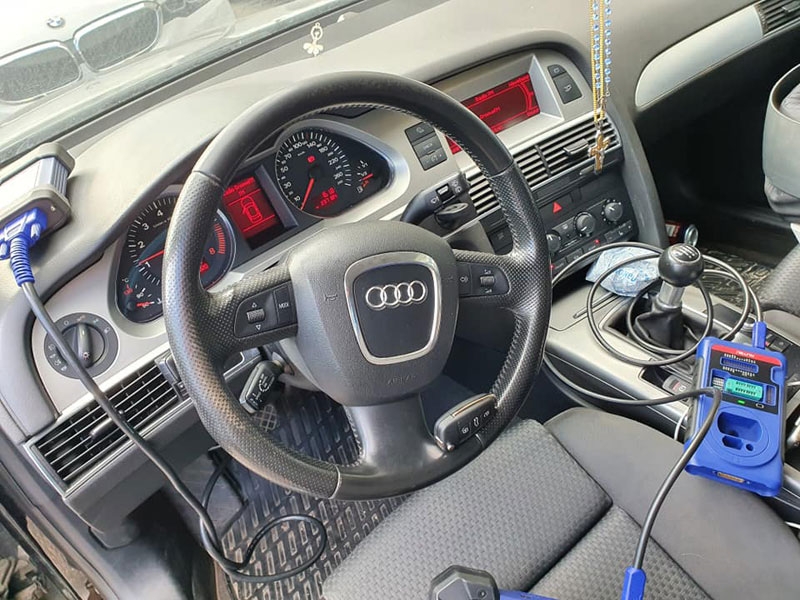
Autel-IM608-Program-Audi-A6-C6-4F-2005-All-Keys-Lost-11


Autel-IM608-Program-Audi-A6-C6-4F-2005-All-Keys-Lost-12

All keys lost guide with vvdi2

Here’s the Audi A6 C6 4F All keys lost guide with Xhorse VVDI2+ VVDI Prog if have them in hand. Short a fuse in order to wake up system, read all data obd, make dealer key then learn in. Quick job. Check main steps below

1. Remove EZS
2. Read EZS data with VVDI Prog
3. Calculate CS

In VVDI2 software, go to Audi- Sepcial function- EEPROM data processing tool
Select “ECU Simons PPDIX – Reset component protection data”
Click “Load” the load the data that read out just now, open it.
It calculates the CS code. Take a picture to record it.

4. Calculate PIN
Select “ECU Simons PPDIX – Security Access Code”
Click “Load” again to load the file.
PIN code is read out, record PIN code.

5. Learn key
In VVDI2 click “Learning Key”- “Audi A6/Q7” Option.
Input the CS and PIN code, you will see “Learning Key” and “Generate dealer key” are enabled.
Click “Generate dealer key”
Generate dealer key is done.
Next is to learn key
Disconnect the short insurance line (fuse box).
Connect back
Take out the chip from VVDI2 and put it into the ignition data coil.
Click “Learning Key”
Open and close car door, turn on ignition, press down brake.
Click “Learning Key”.
Learning successfully.

6. Generate remote
Read EZS-KESSY(J518)EEPROM.
Click “ok”, select Chip type 9S1201128, the aim to read EZS-KESSY(J518)EEPROM is to generate OEM remote control.
Save EZS-KESSY(J518)EEPROM.
Generate OEM remote control.
Vertical put remote controller on the coil of vvdi2
Following the prompt the put the remote controller, click “Next”
Remote control is generated successfully, assembled key and to test.
Test the key whether it can start the A6.

All keys lost guide with AVDI
1) First connect pin 1+16 (A6 2006) of obd2 with jumper wire to communicate with engine control unit, then go to Special Function of (EZS-kESSY q7/a6) with Avdi and click (Automatic detecting engine ecu) if it shows you 6 cs + pin so insert your transponder 8E OR remote control there and in (tag key tool) click Make Dealer key and follow the procedure of avdi screen.
2) If an American system the car must be your remote part number (4F0 837 220 A) if EUROPE (4F0 837 220 M )

Wednesday, December 29, 2021

Vvdi Key Tool Plus Bmw Cas3++ Istap Key Programming


Vvdi Key Tool Plus Bmw Cas3++ Istap Key Programming

1. 20min in bench easy without problems: Xhorse VVDI Key Tool Plus add keyless go BMW e92 cas3++ista-p.

Open cas for full back-up and generate from eeprom.
Personal experience: I have full back-up for Cas2 cas3 cas3++istap cas4 etc with hextag. For me is no problem but I don’t try in obd for lose time.

Vvdi-Key-Tool-Plus-Bmw-Cas3++-Istap-Key-Programming-1
Vvdi-Key-Tool-Plus-Bmw-Cas3++-Istap-Key-Programming-2
Vvdi-Key-Tool-Plus-Bmw-Cas3++-Istap-Key-Programming-3
Vvdi-Key-Tool-Plus-Bmw-Cas3++-Istap-Key-Programming-4

2. 10 min done via OBD: Xhorse Key Tool Plus program key BMW 2010 Cas3++ (ISTAP) done. Make sure you have enough power supply.
Insert the ignition key into ignition switch and connect the BMW 2010 vehicle and VVDI Key Tool Plus well.
Tap “Immo Programming” -> Europe -> BMW -> Automatically diagnose models -> Start Programming -> it is detected as CAS3++ (ISTAP) -> Generate key via OBD -> Read key information -> “Yes” to add new key -> obtain the key info.

Vvdi-Key-Tool-Plus-Bmw-Cas3++-Istap-Key-Programming-5
Vvdi-Key-Tool-Plus-Bmw-Cas3++-Istap-Key-Programming-6
Vvdi-Key-Tool-Plus-Bmw-Cas3++-Istap-Key-Programming-7
Vvdi-Key-Tool-Plus-Bmw-Cas3++-Istap-Key-Programming-8
Vvdi-Key-Tool-Plus-Bmw-Cas3++-Istap-Key-Programming-9
Vvdi-Key-Tool-Plus-Bmw-Cas3++-Istap-Key-Programming-10

Click on “Yes” to start flash CAS firmware.
Take away the dealer key from ignition switch and click on “OK”.
It will take several minutes to flash CAS firmware.
Insert key into ignition and switch on, then click on “OK”.
Authenticating success.
Start security login…
Take way the dealer key from ignition switch as the on-screen instruction guide.
Reading data success and then click on “Save”.

Vvdi-Key-Tool-Plus-Bmw-Cas3++-Istap-Key-Programming-11
Vvdi-Key-Tool-Plus-Bmw-Cas3++-Istap-Key-Programming-12
Vvdi-Key-Tool-Plus-Bmw-Cas3++-Istap-Key-Programming-13
Vvdi-Key-Tool-Plus-Bmw-Cas3++-Istap-Key-Programming-14
Vvdi-Key-Tool-Plus-Bmw-Cas3++-Istap-Key-Programming-15

Select “Prepare dealer key with programmer”.
Select “Key 3 FFFFFFFF Enable”.
Click “OK” to learn that CAS key data is encrypted, support make dealer key for it.
Please input a working key into programmer (key tool plus).
Please put new key into programmer.
Click “NO” because the current key is not smart key.
Make dealer key success, click on “OK”.

Vvdi-Key-Tool-Plus-Bmw-Cas3++-Istap-Key-Programming-16
Vvdi-Key-Tool-Plus-Bmw-Cas3++-Istap-Key-Programming-17
Vvdi-Key-Tool-Plus-Bmw-Cas3++-Istap-Key-Programming-18
Vvdi-Key-Tool-Plus-Bmw-Cas3++-Istap-Key-Programming-19
Vvdi-Key-Tool-Plus-Bmw-Cas3++-Istap-Key-Programming-20

Click on “Add key”.
This function add the newly generated key to the IMMO system, need to be executed “Generate dealer key – Use programmer” function to generate key.
Please put new key into programmer.
Click “NO” because the current key is not smart key.
Start security login…
Take way the dealer key from ignition switch and click on “OK”.
Reading data success.
Adding key.
Start security login…
Writing data success…

Vvdi-Key-Tool-Plus-Bmw-Cas3++-Istap-Key-Programming-21
Vvdi-Key-Tool-Plus-Bmw-Cas3++-Istap-Key-Programming-22
Vvdi-Key-Tool-Plus-Bmw-Cas3++-Istap-Key-Programming-23

New dealer key success written to CAS system.
You can start engine with the new key now.

Vvdi-Key-Tool-Plus-Bmw-Cas3++-Istap-Key-Programming-24
Vvdi-Key-Tool-Plus-Bmw-Cas3++-Istap-Key-Programming-25
Vvdi-Key-Tool-Plus-Bmw-Cas3++-Istap-Key-Programming-26

Alright, no matter which method on bench or via OBD, Xhorse VVDI Key Tool Plus can do a great job

If you want to know more about Bmw key programmer, please click Bmw Trouble Repair.

Tuesday, November 30, 2021

2003 Saab 9-3 All Keys Lost Programming Tips

Question:
2003 Saab 9-3 all keys lost, Can xhorse vvdi key tool plus do this key?
I live in the US and they haven’t sold Saab here in a very long time.
Ii know Saab uses a tech2 as their scan tool? Can tech2 do the key?

Solution:
If USA cars are like EU cars both generations exist as 2003 model.
1) If it’s 1st gen it’s twice module under the seat. Need to read the Motorola processor and write key to t5.
2) If it is the second generation 9-3 it is CIM module out (behind the steering wheel) and need to read the eeprom. Read it in circuit, because it’s pretty bad stuck with protective coating. There is big chance to damage the board if you try to remove it.

You can read dump with vvdi prog and make file key with vvdi2.
GM tech2 can not do keys in all keys lost situation. Was working for Saab. The dealer solution is new module with keys. If you have used module with key programmed to it, it is pretty easy to adapt it to the car with tech2 tho.

2003-Saab-9-3-All-Keys-Lost-Programming-Tips-1
2003-Saab-9-3-All-Keys-Lost-Programming-Tips-2


Thursday, November 18, 2021

Vvdi Key Tool Plus Bmw Cas3++ Istap Key Programming

Vvdi Key Tool Plus Bmw Cas3++ Istap Key Programming

1. 20min in bench easy without problems: Xhorse VVDI Key Tool Plus add keyless go BMW e92 cas3++ista-p.

Open cas for full back-up and generate from eeprom.
Personal experience: I have full back-up for Cas2 cas3 cas3++istap cas4 etc with hextag. For me is no problem but I don’t try in obd for lose time.

Vvdi-Key-Tool-Plus-Bmw-Cas3++-Istap-Key-Programming-1
Vvdi-Key-Tool-Plus-Bmw-Cas3++-Istap-Key-Programming-2
Vvdi-Key-Tool-Plus-Bmw-Cas3++-Istap-Key-Programming-3
Vvdi-Key-Tool-Plus-Bmw-Cas3++-Istap-Key-Programming-4

2. 10 min done via OBD: Xhorse Key Tool Plus program key BMW 2010 Cas3++ (ISTAP) done. Make sure you have enough power supply.
Insert the ignition key into ignition switch and connect the BMW 2010 vehicle and VVDI Key Tool Plus well.
Tap “Immo Programming” -> Europe -> BMW -> Automatically diagnose models -> Start Programming -> it is detected as CAS3++ (ISTAP) -> Generate key via OBD -> Read key information -> “Yes” to add new key -> obtain the key info.

Vvdi-Key-Tool-Plus-Bmw-Cas3++-Istap-Key-Programming-5
Vvdi-Key-Tool-Plus-Bmw-Cas3++-Istap-Key-Programming-6
Vvdi-Key-Tool-Plus-Bmw-Cas3++-Istap-Key-Programming-7
Vvdi-Key-Tool-Plus-Bmw-Cas3++-Istap-Key-Programming-8
Vvdi-Key-Tool-Plus-Bmw-Cas3++-Istap-Key-Programming-9
Vvdi-Key-Tool-Plus-Bmw-Cas3++-Istap-Key-Programming-10

Click on “Yes” to start flash CAS firmware.
Take away the dealer key from ignition switch and click on “OK”.
It will take several minutes to flash CAS firmware.
Insert key into ignition and switch on, then click on “OK”.
Authenticating success.
Start security login…
Take way the dealer key from ignition switch as the on-screen instruction guide.
Reading data success and then click on “Save”.

Vvdi-Key-Tool-Plus-Bmw-Cas3++-Istap-Key-Programming-11
Vvdi-Key-Tool-Plus-Bmw-Cas3++-Istap-Key-Programming-12
Vvdi-Key-Tool-Plus-Bmw-Cas3++-Istap-Key-Programming-13
Vvdi-Key-Tool-Plus-Bmw-Cas3++-Istap-Key-Programming-14
Vvdi-Key-Tool-Plus-Bmw-Cas3++-Istap-Key-Programming-15

Select “Prepare dealer key with programmer”.
Select “Key 3 FFFFFFFF Enable”.
Click “OK” to learn that CAS key data is encrypted, support make dealer key for it.
Please input a working key into programmer (key tool plus).
Please put new key into programmer.
Click “NO” because the current key is not smart key.
Make dealer key success, click on “OK”.

Vvdi-Key-Tool-Plus-Bmw-Cas3++-Istap-Key-Programming-16
Vvdi-Key-Tool-Plus-Bmw-Cas3++-Istap-Key-Programming-17
Vvdi-Key-Tool-Plus-Bmw-Cas3++-Istap-Key-Programming-18
Vvdi-Key-Tool-Plus-Bmw-Cas3++-Istap-Key-Programming-19
Vvdi-Key-Tool-Plus-Bmw-Cas3++-Istap-Key-Programming-20

Click on “Add key”.
This function add the newly generated key to the IMMO system, need to be executed “Generate dealer key – Use programmer” function to generate key.
Please put new key into programmer.
Click “NO” because the current key is not smart key.
Start security login…
Take way the dealer key from ignition switch and click on “OK”.
Reading data success.
Adding key.
Start security login…
Writing data success…

Vvdi-Key-Tool-Plus-Bmw-Cas3++-Istap-Key-Programming-21
Vvdi-Key-Tool-Plus-Bmw-Cas3++-Istap-Key-Programming-22
Vvdi-Key-Tool-Plus-Bmw-Cas3++-Istap-Key-Programming-23

New dealer key success written to CAS system.
You can start engine with the new key now.

Vvdi-Key-Tool-Plus-Bmw-Cas3++-Istap-Key-Programming-24
Vvdi-Key-Tool-Plus-Bmw-Cas3++-Istap-Key-Programming-25
Vvdi-Key-Tool-Plus-Bmw-Cas3++-Istap-Key-Programming-26

Alright, no matter which method on bench or via OBD, Xhorse VVDI Key Tool Plus can do a great job

If you want to know more about Bmw key programmer, please click Bmw Trouble Repair.