Showing posts with label SKP900 Key Programmer. Show all posts

Saturday, February 17, 2018

Software de actualización SKP900

1 Conecte su dispositivo a la PC mediante un cable USB y no realice ninguna operación de la siguiente manera:

15-2
2 Seleccione "FUNCIÓN ACTUALIZACIÓN" en el Menú principal y presione [SÍ]:

15-3
3 Ejecute "SuperOBD
SKP-900 Update Tool.exe"

15-3
4 Presione el botón "ABRIR" para cargar el archivo de actualización->

15-4 

15-5
5 Seleccione el puerto COM (DOS MANERAS PARA SELECCIONAR EL PUERTO COM) ->

5.1 Presione el botón "AUTO" (modo 1)

15-6
5.2 Elija manualmente (modo 2)

15-7
Cómo obtener el número de puerto:
"Mi PC" -> Haga clic con el botón derecho del mouse-> Administrar->:

15-8
Administrador de dispositivos->

15-9
Puertos (COM y LPT) ->

15-10
Buscar puerto serie USB->

15-11
El puerto COM es COM3

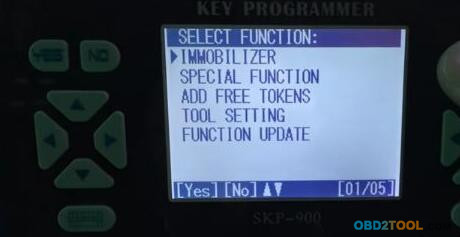
Presentación del menú de SuperOBD SKP-900


12-1
El menú tiene 7 opciones de la siguiente manera:
2.1 INMOVILIZADOR
SKP900 Le permite programar teclas de transpondedor automático, teclas inteligentes automáticas y teclas de control remoto automático para automóviles europeos, estadounidenses y chinos.

2.2 AJUSTE DEL MILLAJE
Le permite leer y cambiar los datos de kilometraje.

2.3 FUNCIÓN ESPECIAL
Funciona con varios adaptadores para identificar chips.

2.4 MANO DE OPERAR
En ciertas condiciones, puede ayudarte a unir teclas y controles remotos manualmente.

2.5 AGREGAR TOKENS GRATIS
Los tokens para el programador clave SKP-900 son limitados. Si agota, debe ponerse en contacto con su distribuidor para agregar sus tokens de forma gratuita.

2.6 CONFIGURACIÓN DE LA HERRAMIENTA
Puede proporcionarle información de hardware y SN de su dispositivo.

2.7 ACTUALIZACIÓN DE LA FUNCIÓN
Le puede ayudar a actualizar el software en línea si es posible.

Introducción de SKP-900, vehículos compatibles y protocolos de soporte

IntroducciónSuperOBD SKP900 Key Programmer es un dispositivo portátil para leer y programar claves de transpondedor automático, teclas de autocontrol y teclas inteligentes automáticas. Es fuerte en funciones, fácil de usar, y rentable en precio, y es la mejor opción para una tienda de cerrajería e incluso para bricolaje.

caracteristicas:Pantalla: LCD 80X65mmPantalla fácil de leer e interfaz amigableTemperatura de funcionamiento: -10 ° C - 50 ° CVoltaje de funcionamiento: DC 11V-28VVersión de software: V2.0Amplia cobertura de vehículosNo necesita fichas para todo el software que ya tiene en la máquina. No necesita código PIN para programar claves para muchos vehículos. Puede leer el código PIN para muchos vehículos. Actualización frecuente.Diseño de conector incorporado, solo se necesitan unos pocos conectores
Vehículos compatibles:Europa: ALFA, AUDI, CITROEN, FIAT, JAGUAR, OPEL, PEUGEOT, RENAULT, ROVER, INTELIGENTE, SKODA, VWAmérica: BUICK, CADILLAC, CHEVROLET, CHRYSLER, DODGE, FORD, GM, JEEP, LAND ROVER, LINCOLN,ASIA: ACURA, HONDA, HYUNDAI, INFINITI, KIA, LEXUS, MAZDA, MITSUBISHI, NISSAN, PROTON, SSANGYONG, SUBARU, SUZUKI, TOYOTAChina: BRILLIANCE, BYD, CHANGAN, CHANG FENG, CHERY, DONG FENG, DONG FENG NISSAN, FAW, GEELY, GREAT WALL, HA FEI, HAINAN MAZDA, JAC, JIN BEI, LI FAN, LU FENG, LUXGEN, MAPLE, MG, ROEWE, ZOTYE 5008

11-1

11-2Protocolos de soporte:SAE-J1850 PWM, SAE-J1850 VPW, KWP2000, ISO-9141, CANBUS, SINGLE CAN
SKP-900 Lista de empaque:Unidad principal SuperOBD SKP-900,Cable principal,Conector Honda-3,Conector Kia-20,Conector Hyundai / Kia-10,Cable USB,SuperOBD SKP-900 Manual de usuario, CD

Friday, January 19, 2018

Some common questions about skp900

Obd2tool.com engineer has successfully added added new keys for Toyota,Range Rover,VW,Mitsubishi,Ford,Honda,Ford Mondeo and Fortwo by skp900 key programmer. Following is Some common questions about this SKP900 Key Programmer.


1 Superobd SKP900 V5.0 update -160 Toyota models works
2 SKP900 review Honda Nissan Toyota Mazda Chevy OK
3 SuperOBD SKP900 program 2013 Range Rover Evoque remote key OK
4 Superobd SKP900 programs smart remote Nissan Sylphy 2013 year
5 How to update SuperOBD SKP900 Key Programmer
6 SuperOBD SKP900 key programmer Test Reports
7 How SKP900 read pin code& program key for VW Bora all key lost
8 How to Program key for Nissan Versa 2012 via SuperOBD SKP900
9 Three steps to add Mitsubishi Pajero new key by SKP900
10 How SKP-900 key programmer add Ford Focus remote key in 3 steps
11 SKP900 program Honda CRV key when all key lost
12 Copy 46 chip with SKP900 key Programmer and 464D48 Adapter
13 How to use SKP900 add smart key for Ford Mondeo 2008
14 SKP900 Program Remote Key for Smart Fortwo 451

SKP900 Program Remote Key for Smart Fortwo 451

Here is the instruction on programming 3 button remote key for Mercedes Smart Fortwo 451 up to 2013 by using original SuperOBD SKP-900 Key Programmer.

Instruction:
Note: Do follow every IGN ON & OFF operation.

Connect Auto Key Programmer SKP900 with vehicle via OBD diagnostic socket


Select IMMOBILIZER

Select Vehicle Brand: SMART

Select model: BR451

Loading
INFO: Remote will adapt when key programming finish

Select Immobilizer system

Choose OBDII adapter, Turn ignition ON

SKP-900 will display VIN/FIN code

Select PROGRAM KEY

Adapt 6 keys most

Turn ignition ON
Programming…
Turn ignition OFF
Turn ignition ON
Programming…
Program Finish. Press YES to program next key (or NO to go back).

Turn ignition OFF

Insert new key. Turn ignition ON
Programming…

Turn ignition OFF
Turn ignition ON
Program Finish.

Test the new programmed remote key.


How to use SKP900 add smart key for Ford Mondeo 2008

Recently, OBD2TOOL Enginner test skp900 key programmer on Ford Mondeo 2008,and now I share the procedure of using car key programming SKP 900 Key Programer to add  smaret key for Ford Mondeo 2008 here.

Plug the SKP-900 into car OBD socket
Connect SuperOBD SKP-900 Key Programmer main unit with main adapter

Step1:Power up the skp900,and  select vehicle make FORD

Select MONDEO KEYLESS   Build communication with car


Step 2:Select IMMOBILIZER SYSTEM


Step 3:Choose OBDII adapter
DONOT TURN IGN ON
Click Yes to continue
Communicating,please wait


Step 4:select ADD KEYLESS
Programming


Step 5:In 15 seconds, press UNLOCK of and adding keyless for 1 sec

programming wait for 10 sec


Step 6:Insert keyless to slot
Extract keyless from slot


Matching succeed


Test the new smart key
it is working

How SKP-900 key programmer add Ford Focus remote key in 3 steps

This blog will manage customers to add Ford focus remote keys with SuperOBD SKP900 Hand-held Auto Key Programmer, just need 3 steps, spend you several minutes.
Vehicle: Ford Focus
Tool Used: SKP-900 auto key programmer
Detail steps:
Step1
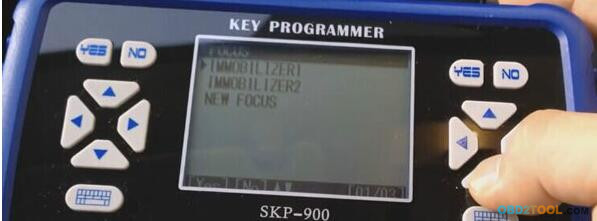
Connect key programmer SKP-900 to the car. Enter “IMMOBILIZER” option and choose car model “FORD”→ “FOCUS”
Then choose “IMMOBILIZER2” and press YES to continue..
10-1
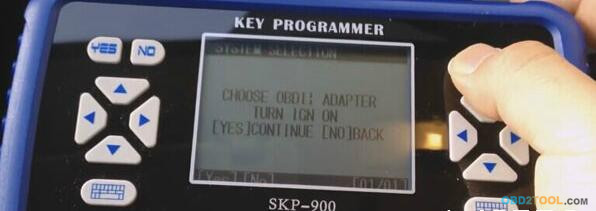
Follow the prompt turn ignition on and press YES to next step
10-2
Step2
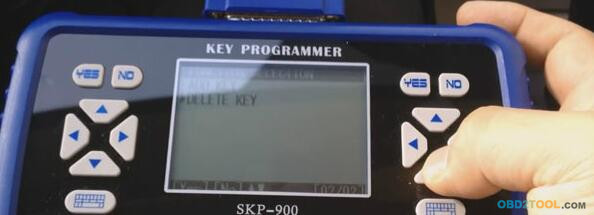
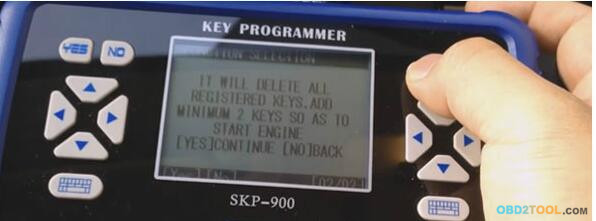
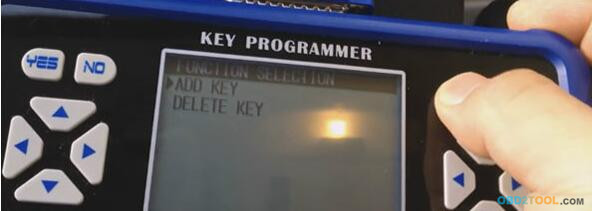
Choose DELETE KEY to delete all registered keys.
10-3
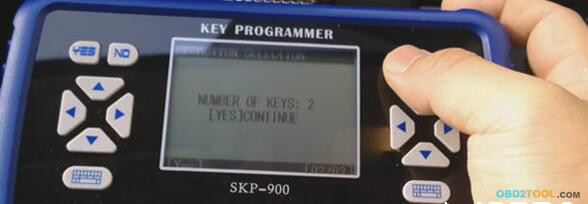
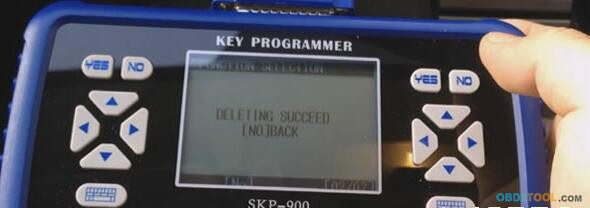
Press YES to continue, after this step, all registered keys will be deleted, then you can program the new keys next.
10-4
10-5 10-6
Step3
Back to previous and choose “ADD KEY”
10-7
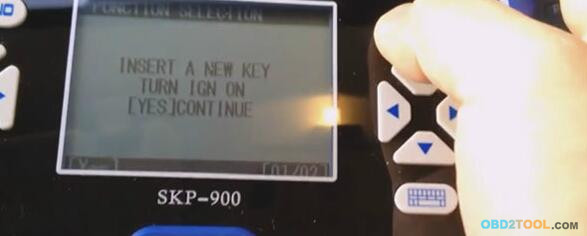
Inset a new key turn ignition on and press [YES] to continue
10-8
If you want to add one more key, follow step3
10-9
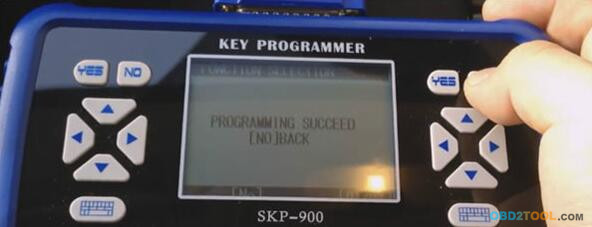
Succeed in programming Ford Focus remote key by using OBD II Scanner SKP-900 auto key programmer!
10-10
Finally, Exit the program and turn off the tool.

Three steps to add Mitsubishi Pajero new key by SKP900

This blog is going to tell you SKP-900 key programmer can add new key for Mitsubishi Pajero in just one minute! It’s amazing and please read down below steps.
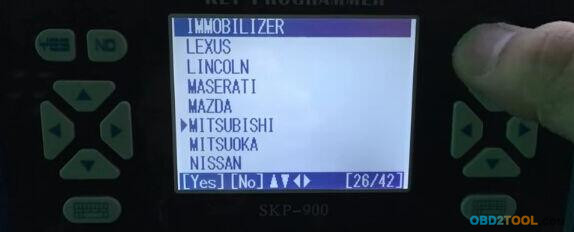
Step1. Start SKP-900 SKP900 then choose “Immobilizer”→ “Mitsubishi”
9-1
9-2
Step2. Choose “System Type” and “Type 1” and “IMMO System”. Next is to turn on the ignition.
9-4
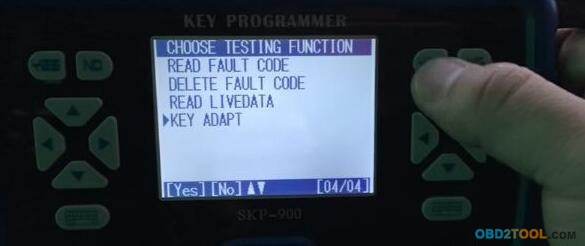
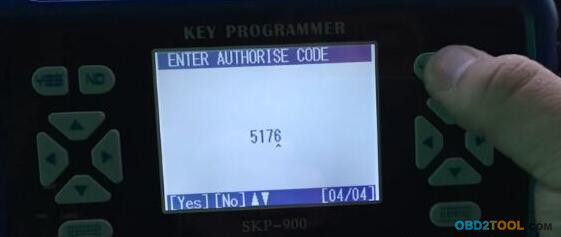
Step3. Choose “Key Adapt” and input the authorize code.
9-5 9-6
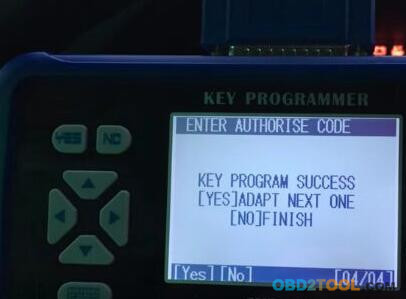
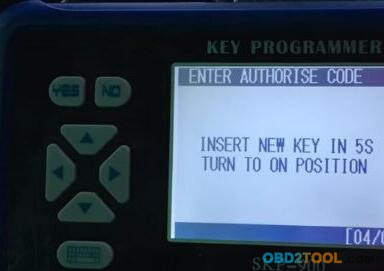
It will show “Key Program Success”. Press YES button and insert the new key in 5 seconds then turn ignition on.
9-7 9-1
And Auto Key Programming SuperOBD SKP900 now make new key for Mitsubishi Pajero successfully in 1 minute!