Showing posts with label Key Programming tool. Show all posts

Thursday, April 14, 2022

Lonsdor K518ISE program Key for Nissan Qashqai 2015


There are two options for Nissan Qashqai blade key. Here is the guide to add a spare key to Nissan Qashqai 2016 with Lonsdor K518ISE Key Programmer.

Connect K518 host with vehicle via OBD diagnostic socket

Turn ignition on

Select Immobilizer->Nissan->Select from type->Immobilizer->New 20-digit rolling code->Add key


Turn ignition off and turn on emergency flasher

Insert the key to be programmed and turn ignition on

Turn ignition off and turn on emergency flasher

Open and close driver door for twice

Lonsdor K518 asking all keys will be detected

Communication processing

Switch on with a working key

Check if the dash indicators turn on and the security light goes off within 1 few seconds. If yes, press OK to continue

Switch ignition off

Program success, continue to program next key?

Switch ignition on with a key

Check if the dash indicators turn on and the security light goes off within 1 few seconds. If yes, press OK to continue

Turn ignition off

Program success, continue to program next key?

Turn ignition on with the first key


Program completed.

If you want to know more about Key Programmer, please click our website: https://www.obd2tool.com

Wednesday, April 13, 2022

Lonsdor K518ISE Program Ferrari 458 Keys

Lonsdor K518ISE(K518 English Version) universal auto key programmer , with wider vehicle coverage in key programming, it is customized as the first masterpiece to the overseas market from Lonsdor. With months of preparation and rigorous testing, from the software design to the user experience, it is an epitomize of Lonsdor years of industry experience. It is tailored and perfect for vehicle locksmith, to help making their work easier, faster and more powerful!

Lonsdor K518ISE Main Functions & Features:
1.Immobilization
2.Chip Generation/Copy
3.Remote Frequency
4.Odometer Adjustment
5. Free BMW FEM key programming
6.Program Toyota/Lexus smart key all key lost via OBD
7. Built-in Volkswagen 4th 5th adapter

Lonsdor K518ISE key programmer support Ferrari 458,F12,F149 key programming. Here is a case about Lonsdor K518 program Ferrari 458 remote key.

Device: Lonsdor K518ISE key programmer

Key type: Ferrari 458 remote

Test procedure:

Step 1: Backup immo data

Step 2: Program key

Step 3: Program remote

Test result: success!

Detail steps check the photos:

Choose Ferrari Brand

Choose The car model 458

Choose Immobilizer

Show the detail info and read the data


Backup the data


Lonsdor K518ISE Program


Then Program remote


Success

If you want to know more about Car Key Programmer, please click our website:https://www.obd2tool.com

Monday, April 11, 2022

Lonsdor K518ISE program Mazda CX9 Second generation 2017 all key lost


This instruction will show you guide on how to program all key lost for Mazda CX9 Second generation 2017 By Lonsdor K518ISE.  More cases about Mazda, please click to Ford Trouble Repair.

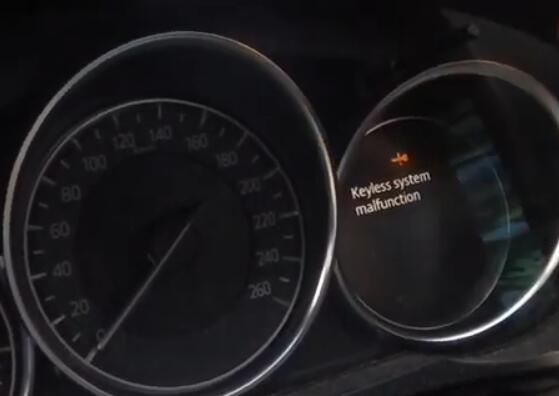
we got a Keyless system malfunction at the dash.

We have two genuine original keys that for this vehicle, they both do operate the vehicle at the moment, but to get rid of the malfunction, we have to perform an old keys loss scenario for this vehicle and reprogram both the original keys.

Procedures:

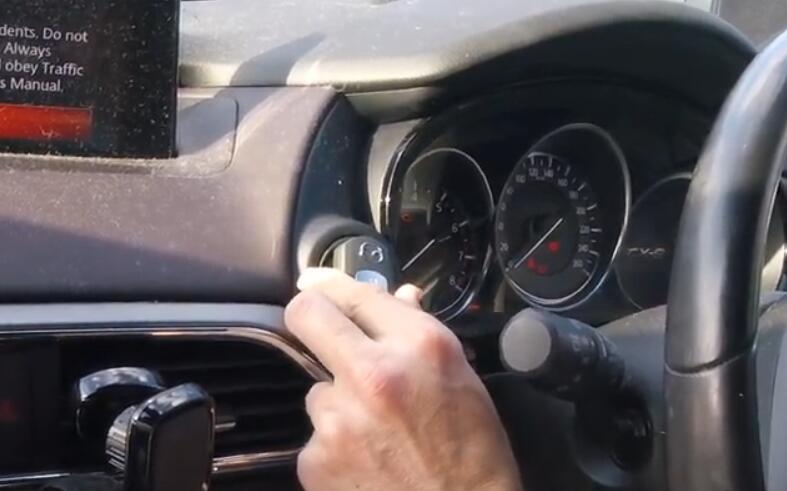
Turn the ignition to the on position, make sure all the lights on the dash up

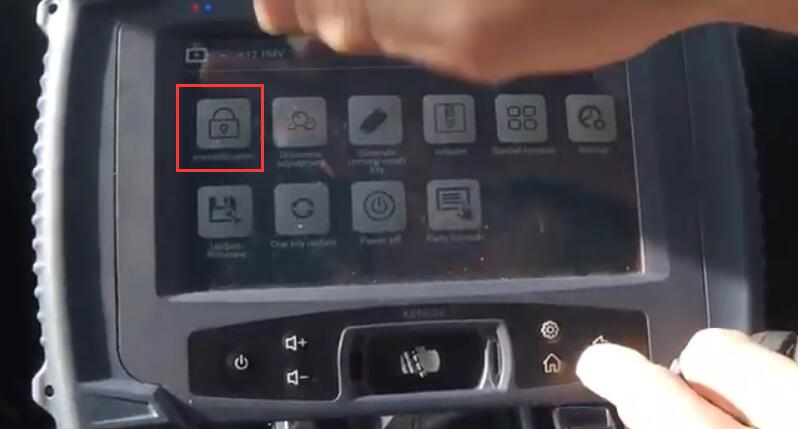
Click “Immobilization” on the Lonsdor

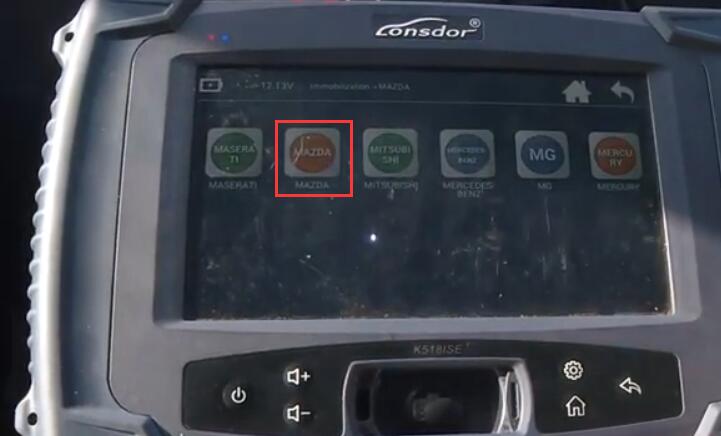
Select “Mazda”, then select correct model for your vehicle

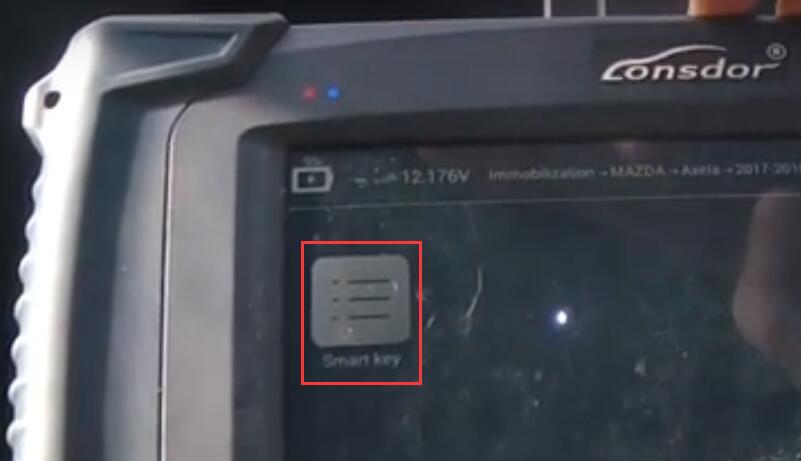
Select “Smart Key”

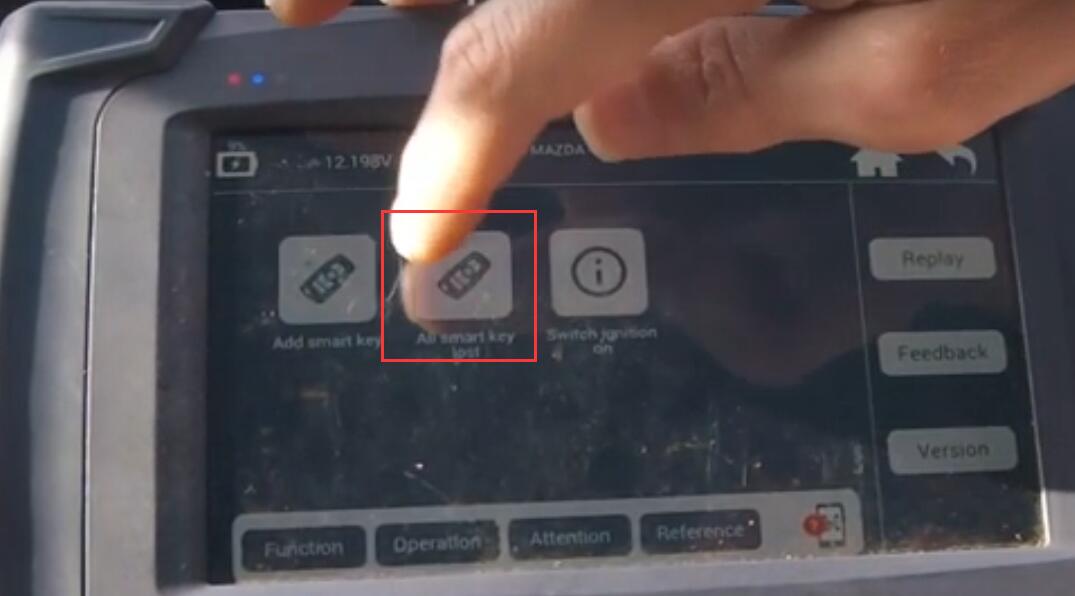
Select “All smart keys lost”

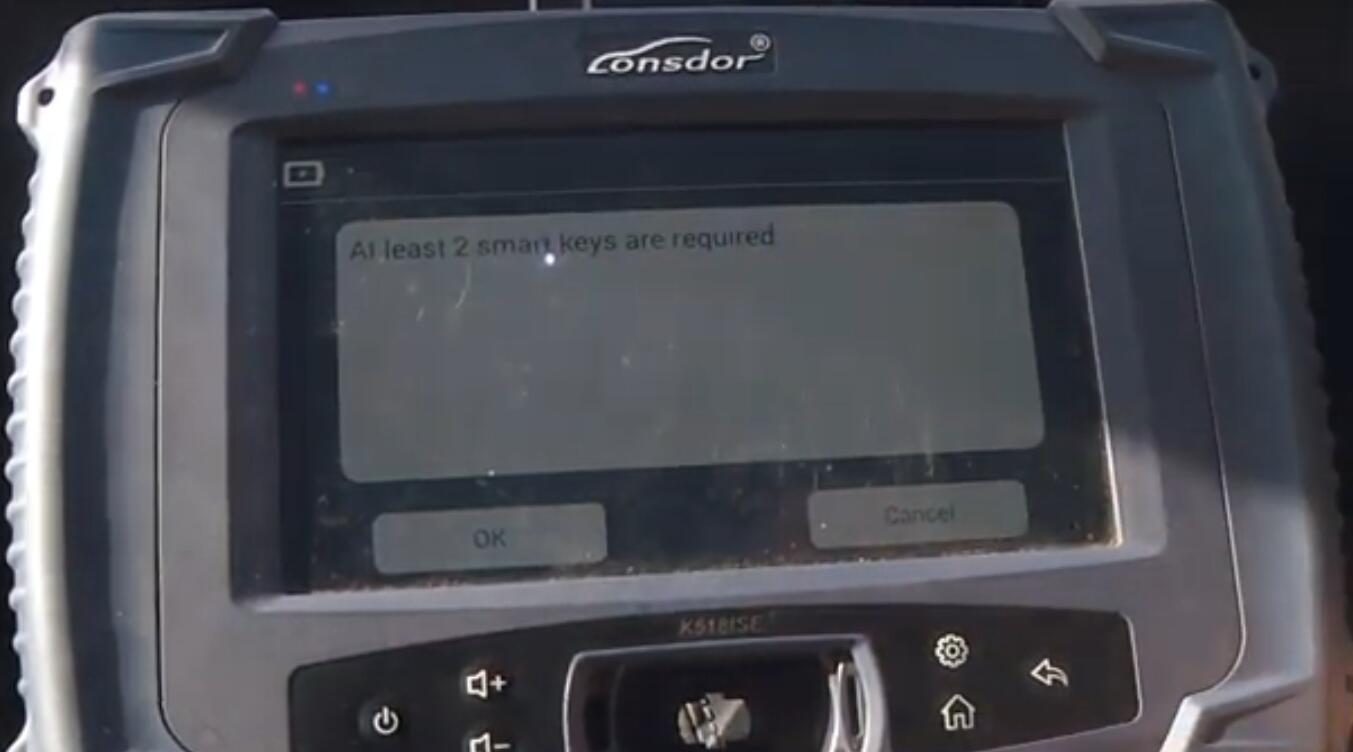
At least 2 smart keys are required, click “OK”

Following shows the information of the vehicle, continue with “OK”

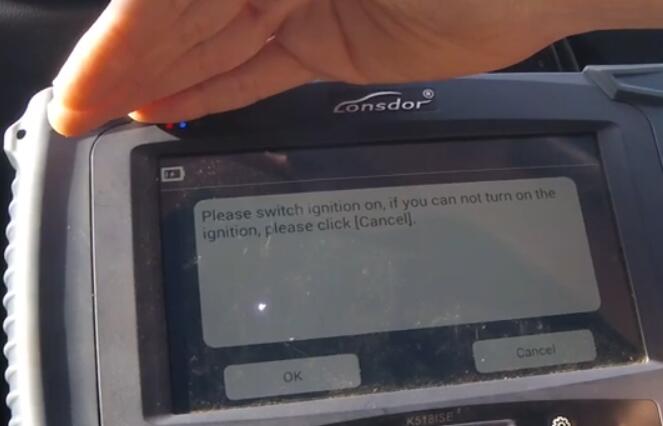
Next if you can switch ignition on, click “OK”

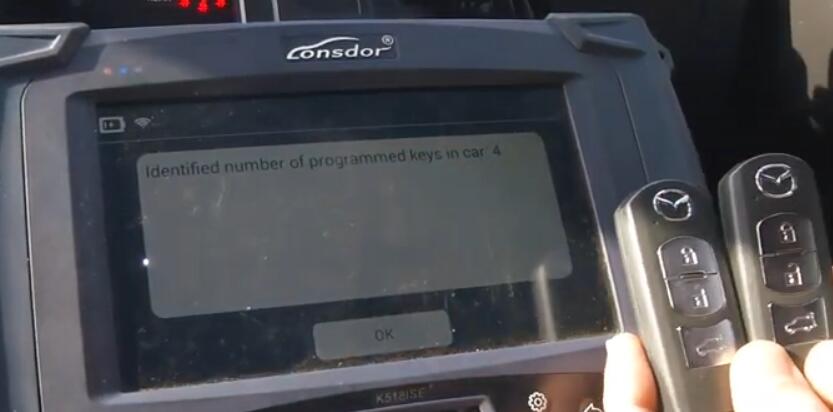
Identified number of programmed keys in car: 4, we actually only 2, but it’s ok

Wait about 7 minutes, then the horn will ring.

If you do not hear the horn, click “Cancel” to return then follow the screen information operating.

After read “Keep the unregistered smart key at hand”, click “OK”, then turn ignition on, place the first one smart key, until you get a beep.

Identified number of programmed keys in car: 1, click “OK”

Then switch ignition off.

Lonsdor will tell you turn the ignition on again in a second key. Same operation for second key.

After do that, we need to do remote side of things.

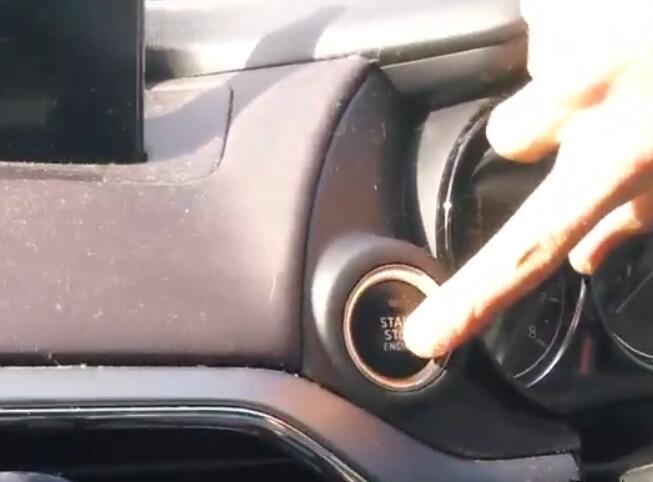
Press on brake, then you can see a green flashing light. Press the start button to start the car with the smart key(logo side down) and let it run for three seconds, then switching ignition off. The first key done.

Release the brake then do same operation for second key.

If you want to know more about Key Programmer, please visit our website: https://www.obd2tool.com

Monday, January 3, 2022

Key Tool Max + Lonsdor K518ISE Program 2013 Toyota Prius All Keys Lost

Today we lost all keys on a 2013 Toyota Prius and we have a logged key from the junkyard so this is a used key so we need to unlock that used key first with Xhorse VVDI Key Tool Max and then generate the key with Lonsdor K518ISE plus LKE Smart Key Emulator and then generate a key to add a key.

Key-Tool-Max-Lonsdor-K518ISE-Program-2013-Toyota-Prius-All-Keys-Lost-1
Key-Tool-Max-Lonsdor-K518ISE-Program-2013-Toyota-Prius-All-Keys-Lost-2
Key-Tool-Max-Lonsdor-K518ISE-Program-2013-Toyota-Prius-All-Keys-Lost-3

So as you can see right here once I press start button, it says no key detected right here.

Key-Tool-Max-Lonsdor-K518ISE-Program-2013-Toyota-Prius-All-Keys-Lost-4

Okay so gonna go ahead and unlock the key first, either you can use your VVDI Key Tool Max or if you have Lonsdor K518ISE you can do it.

Part 1. Use VVDI Key Tool Max to Unlock Toyota Prius Used Key.

Let’s try VVDI Key Tool Max first and I’m going to this “Special Function”.

Key-Tool-Max-Lonsdor-K518ISE-Program-2013-Toyota-Prius-All-Keys-Lost-5

And “Unlock Toyota Smartkey” , so in order to see this is unlocked, make sure you have a good battery as you can see and you check the frequency and once it is unlocked it should have two flashes right here, we’re gonna do this like that, and we’re gonna hit “unlock”, soon unlock ok.

Key-Tool-Max-Lonsdor-K518ISE-Program-2013-Toyota-Prius-All-Keys-Lost-6

Part 2. Use Lonsdor K518ISE to Unlock Toyota Prius Used Key and add new key

So now we should go ahead and we use Lonsdor K518ISE very quickly and as we can do before with Lexus, this is a smart key we’re gonna go ahead and do “Immo & Remote” and Search “Toyota”, then “Select by type”, then “All smart key lost”, then “All key lost”.

Key-Tool-Max-Lonsdor-K518ISE-Program-2013-Toyota-Prius-All-Keys-Lost-7
Key-Tool-Max-Lonsdor-K518ISE-Program-2013-Toyota-Prius-All-Keys-Lost-8

We’re gonna do first “backup EEPROM data”, then tap “OK” to continue obtaining car data, about 3 minutes, It takes a bit little time, so just make sure that you have a good batteries. Once we have a dashboard light up we can add a key here very quick.

Key-Tool-Max-Lonsdor-K518ISE-Program-2013-Toyota-Prius-All-Keys-Lost-9
Key-Tool-Max-Lonsdor-K518ISE-Program-2013-Toyota-Prius-All-Keys-Lost-10

So all right, let’s give it a name, okay this is a 2013 and hit “OK” and then “OK” to make sure the input is correct.

EEPROM data backup success.

Key-Tool-Max-Lonsdor-K518ISE-Program-2013-Toyota-Prius-All-Keys-Lost-12

So now we’re gonna go ahead to make emulator key and use our Lonsdor LKE emulator. Open the key slot of K518ISE and put the emulator in and should have light come up when it comes “generate LKE”.

Key-Tool-Max-Lonsdor-K518ISE-Program-2013-Toyota-Prius-All-Keys-Lost-13
Key-Tool-Max-Lonsdor-K518ISE-Program-2013-Toyota-Prius-All-Keys-Lost-14

This function can generate an alternate master key when all the key are lost. This key can replace the original working key to turn on the dashboard to add key, click “OK”, and we already place key emulator into this device’s card slot as required, so click on “Ok”.
Key-Tool-Max-Lonsdor-K518ISE-Program-2013-Toyota-Prius-All-Keys-Lost-15

So let’s go ahead and load the above file, which is a “TOYPRIUS13.bin”.

Key-Tool-Max-Lonsdor-K518ISE-Program-2013-Toyota-Prius-All-Keys-Lost-16

Generating.
Count of keys:1 Key type:98, click “OK”
Generating…

Key-Tool-Max-Lonsdor-K518ISE-Program-2013-Toyota-Prius-All-Keys-Lost-17

Once the key is generated, put the spare key close to the ignition, turn on the dashboard, and select ‘Add key’ function to program new key.

Key-Tool-Max-Lonsdor-K518ISE-Program-2013-Toyota-Prius-All-Keys-Lost-18

So this little junkyard is not programmed yet 2014.
The second step is we’re going to take out the emulator and put it close to the Start button, it should start.
Key-Tool-Max-Lonsdor-K518ISE-Program-2013-Toyota-Prius-All-Keys-Lost-19
Key-Tool-Max-Lonsdor-K518ISE-Program-2013-Toyota-Prius-All-Keys-Lost-20

So let’s go ahead and we’re gonna to “Add Smart key”.
Make sure smart key battery is full, insufficient power may cause program failure.
Put the emulator key close to the Start /Stop button, and then click on “OK”.
Key-Tool-Max-Lonsdor-K518ISE-Program-2013-Toyota-Prius-All-Keys-Lost-21

Count of the registered keys: 1
Count of the registrable keys: 6
Put the back side of the emulator key close to the Start / Stop button.
Put back of the key (to be registered) close to the Start / Stop button, when buzzer beeps twice, remove the key.
Operation completed!
Count of the registered keys: 2
Count of the registrable keys: 2

Key-Tool-Max-Lonsdor-K518ISE-Program-2013-Toyota-Prius-All-Keys-Lost-22
Key-Tool-Max-Lonsdor-K518ISE-Program-2013-Toyota-Prius-All-Keys-Lost-23
Key-Tool-Max-Lonsdor-K518ISE-Program-2013-Toyota-Prius-All-Keys-Lost-24
Key-Tool-Max-Lonsdor-K518ISE-Program-2013-Toyota-Prius-All-Keys-Lost-25

So let’s check the used key, yeah, it says it’s ready as this is a hybrid.
Here you go.

Key-Tool-Max-Lonsdor-K518ISE-Program-2013-Toyota-Prius-All-Keys-Lost-26

So let’s check lock, unlock, well the car is running.
Let’s turn it back off, we test our remote: open and close the door, just to make sure we are out of any programming mode.
Okay test the lock unlock, lock and unlock.
Now it says ready, make sure you hit the brake, now we should start up.
Alright it was quick and easy.

And just one note before you unlock this used key with Xhorse Key Tool Max:
Make sure that the batter is good and you have a good signal.
And when you go back there “Remote Clone”, make sure you have a signal, okay 314.35 MHz, go ahead and read it.

Key-Tool-Max-Lonsdor-K518ISE-Program-2013-Toyota-Prius-All-Keys-Lost-27

And “transponder Clone”, place the key into the slot and read it.
Alright, it’s 4D.

Key-Tool-Max-Lonsdor-K518ISE-Program-2013-Toyota-Prius-All-Keys-Lost-28

The second step: since this key is used, it comes with a cut key, so like what we did before we’re gonna go ahead and get a code from the driver’s side or passenger side whatever the lock is and should be nice and easy, it shouldn’t take more than 10 minutes.
Alright, I hope this article helps someone!

If you want to know more about Toyota key programmer, please click Toyota Trouble Repair.