Thursday, November 30, 2017

Lonsdor K518 Program Kia KX3 2013 All Smart Keys Lost

Guide to read pin code and program smart key on a  Kia KX3 year 2013 when all keys have lost by using Lonsdor K518ISE key programmer.
Key info.:
Original key: 3-button smart key
Chip: 47 Chip
Start: One button start-stop
Card slot: No
Pin code reading: by OBD
Device to program: Lonsdor K518 car key programmer
Guide:
Step 1: Read 47 Pin Code
Connect K518 host with vehicle via OBD diagnostic socket
Select Kia->Read Pin Code->Read Pin Code (47 smart card)
17-1
17-2
17-3
17-4
Turn ignition switch to ON position
Open and close driver door for once
17-5
Press on Start button. Open and close driver door once
17-6
Communicating…
K518ISE key programmer read Kia KX3 47 pin code success
Write down the pin code
17-7
Step 2: Program Smart Key
Select KX3->Type 1->Program Smart Key->Program Smart Card
17-817-917-10
All smart keys need to be programmed, otherwise cannot start vehicle.
Turn ignition off. Open and close driver door once.
Auto Key Programmer Lonsdor K518ISE will require to enter 6-digit pin code read from Step 1
17-11
Press YES to continue
Prepare smart key to be programmed, stick the smart key to Start button within 5 sec until immo indicator flashes
Programming
Program success. Press YES to program next key, NO to go back.
Test the new smart key.

http://cheapobd2tool.com/2017/11/30/program-ford-mustang-2016-smart-key-all-keys-lost-with-lonsdor-k518/

Lonsdor K518 Program Toyota Camry 2010 All Smart Keys Lost

Lonsdor K518ISE Key Programmer test working models today: program smart key on a Toyota Camry 2010 year when all keys lost by OBD. SKE-LT Smart Key emulator is required.
K518ISE Test photo attached:
16-1
16-2 16-3 16-4
16-5
http://forobd2tool.com/blog/2017/11/30/lonsdor-k518-program-toyota-camry-2010-all-smart-keys-lost/

Friday, November 24, 2017

Lonsdor K518ISE program BMW FEM BDC key even all key lost

Lonsdor K518ISE Key Programmer is a newest key programmer tool which is verified to program BMW FEM BDC key (for all key lost, enter 32-bit ISN code) in the dismantling FEM module method (same as Xhorse VVDI2, Yanhua BMW FEM key programm, etc.), what a nice feature is the Lonsdor official notice: the BMW-FEM/BDC is updated for free, no more charge for the authorization or update, no more token.
16-1
Lonsdor K518ISE program BMW FEM BDC key on Youtube:
Steps with words & pictures:
Tap Immobilization->BMW-> by IMMO system->FEM/BDC
16-2
BMW-FEM/BDC Functions introduction:
1- read key information: read out key data and prompt that if the immobilizer system needs pre-processing.
2- Pre-process FEM/BD system: backup original coding data, read out EEPROM, generate the service mode EEPROM data, program, restore the original EEPROM data, restore coding codes (for the details, please read the operation guide).
3- Generate dealer key: program a new key as a dealer key.
4- enable key: set a “disabled” key to “used”.
5- disable key: set a “used” or a “lost” key as “disabled”.
6- delete key: delete keys that are unnecessary or lost.
16-3
Steps:
Mainly 3 steps: read key info->Pre-process FEM/BD system->Generate dealer key.
Read the operation instructions in the below picture, as you can see, when you make dealer key for all key lost, enter 32-bit ISN code.
16-4
Step 1. read key info
Before operating other functions, you must read key info firstly including VIN, type, current key position and kilometers etc (see below picture).
16-5
Step 2. pre-process FEM/BDC system
1: OBD backup the original coding data:
Connect the FEM/BDC system on the car or the test platform, then backup the original coding files via OBD.
2: read out EEPROM backup data & generate service mode EEPROM:
Remove the FEM/BDC module, find out chip 95128 or 95256, read EEPROM data using an ECU programmer e.g VVDI-Prog, Orange5 etc.;
Importthe EEPROM data into the customfile folder of Lonsdor K518ISE;
Enter the program, read original EEPROM data and generate servicemode EEPROM, export the service mode EEPROM data, write it into the chip 95128 / 95256 with the ECU programmer.
Restore FEM/BDC system, supply power to the car and connect via OBD
16-6
3: programming
This procedure requires to be done on the BMW FEM/BDC test platform, meawhile you have to ensure that Step 1 & 2 is finished.
Supply power to the FEM/BDC system and connect it to the OBD port.
4: restore EEPROM data
Remove FEM/BDC module, write the original EEPROM data (Step 2) into chip 95128/95256
Restore FEM/BDC system, supply power and connect to OBD
5: restore coding data
Load the coding files that are backed up in step 1, restore coding information via OBD
6: pre-processing is done.
Step 3: Generate dealer key.
1: Lonsdor K518ISE Programmer reads out data, select the key position to be generated.
2: Choose “by original car key” to make a dealer key, for all key lost: enter 32-bit ISN code
3: Put the original key near the car immo induction loop
16-7
4: Detecting the original key, read out immo data
5: Put a new key near the car immo induction loop (see the above picture)
6: Detect the key key, learn new key (don’t move the key, keep stable)
7: key learn complete.
Step 4: disable the key
1: Automotive Key Programmer Lonsdor K518ISE read out data, select the key ID position to disable
2: Put a working key near the car induction loop
3: K518ISE system tries to connect to CAS, disable the key in the current ID position, disable key with success.
Step 5: enable the key
1: Lonsdor K518ISE read out data, select the key ID position to enable
2: put a “used” key near the car induction loop
3: K518ISE system tries to connect to CAS, enable the key with current ID position, enable key successfully
Step 6: delete the key
1: K518ISE read out data, select the key ID position to delete
2: read FEM/BDC key pin code
3: delete the key successfully; the key position is blank
Tips (Very important):
1: Please remember to read key info before you want to operate any function.
2: 5 tips on pre-process FEM/BDC (all the dismantle operations need to power off)
1) via OBD to backup original code
2) Dismantle & read car EEPROM and import to K518ISE customfile.
3) Generate and write the service mode EEPROM data to FEM, re-install to program
4) Dismantle FEM and write back original EEPROM data, reinstall to restore EEPROM.
5) ECU programming: need 6 min, with power supply connected
6) disconnect to the power supply, disassemble CPU, write the original EEPROM data into the chip, install CPU on the car, connect to the power supply, make sure communicate is successful
7) upload coding files (Step 1), restore original coding info to pre-process, then make a dealer key
Done! Lonsdor K518ISE program BMW FEM BDC key.
Any questions & suggests, please feel free to email at Sales@obd2tool.com

Program Jaguar XJ Smart Key All Keys Lost with Lonsdor K518 by OBD
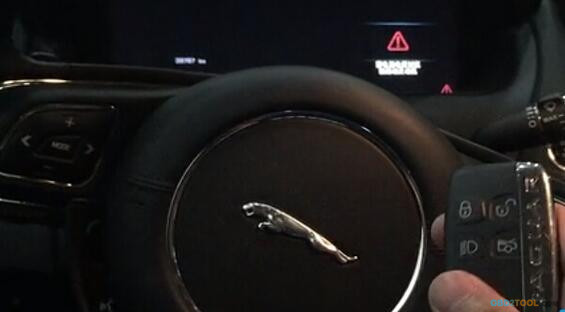
Lonsdor K518ISE Key Programmer is able to program smart key/all key lost for Jaguar, including F-type, S-type, XF and XJ.  Here’s the demo guide on programming smart key on a new Jaguar XJ when all keys lost with K518ISE by OBD.
11-0
11-1
Procedure:
Connect K518ISE host with vehicle via diagnostic socket
Turn ignition ON
Select Jaguar->XJ->Program Smart key-> All keys lost
11-2 11-3 11-4 11-5
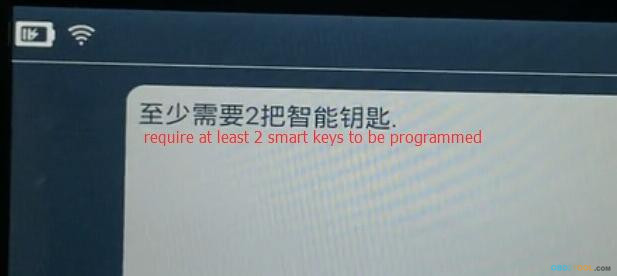
Lonsdor K518 requires at least 2 smarts key to be programmed
11-6
Turn ignition OFF
Cummincating
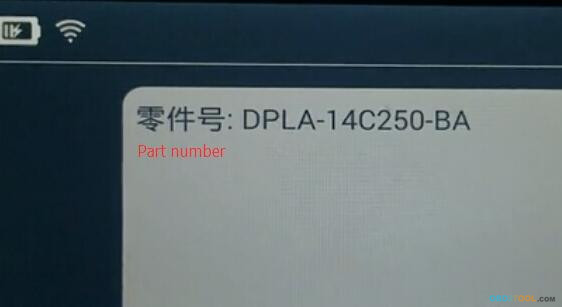
Read Part number and then software version etc
11-7
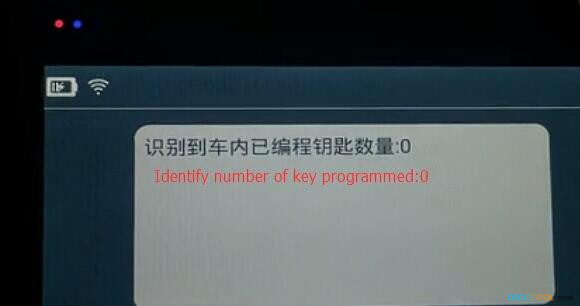
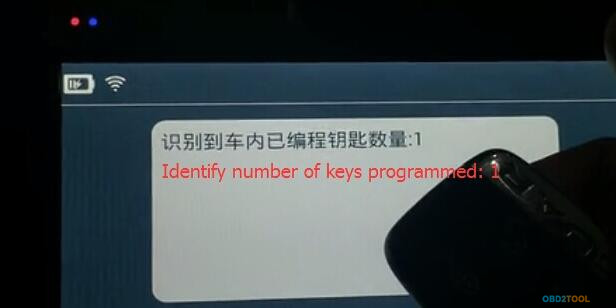
Identify key number. No key has been programmed.
11-8
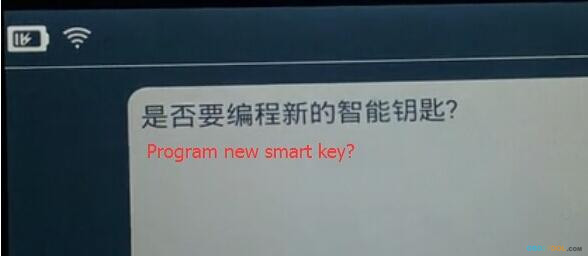
Press YES to program new smart key
11-9
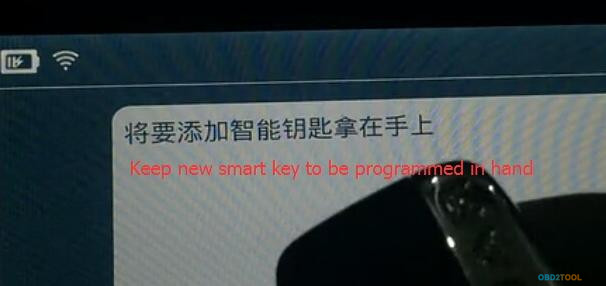
Keep the smart key to be programmed in hand
11-10
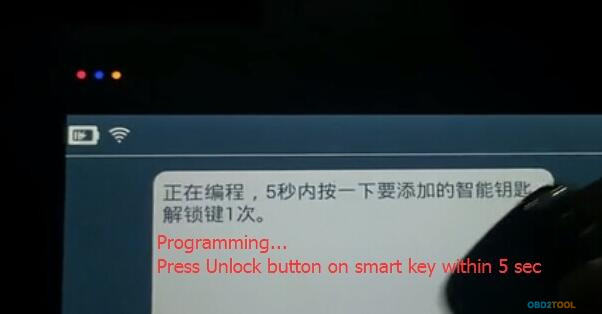
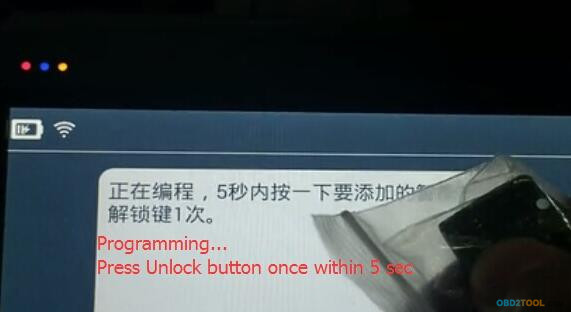
Programming…
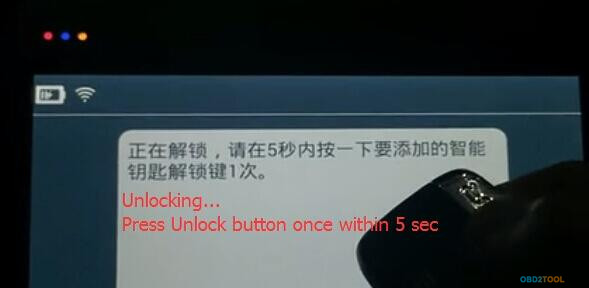
Press the Unlock button on smart key for once within 5 sec
11-11
Unlocking
Press the Unlock button on smart key for once within 5 sec (repeat this step fro 3 times!)
11-12
1st key has been programmed successfully
11-13
OBD2 key programmer Lonsdor K518ISE will ask whether to program next key. Press YES to program second key
Follow steps above to program next smart key
11-14
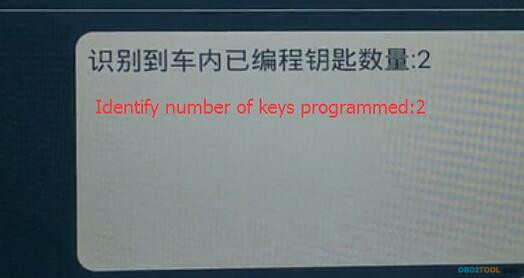
Identify number of keys programmed: 2
11-15
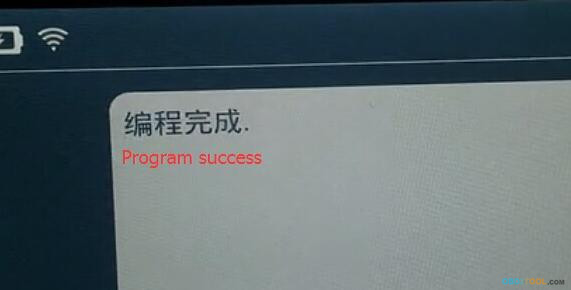
Program success.
11-16
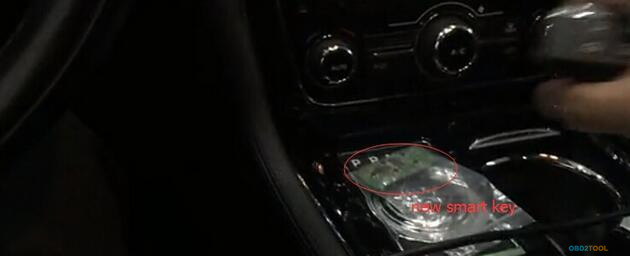
Remote control will be generated automatically after programed smart key
Test the new smart key
11-17
Working. Done.

Lonsdor K518ISE service center users self calculate key data

With the help of Auto Key Programmer Lonsdor K518ISE product service center, user are free to calculate the key data by themselves as they will without Lonsdor engineer support. Currently this service center is able to calculate the key data of Volvo, Maserati etc.
Guide:
1. Click on http://u.lonsdor.com, click English or Chinese as you will.
2. Please input the email and password (as the same as that you registered K518ISE)
12-1
3.Select the product “Lonsdor K518ISE”
12-2
4. Select the car make you want to calculate the key data, for example. Volvo.
12-3
5. Choose the key style, for example the non-folding key which is the common key of S40, C30, C70.
12-4
6. Start to calculate the key data
1). Enter the serial number of Lonsdor K518ISE that you are using.
2) Select the car model i.e S40, C30, C70 etc.
3) Enter the right No.(2) data, then the left NO.(1) data.
4) Submit.
Tip: for the for instruction, read the “Help” file at the bottom.
12-5
7. The system will automatically calculate the key data and the page will automatically refresh until the result displays.
Tip: If the data was calculated unsuccessfully, check if the data is correct or input in the incorrect position.
12-6
8. Lonsdor K518ISE Key Programmer calculate the key data on Volvo with success, click on “Download data”, and enter the corresponding folder by following the “Operating guide”.
12-7

Lonsdor K518ISE Key Programmer New Update Information

Lonsdor K518ISE Key Programmer Newest Update information!
Update time Nov.7,2017
2016-Ford Kuga 49 Chip Smart key programming without Pin Code
Update time Nov.10,2017
Rolls-Royce Wraith,Ghost Key programming
Update time Nov.15,2017
obd key programmer K518 Free update 2017 Buick GL8 smart key programming
Fiat Ottimo Toothless knob key programming via obd
13-0
13-1
13-2
Lonsdor K518ISE on sale :
http://www.obd2tool.com/goods-6954-Lonsdor+K518ISE+Key+Programmer.html

Method to add smart key on Maserati Ghibli 2017 by Lonsdor K518ISE

Method to add smart key on Maserati Ghibli 2017 by K518ISE
This is engineers' test result. check the following pictures.
14-1
14-2 14-3 14-4 14-5 14-6 14-7
loading..