Wednesday, May 26, 2021

Can Yanhua ACDP Program 2006 Land rover Key

 Question:

Can i program key 2006 Land Rover if i buy the double can adapter with Yanhua Mini ACDP Module 9?

Answer:

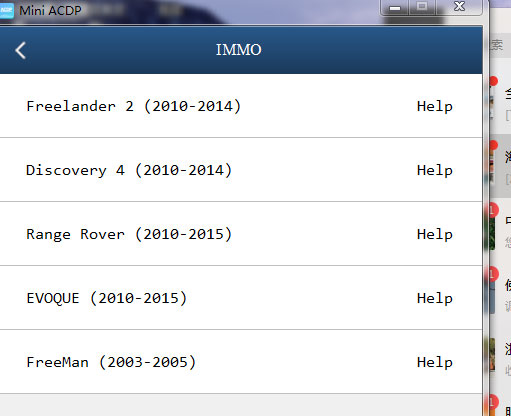
key Programmer Tool ACDP Mini supports following old Land rover models (require double CAN adapter).

Freelander 2 (2010-2014)

Discovery 4 (2010-2014)

Range rover (2010-2015)

EVOQUE (2010-2015)

FreeMan (2003-2005)

can-yanhua-acdp-program-2006-land-rover-key-1

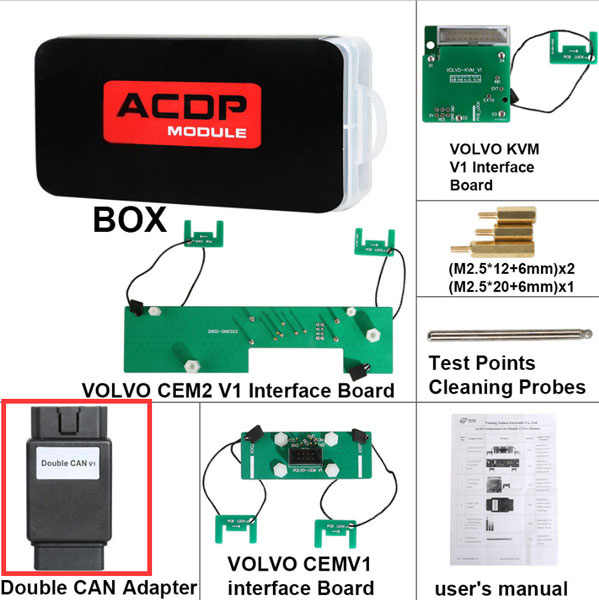
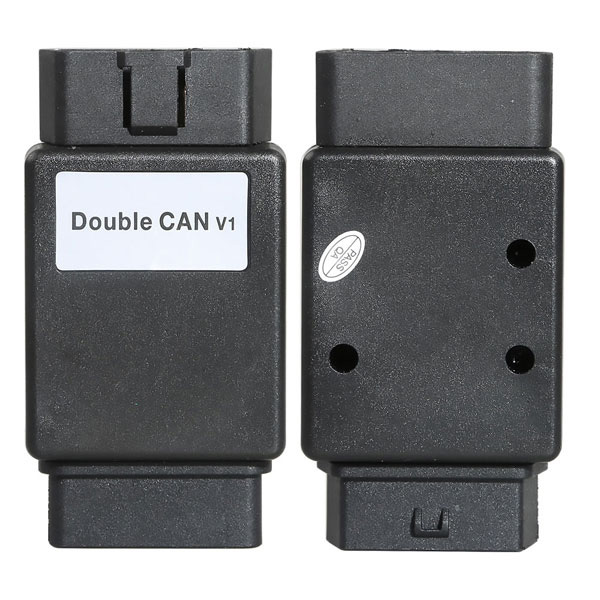
JLR Module 9 does not contain Double CAN adapter, you can get it from Volvo Module 12.

can-yanhua-acdp-program-2006-land-rover-key-2

can-yanhua-acdp-program-2006-land-rover-key-3

If you don’t want to buy module 12, you need to purchase the double CAN adapter separately.

Tuesday, May 25, 2021

OBDSTAR X300 DP Plus Program 2021 Buick Envision Proximity

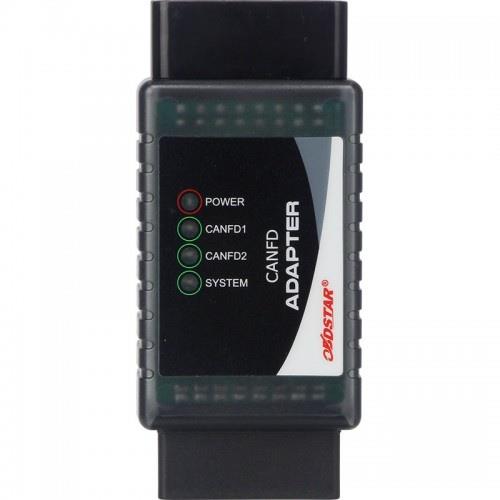
 Update! OBDSTAR X300 DP Plus / X300 Pro4 is able to program key for GM Cadillac Chevrolet GMC Buick 2020 2021 with CAN FD protocols, and if necessary, please purchase an additional OBDSTAR CAN FD Adapter.

Program-2021-Buick-Envision-Proximity-with-OBDSTAR-X300-DP-Plus-1 (2)

Image: OBDSTAR CAN FD Adapter

The specific GM car models that OBDSTAR CAN FD Adapter covers:

Brand ModelYear
CadillacEscalade2021
CT42021
CT52020
ChevroletTRAX/TRACKER(4A)2020
CAVALIER/ONIX(4A)2020
Tahoe2021
Silverado2021
Suburban2021
GMCYukon2021
Sierra2021
Denali2021
BuickEnvision2021
GL8(LSY)2021

Next, let’s OBDSTAR X300 DP Plus (for example) to see how does OBDSTAR CAN FD Adapter work for BUICK ENVISION:

PS: update Auto Key Programmer OBDSTAR X300 DP Plus GM V33.24 first.

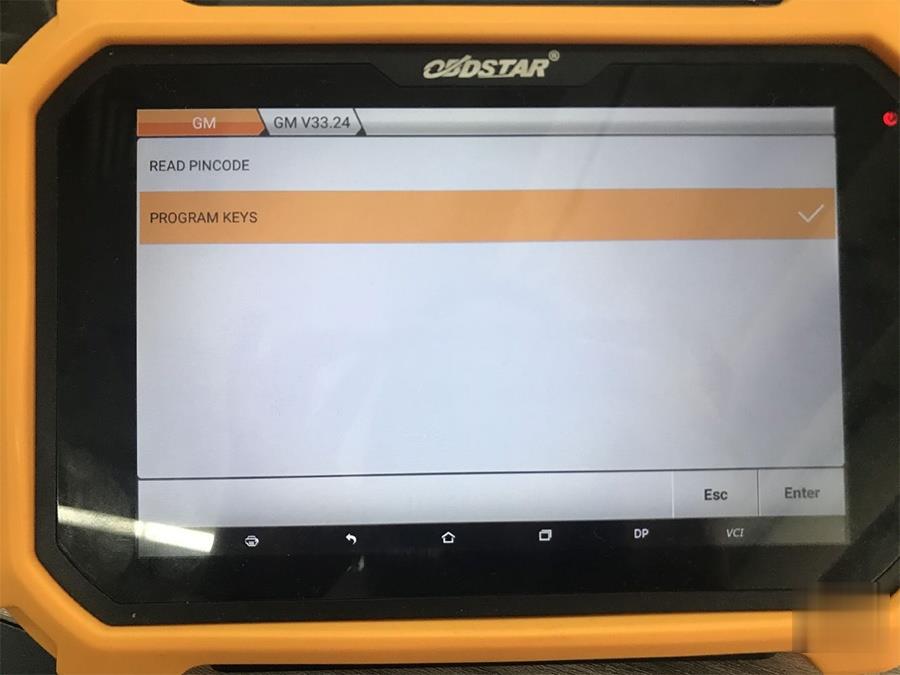
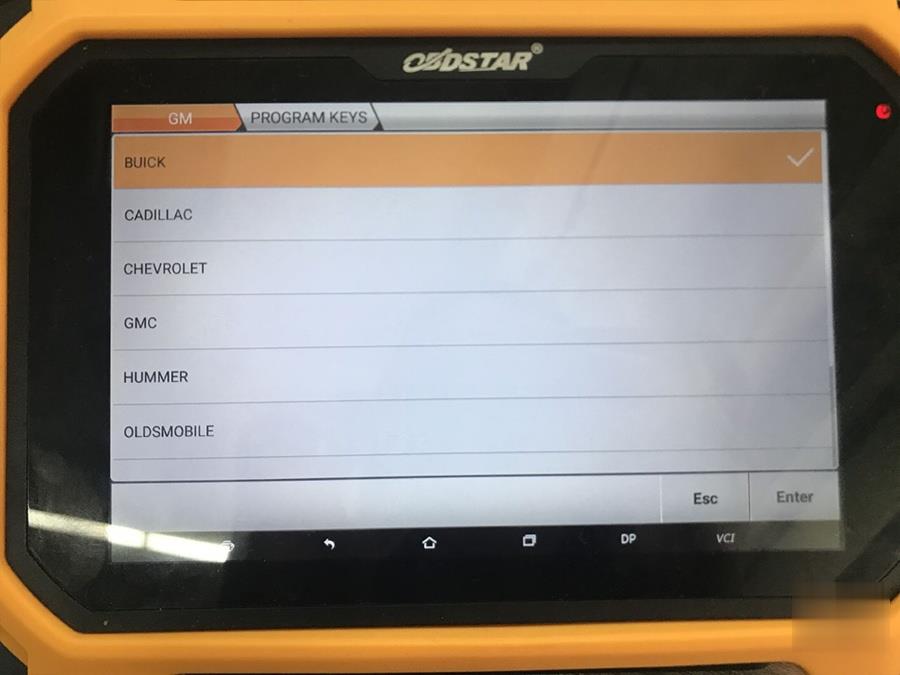
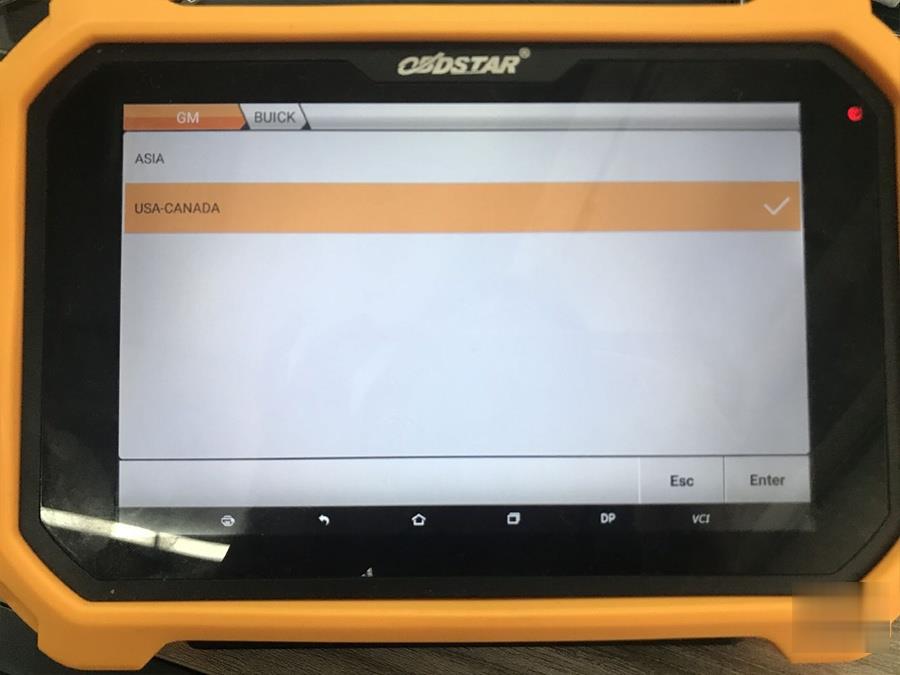
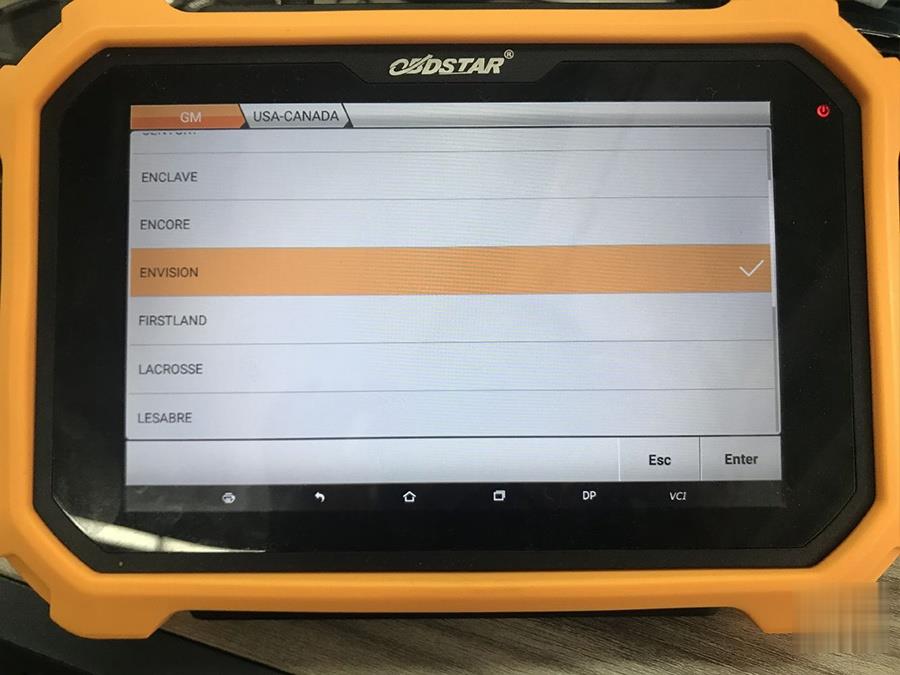
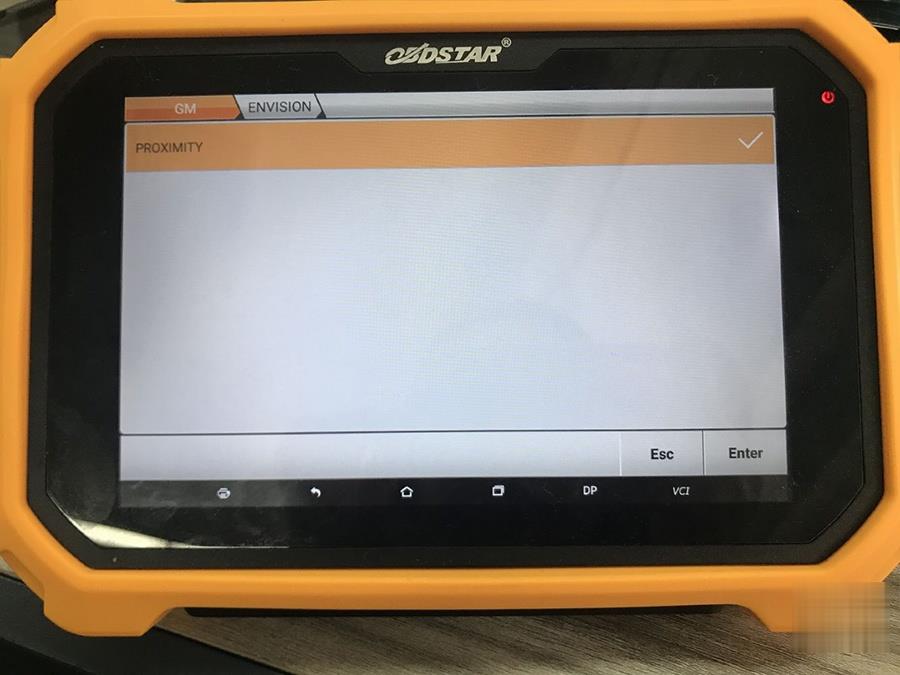
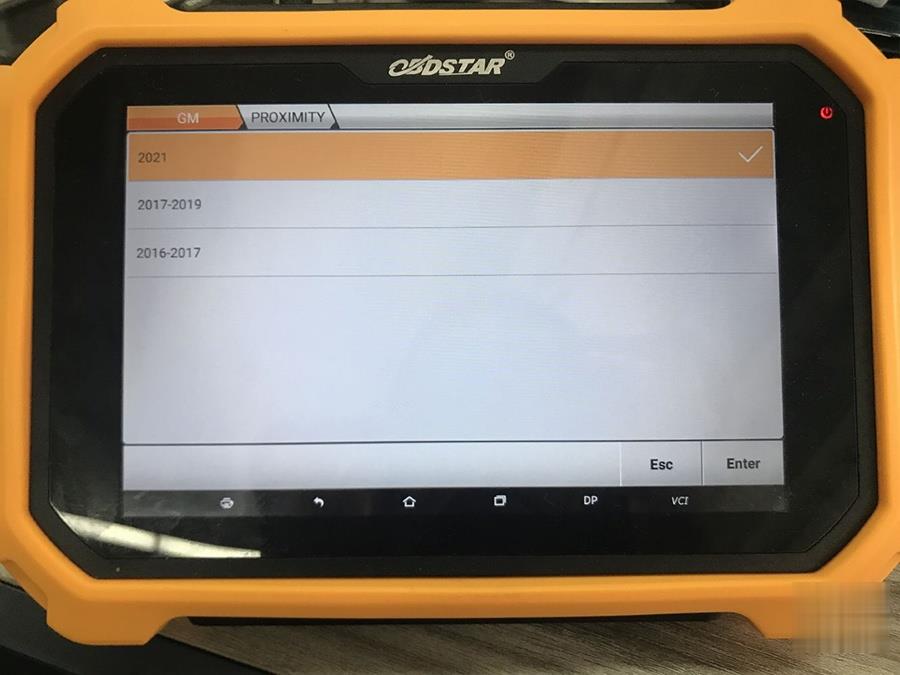
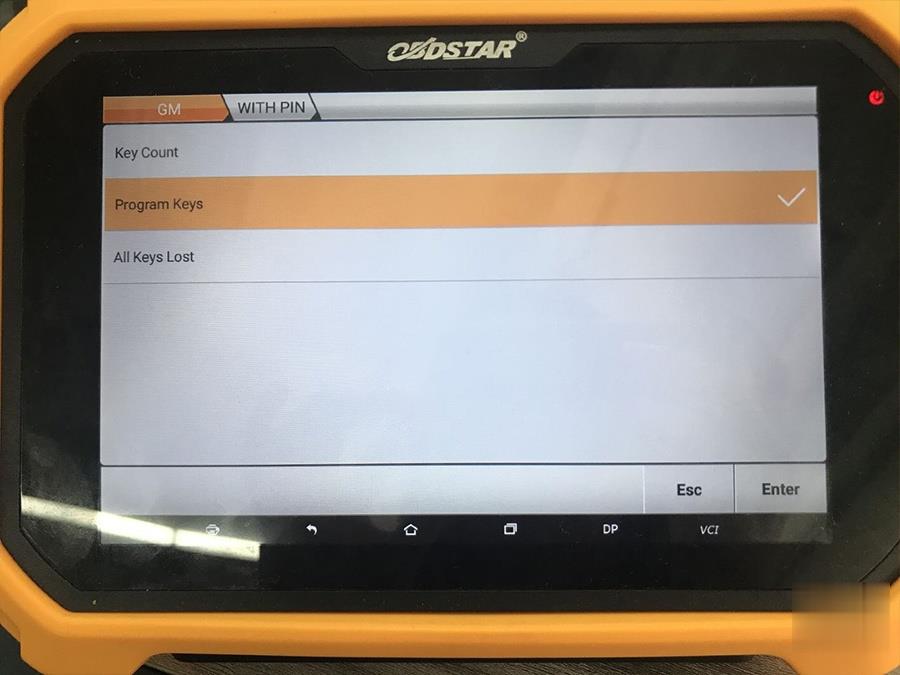
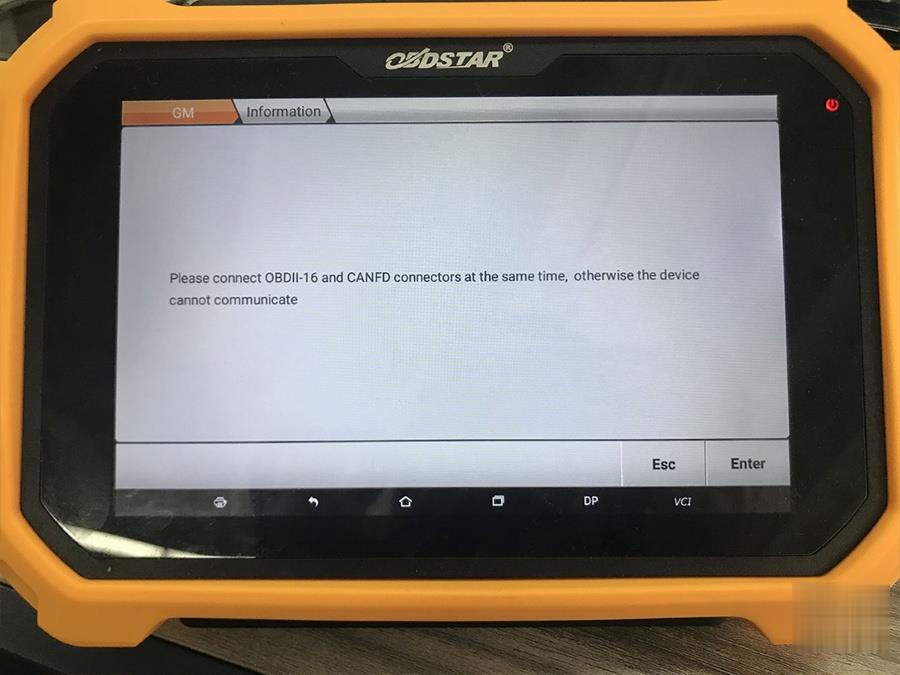
This is a simple demo: Select IMMO -> GM -> Program keys -> select car model Buick -> USA -CANADA -> Envision -> Proximity -> 2021 -> with PIN -> Program Keys -> Please connect OBDII-16 and CANFD connectors at the same time (Use female connector to connect with OBDII-16 and male Connector with DLC Diag Socket.)

Program-2021-Buick-Envision-Proximity-with-OBDSTAR-X300-DP-Plus-2 (2)
Program-2021-Buick-Envision-Proximity-with-OBDSTAR-X300-DP-Plus-3 (2)
Program-2021-Buick-Envision-Proximity-with-OBDSTAR-X300-DP-Plus-4 (2)
Program-2021-Buick-Envision-Proximity-with-OBDSTAR-X300-DP-Plus-5 (2)
Program-2021-Buick-Envision-Proximity-with-OBDSTAR-X300-DP-Plus-6 (2)
Program-2021-Buick-Envision-Proximity-with-OBDSTAR-X300-DP-Plus-7 (2)
Program-2021-Buick-Envision-Proximity-with-OBDSTAR-X300-DP-Plus-8 (2)
Program-2021-Buick-Envision-Proximity-with-OBDSTAR-X300-DP-Plus-9 (2)

Alright, hope it helps! for the other car models listed above, please operate in the same method.

Monday, May 24, 2021

How to use Autel IM608 to Program old Volvo CEM All Keys Lost

It is nice to know that Autel does Volvo and fine.  Here is some tips to program Volvo older models (remote key) when all keys lost by Autel IM608.

Model example:

2008 Volvo V50

5 buttons remote key

Autel-IM608-Program-old-Volvo-CEM-All-Keys-Lost-1

Success

all keys lost genuine key programmed including remote functions

How-to:

The genuine key was bought online

brand new genuine remote with barcode (5 buttons).

Read CEM on the bench

Learn the remote by obd with the bar code.

Using IM608 with XP400 (I did read CEM with vvdiprog first as I hadn’t used the xp400 Key Programmer on them before and wanted a backup in case there was any issues but the xp400 read it perfectly)

Thursday, April 8, 2021

How to Program BMW EWS3 Key by Autel IM608 XP400 Pro

Although BMW EWS is a very easy job can be done by cheap AK90 at $30, it is just nice to know Autel MaxiIM can do EWS3 if happens to have it in hand.


Which Autel can do?
Autel IM608/IM608Pro + XP400 Pro
*XP400 cannot read/write EWS3. Require XP400Pro.

What adapter to use?
Ews3 adapter (APB114 EWS3 adapter board) the tool tells you what to connect the wire to
APB114 EWS3 adapter is included in IMKPA Accessories (Needs to Buy IMKPA Accessories Separately).

Autel-IM608-XP400-Pro-Program-BMW-EWS3-Key-Success-1    
Autel-IM608-XP400-Pro-Program-BMW-EWS3-Key-Success-2

Test report:

EWS3 flawless using Im608pro+ imkpa in ews3

also write a key
Adapter is APB114
I have the ak90 I just choose to do it this way and it worked out a whole lot easier and faster

Autel-IM608-XP400-Pro-Program-BMW-EWS3-Key-Success-3
Autel-IM608-XP400-Pro-Program-BMW-EWS3-Key-Success-4
Autel-IM608-XP400-Pro-Program-BMW-EWS3-Key-Success-5
Autel-IM608-XP400-Pro-Program-BMW-EWS3-Key-Success-6

FYI: IM608 does EWS4 as well. Doesn’t require EWS4 adapter, direct read and write.

Wednesday, November 6, 2019

GM MDI 2 Multiple Diagnostic Interface with Wifi Card

GM-MDI-2
The Multiple Diagnostic Interface 2 (GM MDI 2) is used by professional technicians as an aid in diagnosing and repairing automotive electrical and electronic systems. The MDI 2 is designed to connect the vehicle to a host PC computer application, which then functions through the MDI 2 for data transfer and Electronic Control Unit (ECU) reprogramming.
The newest pc-based GM Multiple Diagnostic Interface (MDI 2) offers increased processing power, security, and faster programming speeds on Global A and future
Global B vehicles.
The Professional Diagnostic Tool MDI 2 supports diagnostic applications: GDS 2, Data Bus Diagnostic Tool, and Tech2Win. It also supports Pass-Thru programming applications: TIS2Web–SPS.  It replaces the first generation MDI, introduced in 2007, for Pass-Thru programming on current GM models.  The MDI 2 is backward compatible, so it can be used to perform Pass-Thru programming on all vehicles built since 1996 by means of the J1962 connector using a DLC cable.  Connection between the MDI 2 and the PC can be accomplished via standalone (USB) and the dealership network (CAT5).
GM MDI 2 Features:
1. Uses a new, more secure Type B connector and Ground Offset Failure protection. A wired connection is recommended for longer programming events.
2. The MDI 2 is powered from the vehicle battery via the DLC Cable. It may also be powered over USB to perform firmware updates only using a PC.
3. Uses USB 2.0 for faster firmware downloads instead of a separate AC power supply.
4. The DLC cable is twice as long as the previous cable and connects at the top, making it easier to use. The cable only connects to the MDI 2.
GM MDI 2 Functions List
* Automatic vehicle recognition
* DTC reading and removal
* Complete list of live data streaming for all main ECU
* Recordable / playback of live data
* New software flash for existing ECU to fix drivability issues
* Programming and installation of new ECU (PCM, ABS, Instrument cluster, air bag, fuel pumps etc.,)
* Programming new keys
* Setting / removing speed limiters
* J2534 pass thru offering ECU re-flash and diagnostics for other vehicle manufacturers, when subscribed to their specified software
* More dealer specific functions