Tuesday, June 1, 2021

Autel IM608 Program Toyota 2020- Smart Key AKL

 Question:


2020 Toyota Highlander all keys lost.
Tango fail
Zedfull fail

Possible to program 2020 2021 Toyota AKL with Autel IM608 and XP400 Pro by OBD ?


Answer:
If it’s add key, autel is able to add it without LSID. Either way, you can try it. If it shows you 3 data lines, then not possible.
Autel doesn’t support toyota/lexus 2018+ all key lost yet, still in development.  2018 before AKL requires APB112 emulator. As for lonsdor you’ll need to Lonsdor specific smart key and open AKL license on your device which has to be renewed every year.

If all keys lost, it requires Toyota Subscription with techinfo.toyota.com. The newer Toyota’s have an extra security component even adding keys diagnostically will be a problem unless you have the special password.  IM608 can do the ’21 Corolla’s and Camry’s (at least) by OBD as long as you can provide the 12-digit outcode.  The im608 requires a response code of 12 digits, which comes after you submit the 3 lines of data.

Autel cannot bypass the seed code (LSID). Best bet is Techstream subscription with NASTF.

Its the $65 security professional script. If you have a yearly subscription there is no cost. The yearly subscription costs $1,295.

Possible-to-Program-Toyota-2020--Smart-Key-AKL-with-Autel-by-OBD-1 (2)   

You can purchase a 2 day subscription at a cost of 65 dollars. Then you have to wait for email ( up to half hours) then you can re-log back in to site and get 1 free key code. It’s much quicker to just pull out the drivers door lock cylinder and get the key code. It’s stamped right on it!

If bypass the seed code, there is no option for all keys lost or generate smart key, only add key, then add the key.

Once you have reset immo, you go back and add key. It’s confusing, but that’s how it’s done.

Possible-to-Program-Toyota-2020--Smart-Key-AKL-with-Autel-by-OBD-2 (2)

Possible-to-Program-Toyota-2020--Smart-Key-AKL-with-Autel-by-OBD-3 (2)

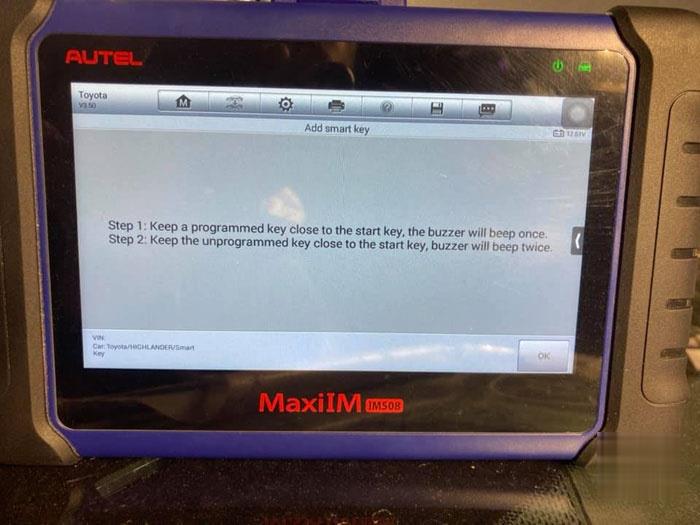
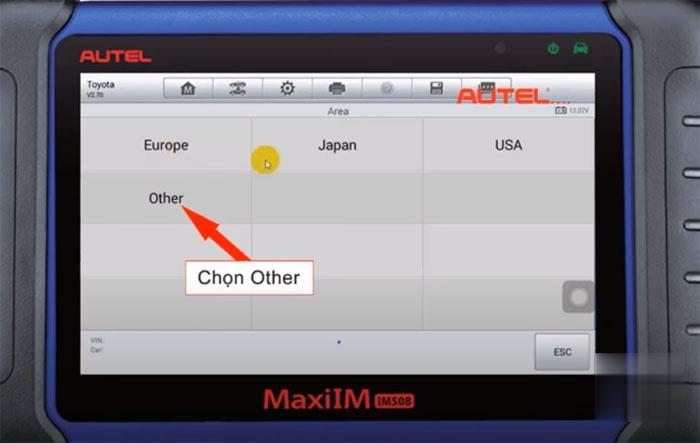
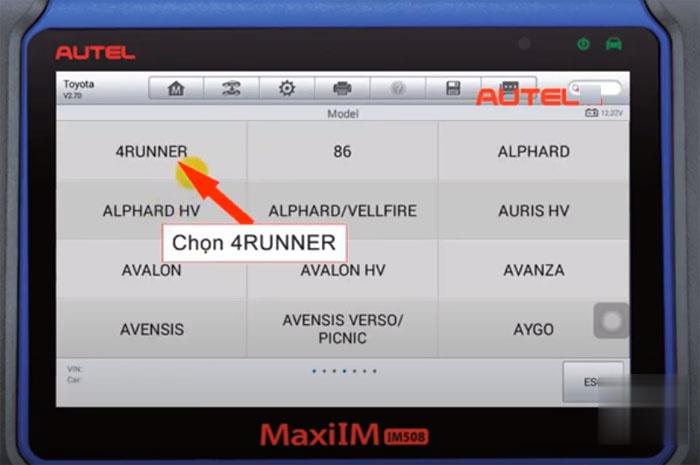
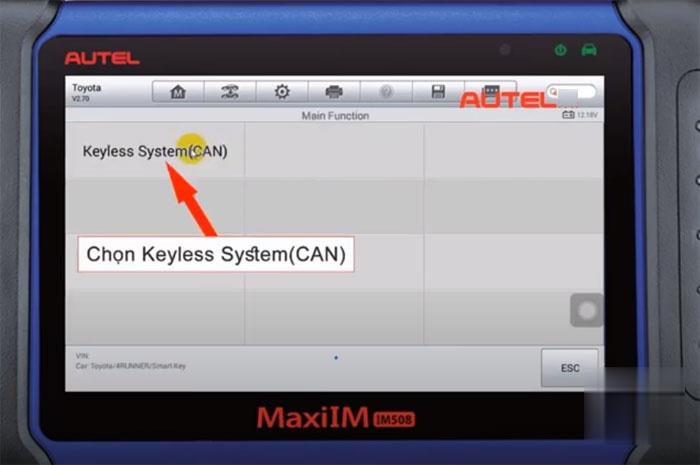
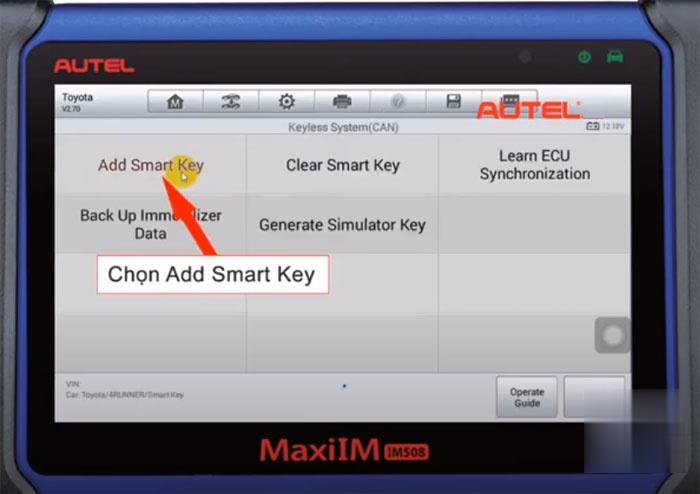
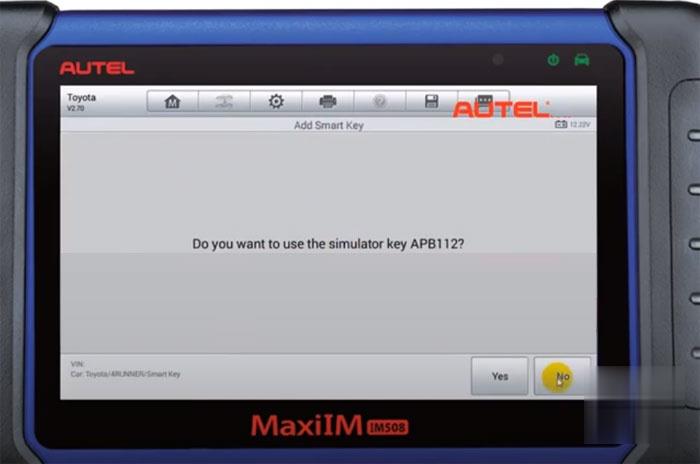
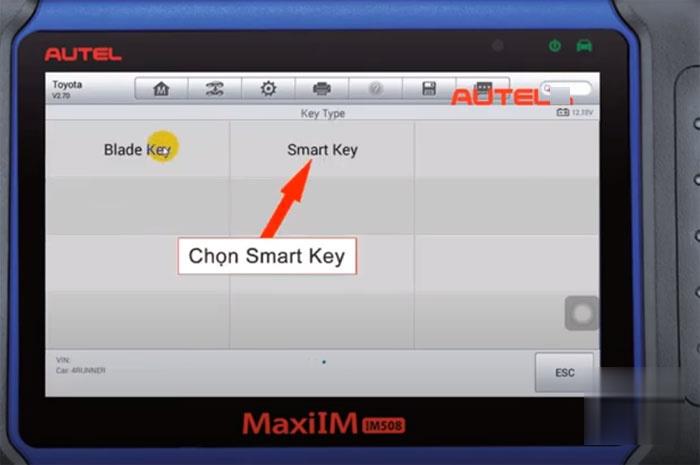
Toyota 2020 smart key All key example: 2020 Hilux, 4Runner AKL by Autel IM508 XP400 Pro

APB112 emulator is required.

IMMO Programmin->Toyota->Other->4Runner->Smart Key->Keyless System (CAN)->Add smart key
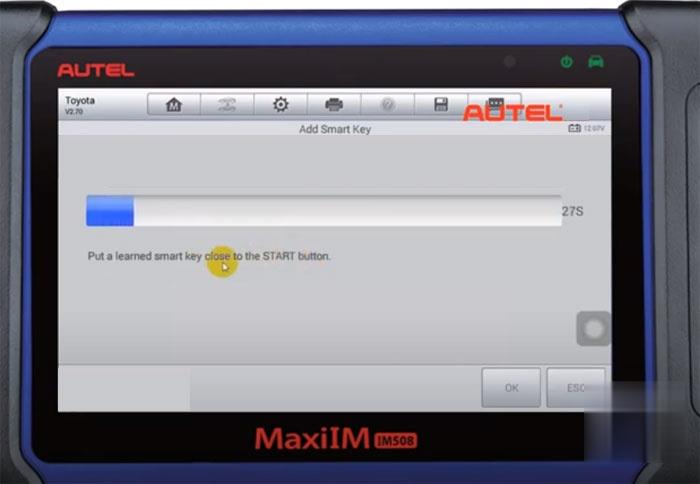
Put a learned smart key close to the START button
Put a smart key to be learned close to the START button
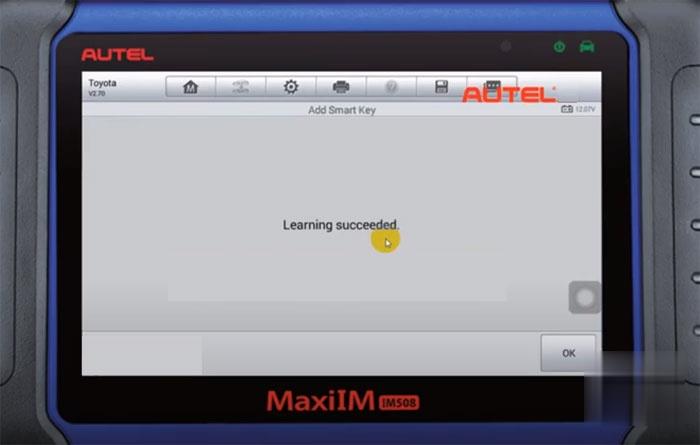
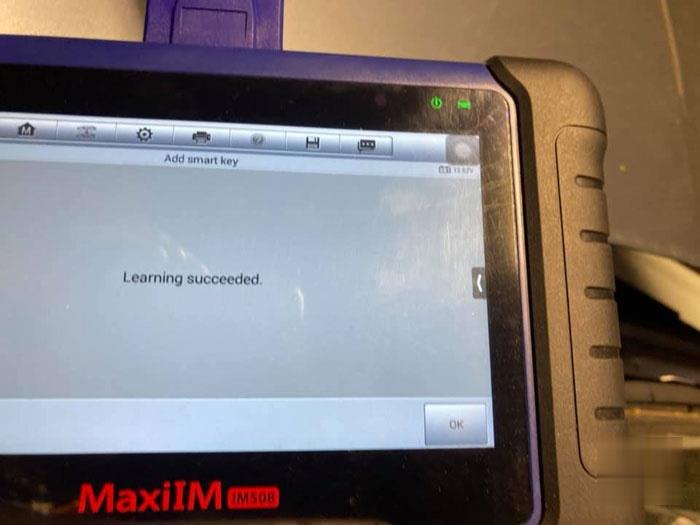
Learn succeeded
Possible-to-Program-Toyota-2020--Smart-Key-AKL-with-Autel-by-OBD-4 (2)
Possible-to-Program-Toyota-2020--Smart-Key-AKL-with-Autel-by-OBD-5 (2)
Possible-to-Program-Toyota-2020--Smart-Key-AKL-with-Autel-by-OBD-6 (2)    
Possible-to-Program-Toyota-2020--Smart-Key-AKL-with-Autel-by-OBD-7 (2)
Possible-to-Program-Toyota-2020--Smart-Key-AKL-with-Autel-by-OBD-8 (2)
Possible-to-Program-Toyota-2020--Smart-Key-AKL-with-Autel-by-OBD-9 (2)
Possible-to-Program-Toyota-2020--Smart-Key-AKL-with-Autel-by-OBD-10 (2)
Possible-to-Program-Toyota-2020--Smart-Key-AKL-with-Autel-by-OBD-11 (2)


-2018 all keys lost procedure example
Monday, May 31, 2021

Program Toyota 8A smart key AKL with Lonsdor K518ISE and LKE emulator

 Problem:

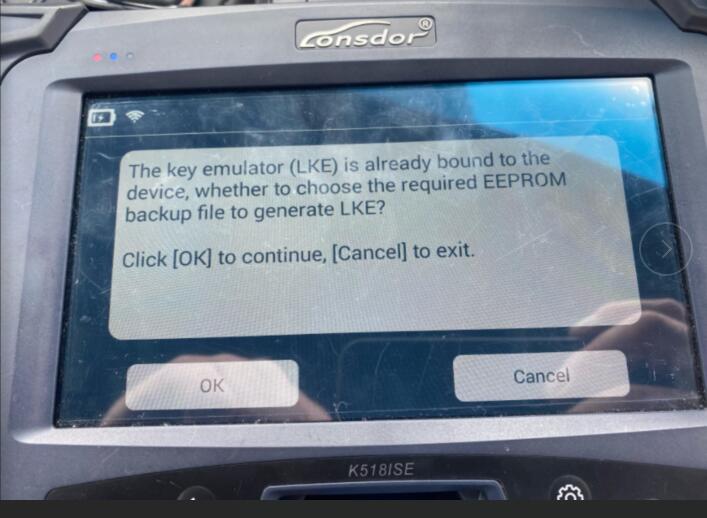
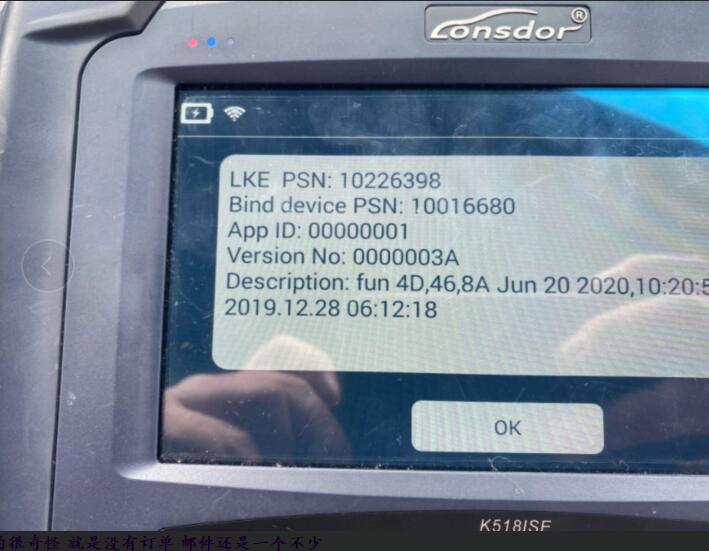
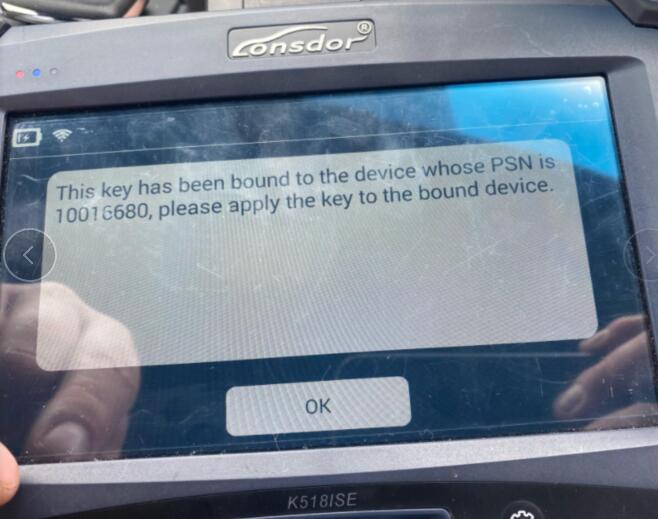
I try to make Toyota 8A smart key AKL with Lonsdor K518ISE and LKE emulator, the device said it has bound to k518. but it failed me and LKE is not generating key from eeprom file.
See error images below:
Lonsdor-LKE-Emulator-Not-Generate-Key-from-EEPROM-Solution-1
Lonsdor-LKE-Emulator-Not-Generate-Key-from-EEPROM-Solution-2
Lonsdor-LKE-Emulator-Not-Generate-Key-from-EEPROM-Solution-3

Obd2tool.com working solution:
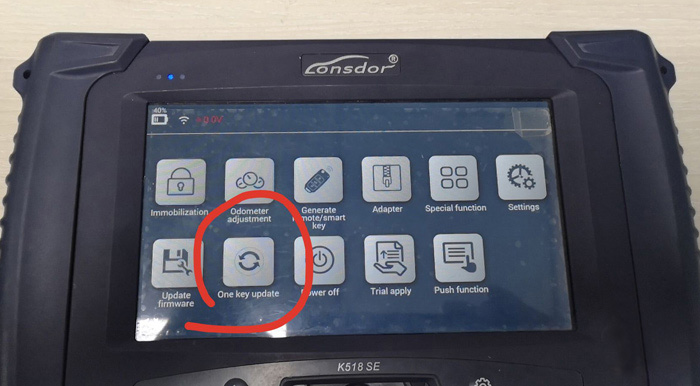
The problem can be solved by update K518ISE (one key update / check for updates)

Lonsdor-LKE-Emulator-Not-Generate-Key-from-EEPROM-Solution-4

If you want to know more key programming tools, please visit our website https://www.obd2tool.com

Sunday, May 30, 2021

OBDSTAR X300 DP Plus Program 2012 Peugeot 508 ID46 Proximity

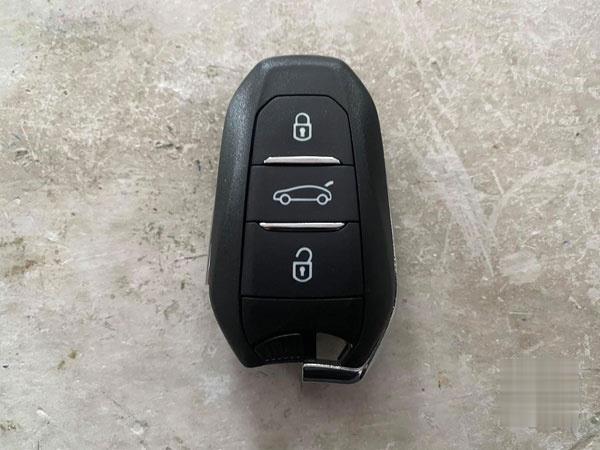
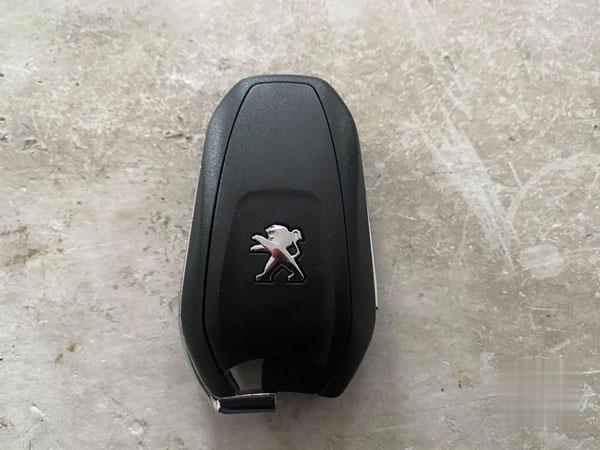
 Peugeot 508 key of 01/2012 succeeded. Free hand key and centralization works perfectly. Programming 2 keys using obdstar x300 dp plus in 10 minutes. Id46 key – FSK signal 3 buttons proximity


How-to-Program-2012-Peugeot-508-ID46-Proximity-by-OBDSTAR-X300-DP-Plus-1 (2)
How-to-Program-2012-Peugeot-508-ID46-Proximity-by-OBDSTAR-X300-DP-Plus-2 (2)

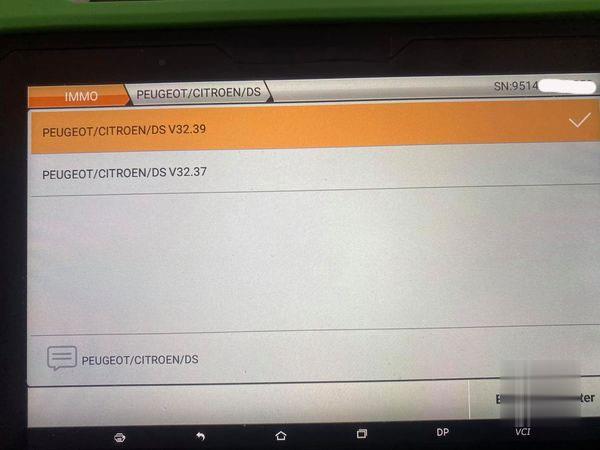
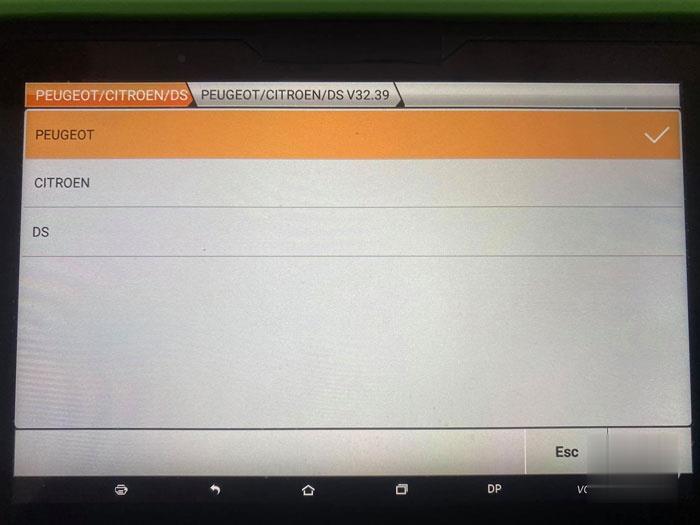
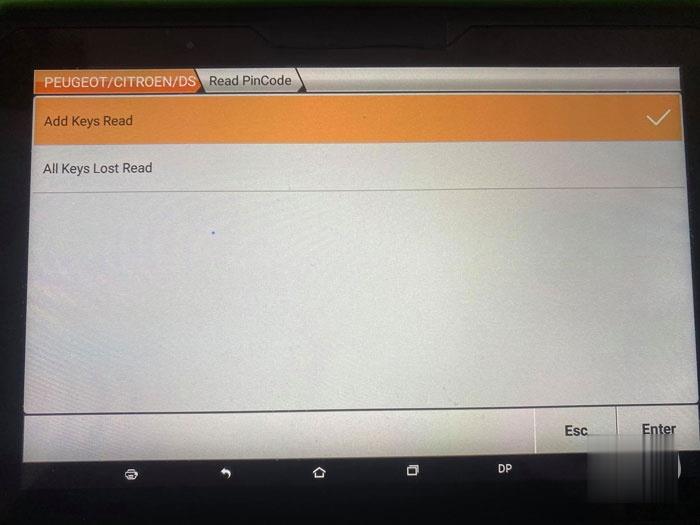
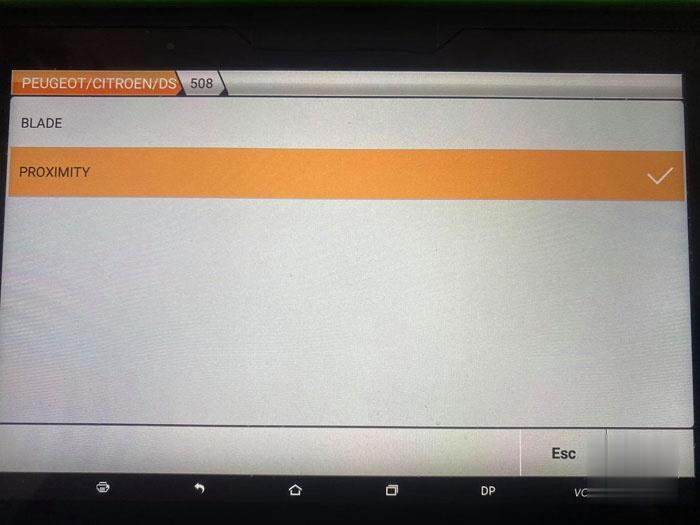
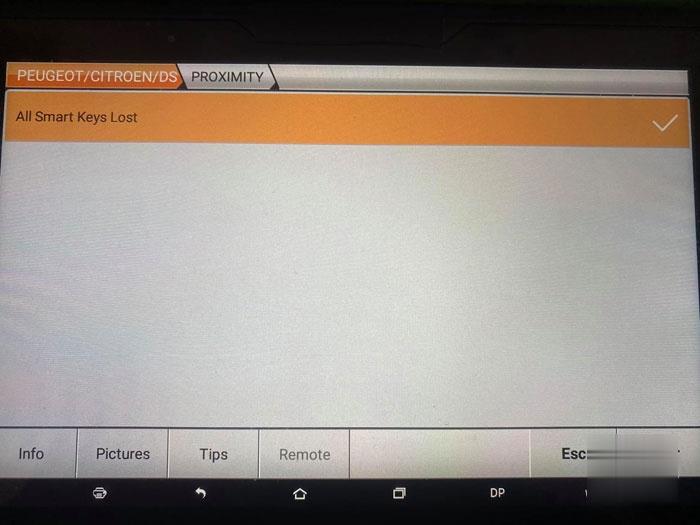
Enter from Peugeot V32.39>Peugeot>Adds keys read>Proximity>All smart keys lost

How-to-Program-2012-Peugeot-508-ID46-Proximity-by-OBDSTAR-X300-DP-Plus-3 (2)    
How-to-Program-2012-Peugeot-508-ID46-Proximity-by-OBDSTAR-X300-DP-Plus-4 (2)
How-to-Program-2012-Peugeot-508-ID46-Proximity-by-OBDSTAR-X300-DP-Plus-5 (2)
How-to-Program-2012-Peugeot-508-ID46-Proximity-by-OBDSTAR-X300-DP-Plus-6 (2)
How-to-Program-2012-Peugeot-508-ID46-Proximity-by-OBDSTAR-X300-DP-Plus-7 (2)

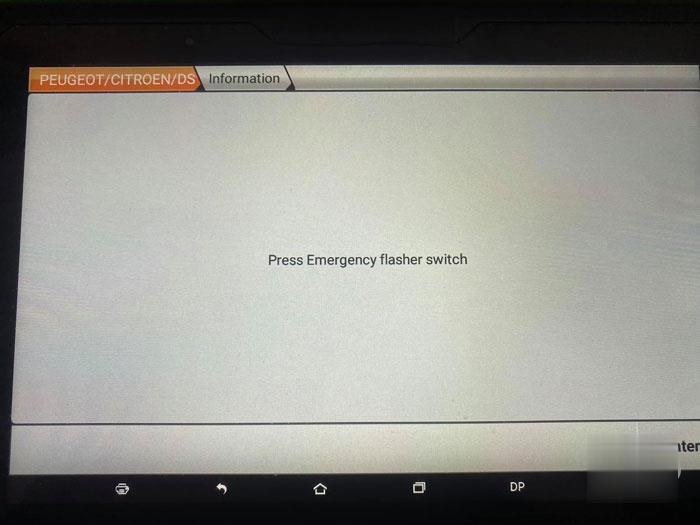
Press Emergency flasher switch and follow x300 dp plus prompts until succcess

How-to-Program-2012-Peugeot-508-ID46-Proximity-by-OBDSTAR-X300-DP-Plus-8 (2)

If you want to know more key programming tools, please visit our website https://www.obd2tool.com

Saturday, May 29, 2021

Lonsdor K518S Program Toyota Crown All Key Lost

 Toyota Crown (A8 H chip) All smart Key Lost and program new key by Lonsdor K518S plus key emulator (LKE) via OBD. The whole process is as simple as a piece of cake.

Here we go for details:

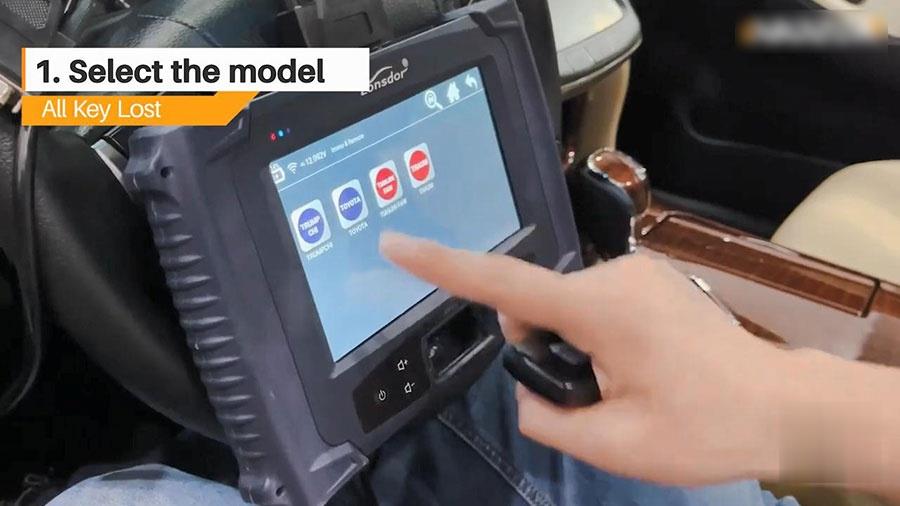
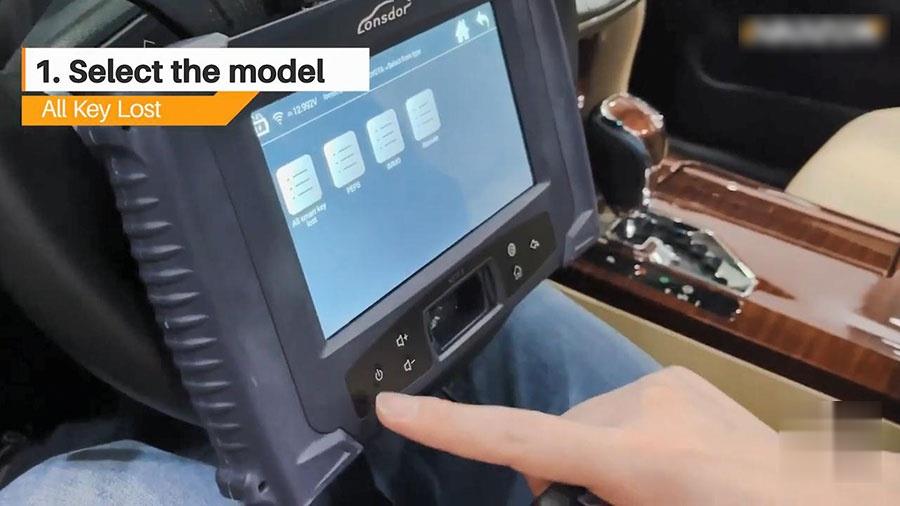
1.  Search the model Toyota ->select by type -> All smart key lost -> all key lost

Program-Toyota-Crown-All-Key-Lost-by-Lonsdor-K518S-and-LKE-1 (2)
Program-Toyota-Crown-All-Key-Lost-by-Lonsdor-K518S-and-LKE-2 (2)
Program-Toyota-Crown-All-Key-Lost-by-Lonsdor-K518S-and-LKE-3 (2)

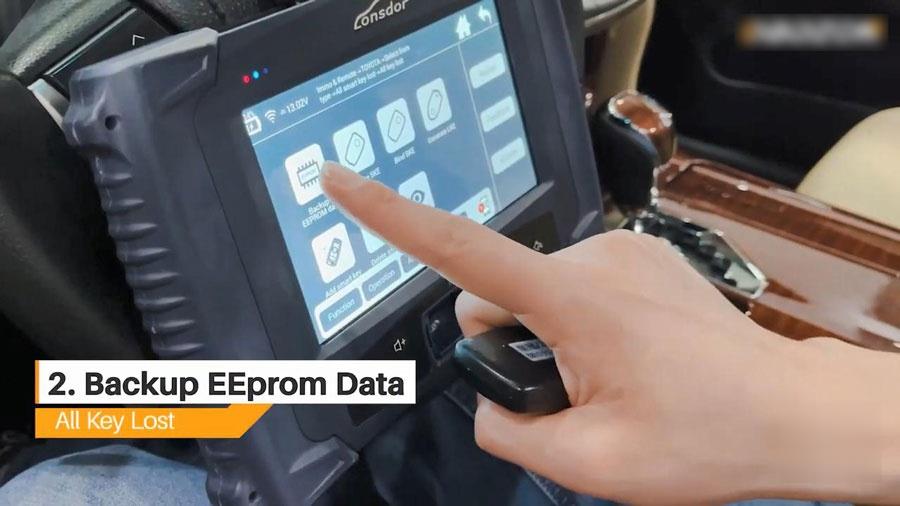
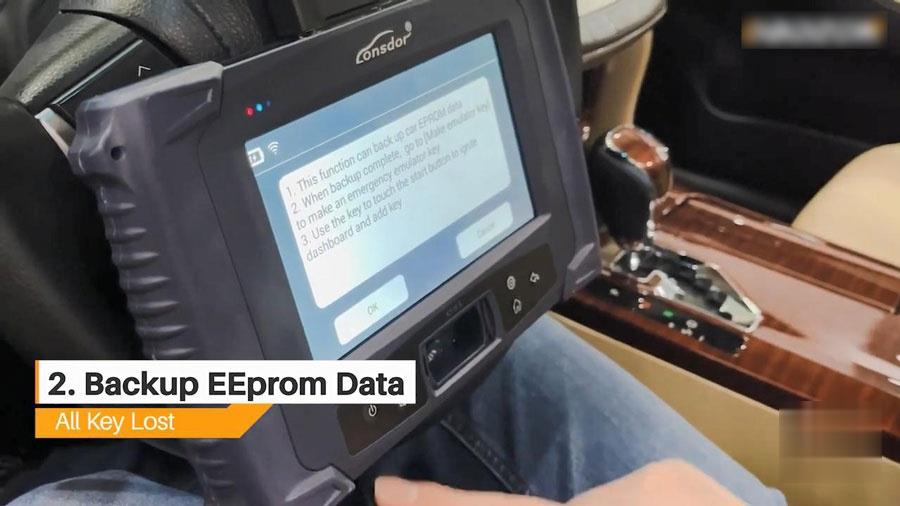
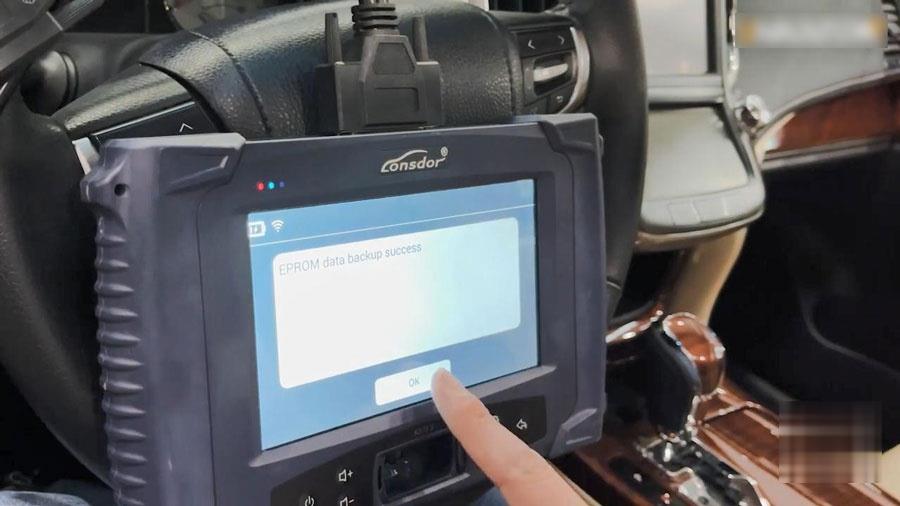
2.  Backup EEPROM data.

1). This function can back up car EEPROM data.

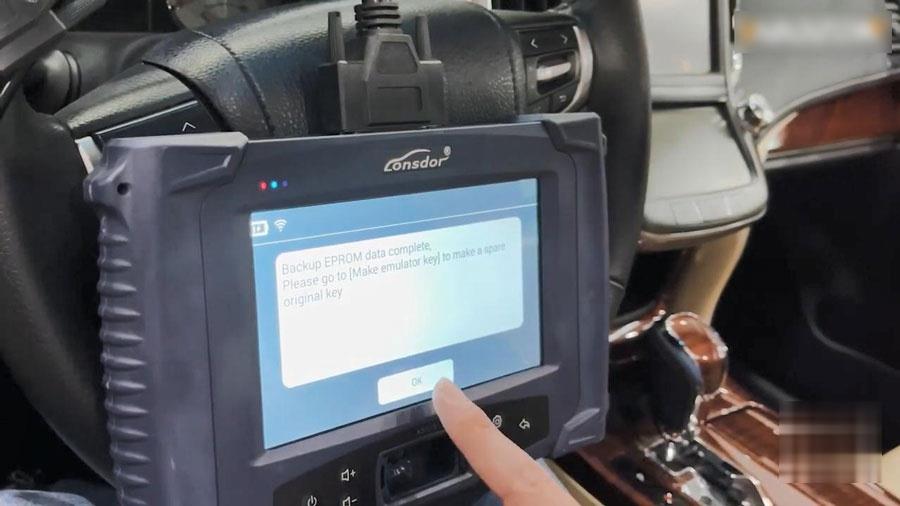
2). When backup complete, go to [Make emulator key] to make an emergency emulator key.

3). Use the key to touch the start button to ignite dashboard and add key.

Program-Toyota-Crown-All-Key-Lost-by-Lonsdor-K518S-and-LKE-4 (2)
Program-Toyota-Crown-All-Key-Lost-by-Lonsdor-K518S-and-LKE-5 (2)

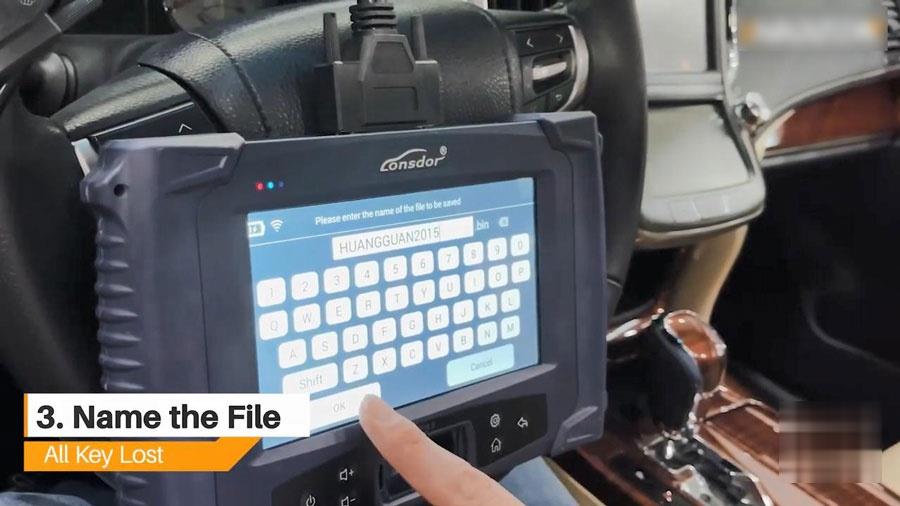
3. Name the file.

Backup eeprom data complete. Please go to [Make emulator key] to make a spare original key.

Program-Toyota-Crown-All-Key-Lost-by-Lonsdor-K518S-and-LKE-6 (2)
Program-Toyota-Crown-All-Key-Lost-by-Lonsdor-K518S-and-LKE-7 (2)

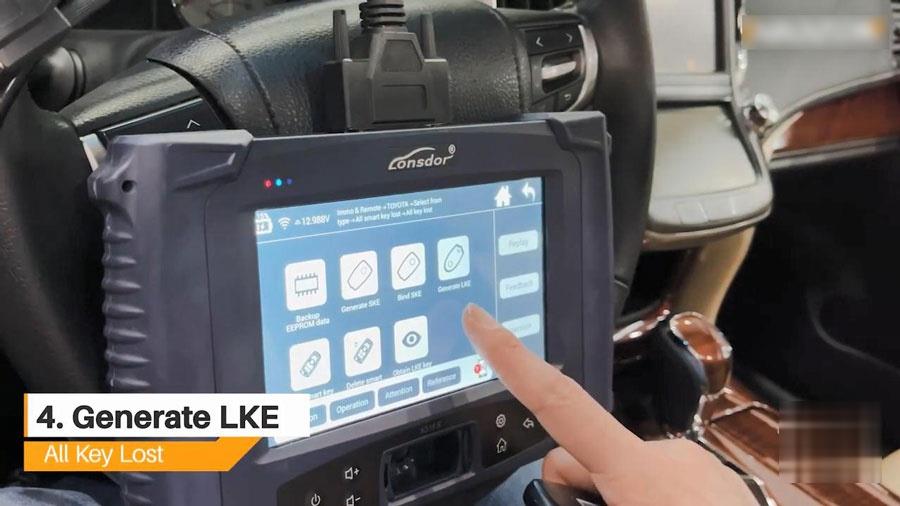
6. Generate LKE.

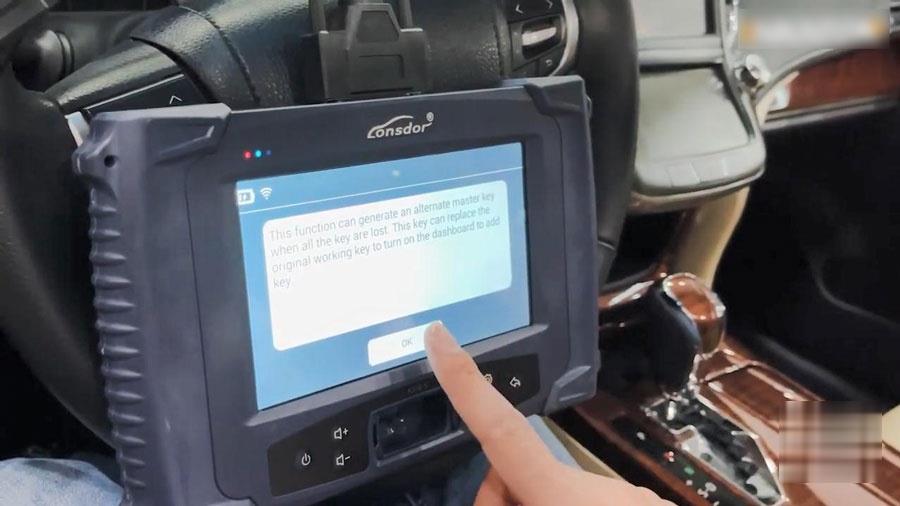
This function can generate an alternate master key when all the key are lost. This key can replace the original working key to turn on the dashboard to add key.

Program-Toyota-Crown-All-Key-Lost-by-Lonsdor-K518S-and-LKE-8 (2)
Program-Toyota-Crown-All-Key-Lost-by-Lonsdor-K518S-and-LKE-9 (2)
Program-Toyota-Crown-All-Key-Lost-by-Lonsdor-K518S-and-LKE-10 (2)
Program-Toyota-Crown-All-Key-Lost-by-Lonsdor-K518S-and-LKE-11 (2)

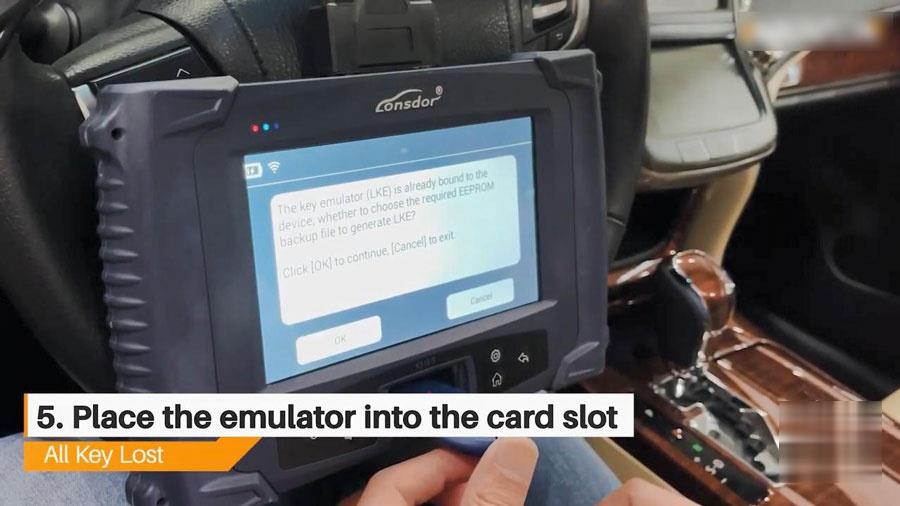
7. Place the LKE key emulator  into the card slot.

The key emulator (LKE) is already bound to the device, whether to choose the required EEPROM backup file to generate LKE? Click [OK] to continue [Cancel] to exit.

Program-Toyota-Crown-All-Key-Lost-by-Lonsdor-K518S-and-LKE-12 (2)

Please select the file that is saved in step 3.

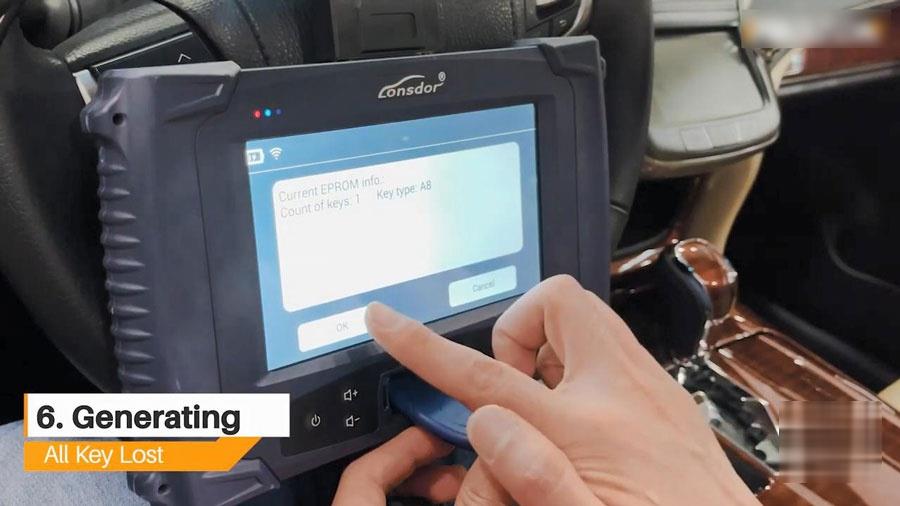
8. Generating.

Current EEPROM info:

Count of keys: 1 Key type: A8.

Program-Toyota-Crown-All-Key-Lost-by-Lonsdor-K518S-and-LKE-13 (2)

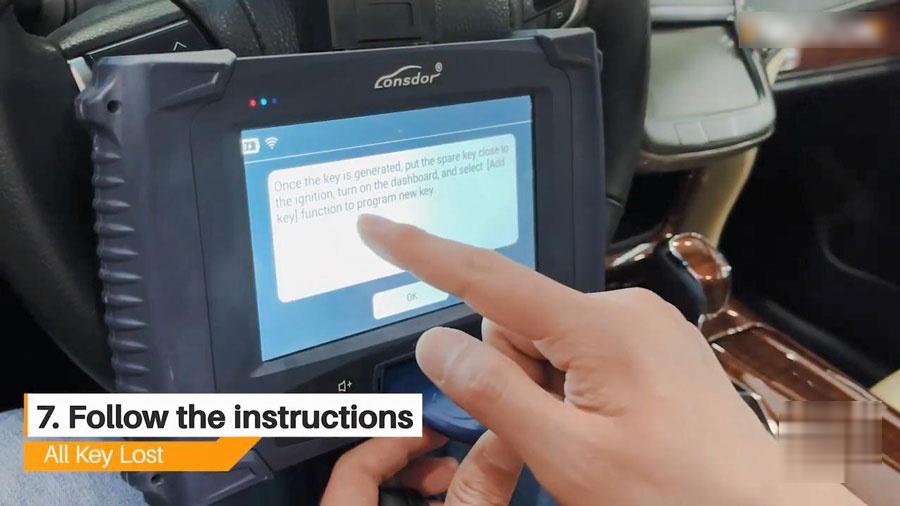
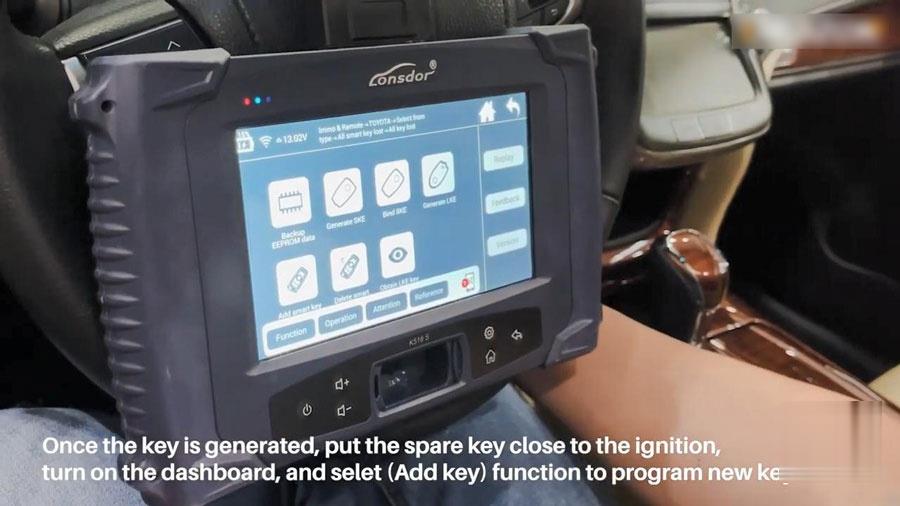
Once the key is generated, put the spare key close to the ignition, turn on the dashboard, and select [Add key] function to program the new key.

Program-Toyota-Crown-All-Key-Lost-by-Lonsdor-K518S-and-LKE-14 (2)
Program-Toyota-Crown-All-Key-Lost-by-Lonsdor-K518S-and-LKE-15 (2)

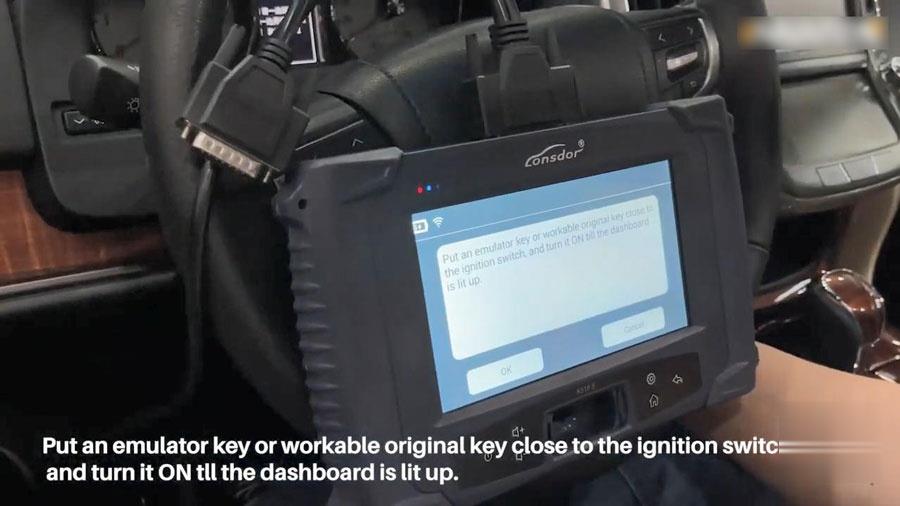
Put the emulator key or workable original key close to the ignition switch, and turn it ON till the dashboard is lit up.

Program-Toyota-Crown-All-Key-Lost-by-Lonsdor-K518S-and-LKE-16 (2)

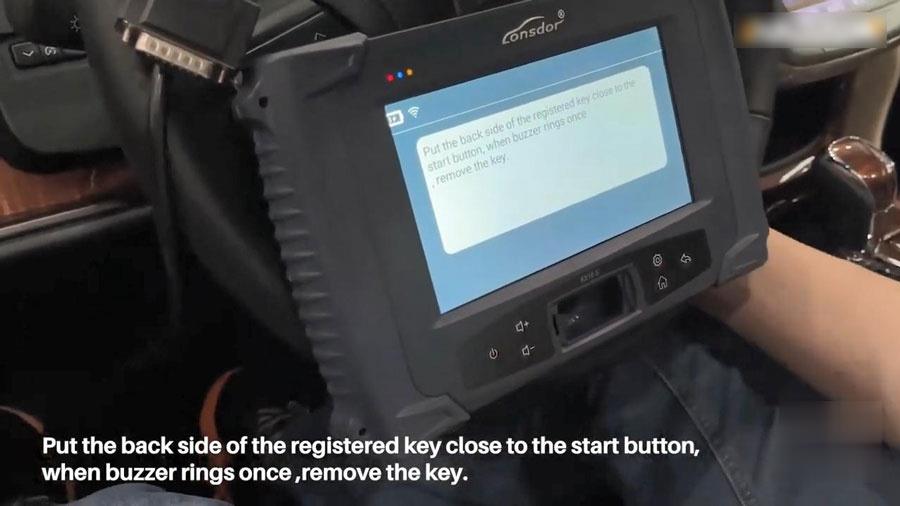
Put the back side of the registered key close to the start button, when buzzer rings once, remove the key.
Program-Toyota-Crown-All-Key-Lost-by-Lonsdor-K518S-and-LKE-17 (2)

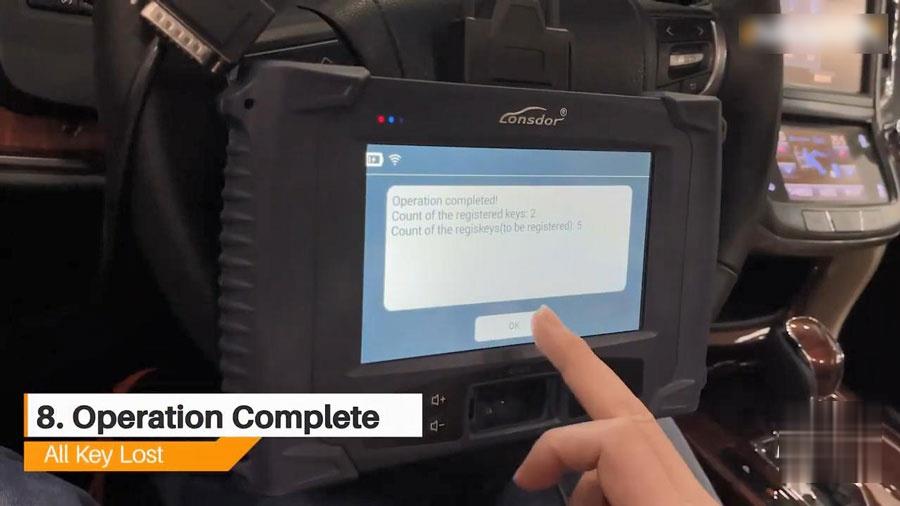
9. Operation complete.

Count of the registered keys: 2

Count of the register keys (to be registered): 5

Program-Toyota-Crown-All-Key-Lost-by-Lonsdor-K518S-and-LKE-18 (2)

10.  Test whether the key can start the car.

Okay, it works.

Job is done.

Don’t you think it is easy with Auto Key Programmer Lonsdor K518S by following the on-screen instructions. And please keep in mind that, you will need one extra key emulator (LKE).

Thursday, May 27, 2021

How to read ISN Code of BMW EDC16c35

 ISN is not a software, but rather it is the immobilizer key code that the EWS or CAS module (the immobilizer security module). Newer cars’ ISNs use a starting code that is stored in the DME (or DDE if a diesel car) and then change the code (rolling code) with each successful engine start. The EWS/CAS and DME/DDE stored ISN must match, or else the car will not start. There is no BMW software that does anything with the ISN, besides the first time DME to EWS/CAS pairing (on virgin DME or virgin EWS)


There are aftermarket (non-BMW) software that help with ISN identification and maybe even modification, but this is done after reading a module’s EEPROM or flash memory. This requires very intensive knowledge of electronics, and some expensive interfaces.

Some ECUs have the ISN in a OTP section (one time programming) of the memory (ex: MSD80 DME of the 335i), so essentially that ECU is married for life, you cannot edit anything to that ISN. There are very expensive interfaces that can edit the EWS or CAS to match the used DME, but this is besides the point.

Those interfaces include genuine AVDI, FVDI, or Autohex.

And if you are talking about a little piece of software called “BMW ISN”, this is an aftermarket program that goes together with yet another expensive interface, BMW Explorer or Autohex ii, that can edit the ISN in the EWS or CAS. Mostly useless without proper interfaces and tools.

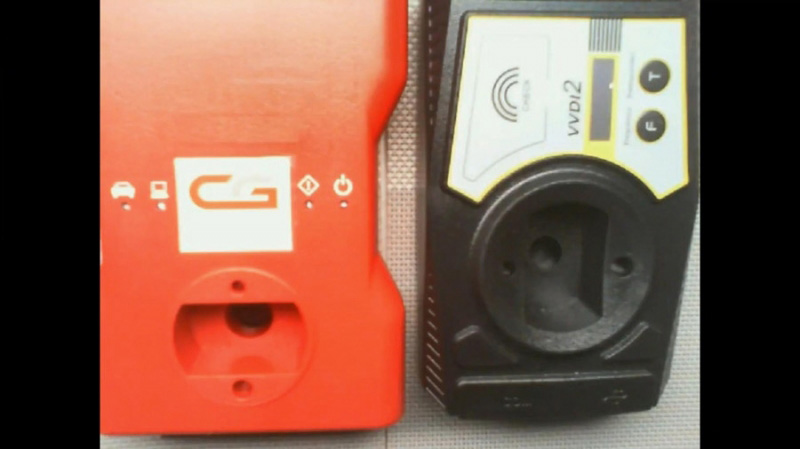
How to read ISN of EDC16c35 (for example in encrypted CAS3 + when all keys are lost)? An increasing number of locksmiths verified CGDI Yes, Autohex Yes, VVDI No.
How-to-read-ISN-Code-of-BMW-EDC16c35-1    

Autohex: Yes, but not on bench

Tried ISN extraction via ON-BENCH, didn’t work

Finally succeeded with the following steps:
-> copy content of 96540 eeprom of original-ECU to donor-ecu
-> coded the donor-ecu to the car
-> updated the software of the donor-ecu
-> EWS alignment

CGDI BMW programmer: Yes

Oh I surprised, I can read ISN of EDC16c35 right with CGDI and AVDI but not change.

Path:

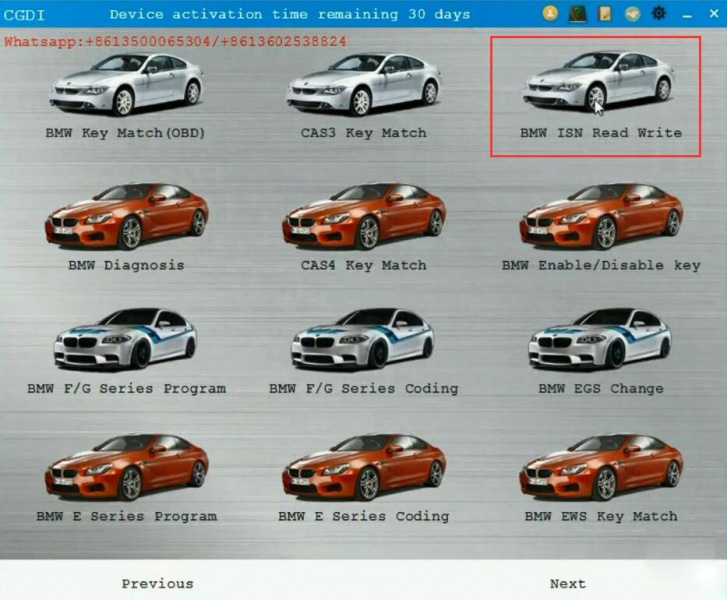
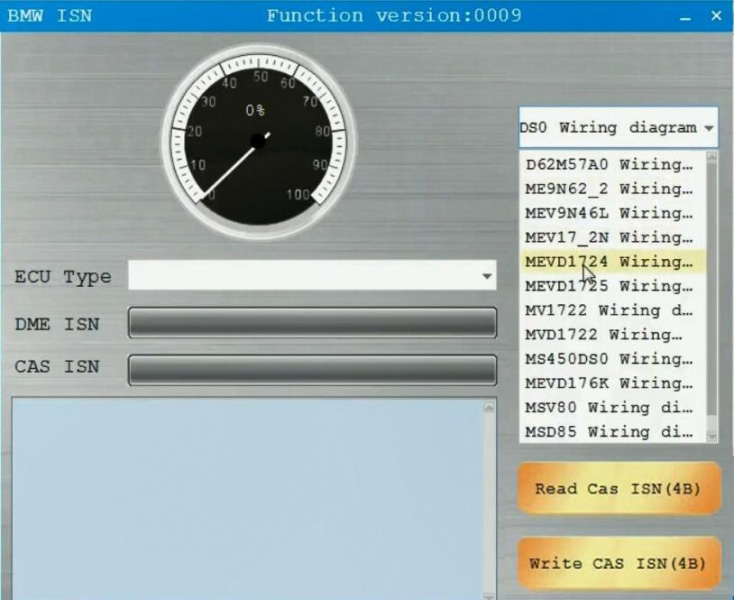
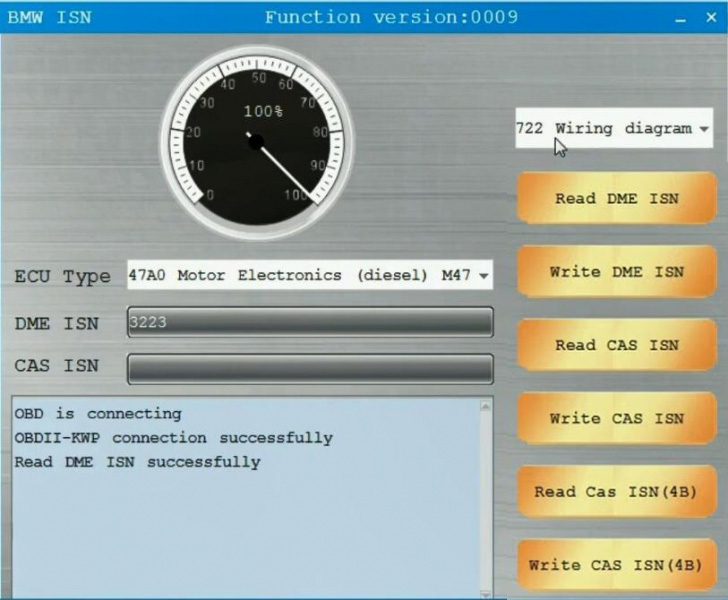
Open CGDI software -> select “BMW ISN Read Write” -> select ECU type -> click on “Read DME ISN” and then after it succeed, click on “Write DME ISN”.

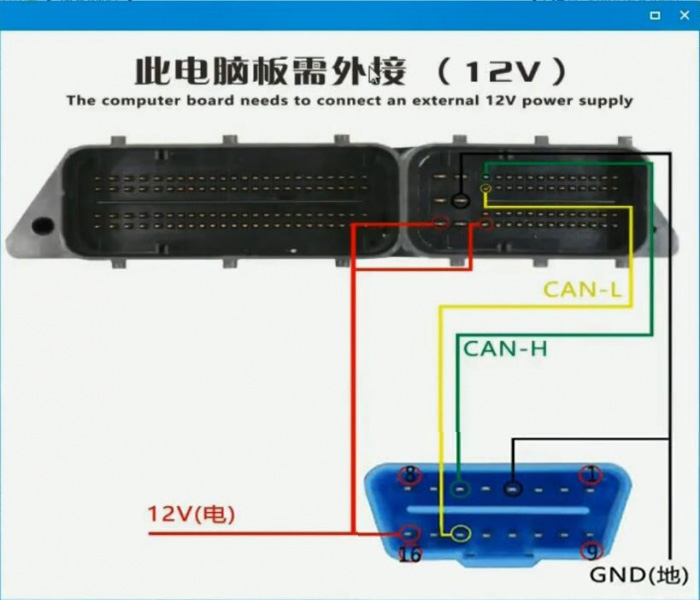
It’s nice feature is it come with wiring diagram.

Good to know:

CGDI BMW programmer wins in ISN reading /writing for a wide range of DME. And it is available with individual BMW ISN reading authorization.
How-to-read-ISN-Code-of-BMW-EDC16c35-2

How-to-read-ISN-Code-of-BMW-EDC16c35-3

How-to-read-ISN-Code-of-BMW-EDC16c35-4

How-to-read-ISN-Code-of-BMW-EDC16c35-5

Xhorse VVD2: Failed
I bought Xhorse VVDI2 new, can‘t read ISN of EDC16c35 . Not on bench not in car.

I think VVDI II cannot read 2 bytes ISN.

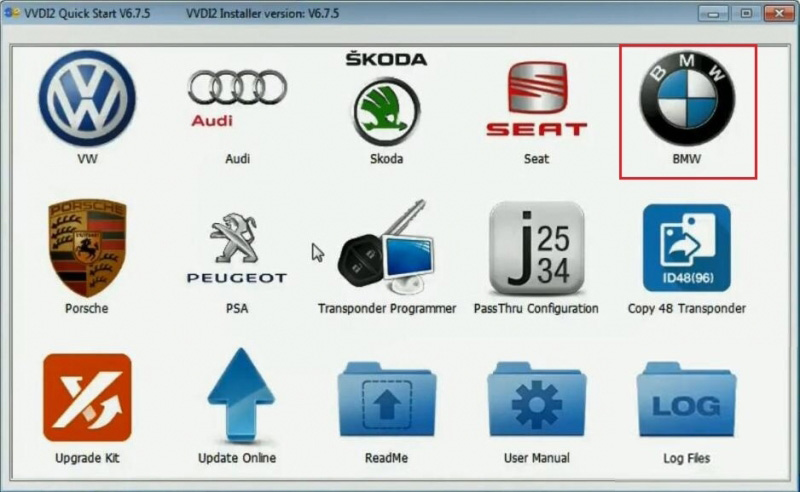
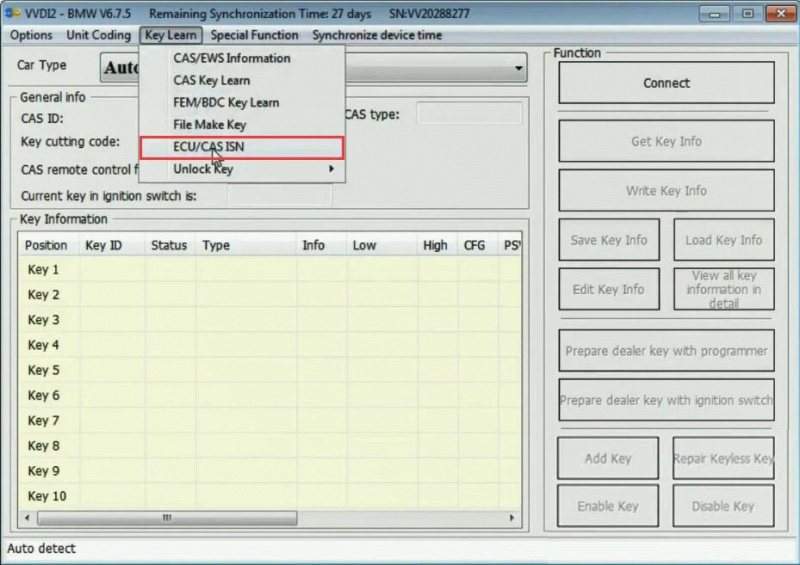
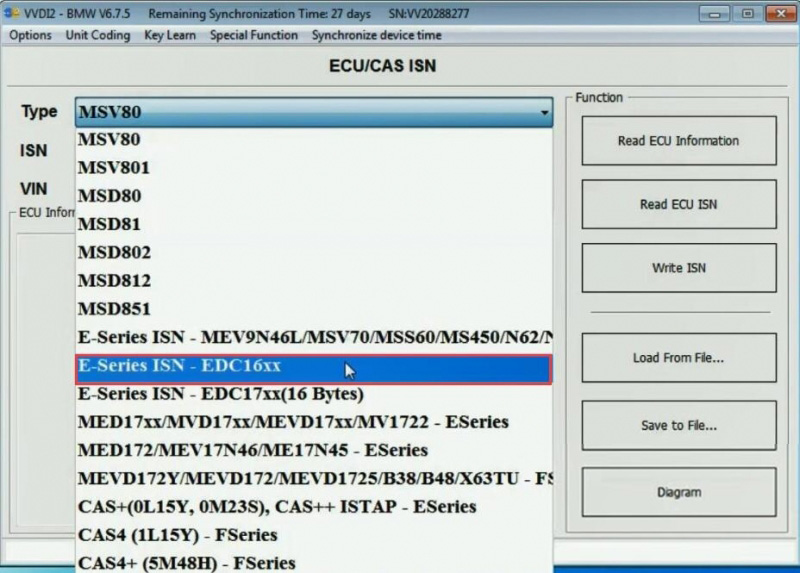
Path: open VVDI2 Quick Start -> BMW -> Key Learn -> ECU/CAS ISN -> Type E-Series ISN -EDC16xx.

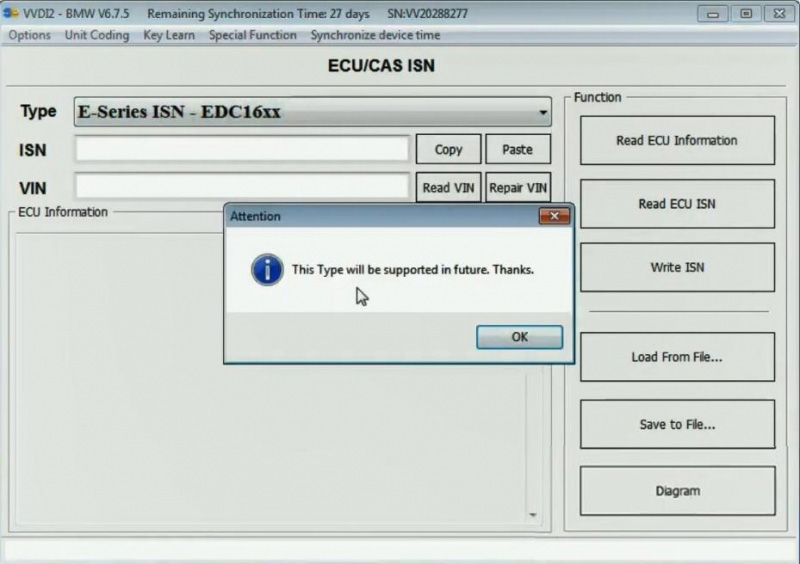
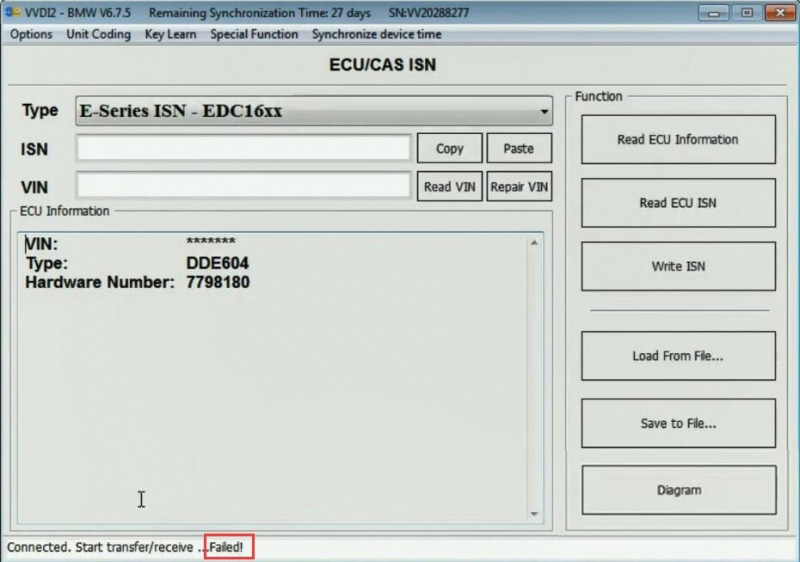
No matter what you select “Diagram”, “Read ECU information”, “Read ECU ISN”, it will pop up not supported yet or failed.   But software prompts it will add this type in the feature.

How-to-read-ISN-Code-of-BMW-EDC16c35-6

How-to-read-ISN-Code-of-BMW-EDC16c35-7  

How-to-read-ISN-Code-of-BMW-EDC16c35-8

How-to-read-ISN-Code-of-BMW-EDC16c35-9

How-to-read-ISN-Code-of-BMW-EDC16c35-10

Hope it helps!