Wednesday, January 5, 2022

How to Program A New Key for Honda JADE 2015 by Launch X431

This illustration show you guide on how to use Launch X431 device to do new key programming for Honda JADE 2015.More test report about Launch X431 please check:Launch X431 Test report

Related Device:

Launch X431 V Pro or Launch X431 PAD V

Notes

1.You must have an original key;

2.Before performing the operation, ensure that the vehicle battery voltage is not lower than 12V and the device has sufficient power;

3.During operation, strictly follow the device prompts to switch ignition ON/OFF within specified time;

4.After the key registration completed, check whether all the keys normally open and close the doors and start the engine normally.

Steps

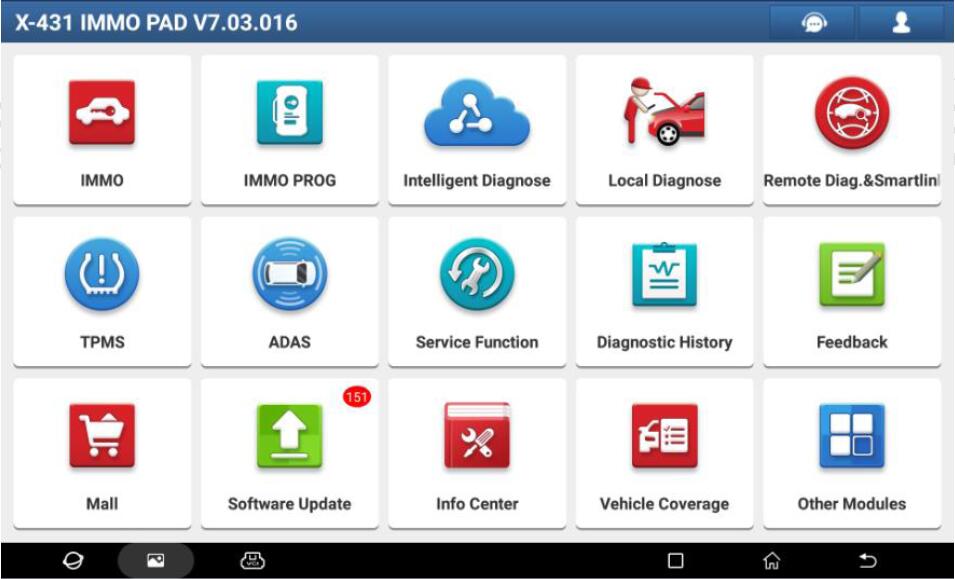
Turn off the ignition switch (if the ignition switch has been turned on), prepare all the keys, and connect the diagnostic device, enter the corresponding IMMO module, and select HONDA Anti-theft diagnostic software
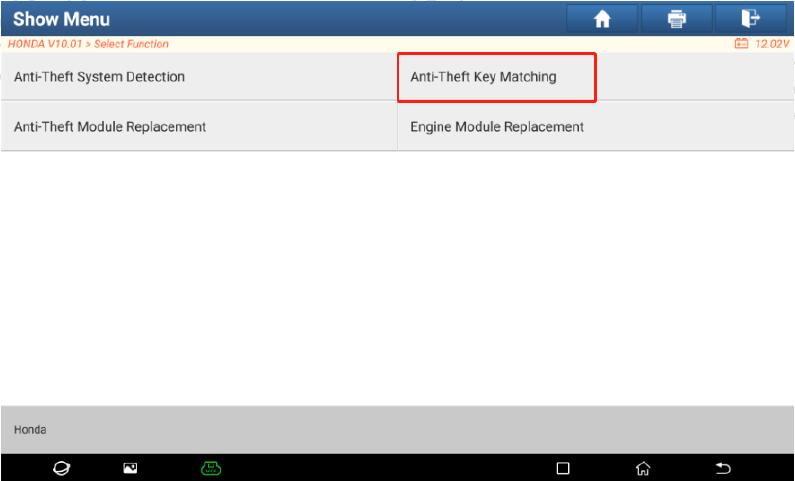
2.Select the menu “Anti-Theft Key Matching”, the software will automatically detect the Anti-theft type and display the corresponding function menu
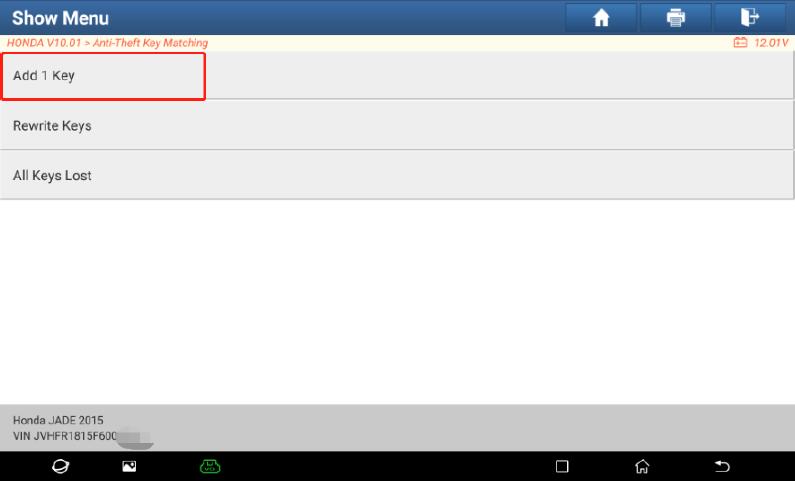
3.As described in above function introduction. Select the function “Add 1key”Note: The steps for Rewrite Keys and All Keys Lost are similar to the steps of this function.
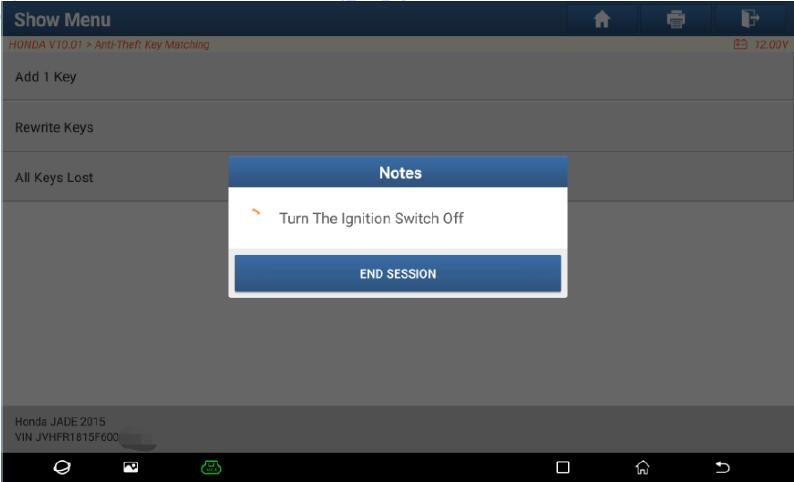
4.Perform interactive communication with Anti-theft system and follow the prompts to operate after normal communication. Turn the ignition switch off.

Note: This operation will be performed more than once during operating, please perform by strictly following the prompts.
5.Turn the ignition switch to ON with an original key
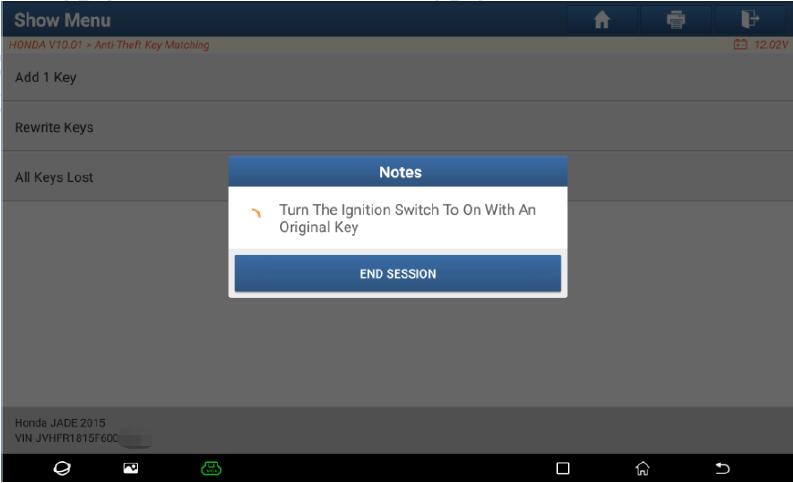
6.Turn the ignition switch off within 17 seconds.

Note: This operation will be performed more than once during operating, please perform by strictly following the prompts.
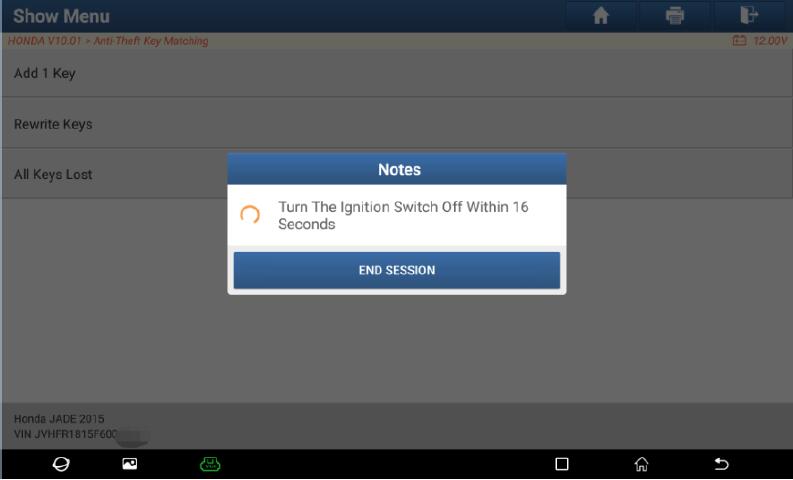
7.Turn the ignition switch to ON with a new key within 20 seconds.
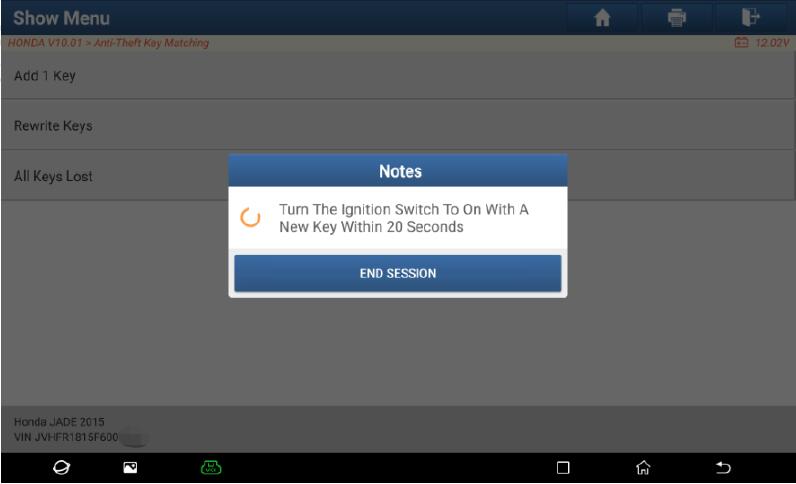
8.Turn the ignition switch off within 17 seconds.
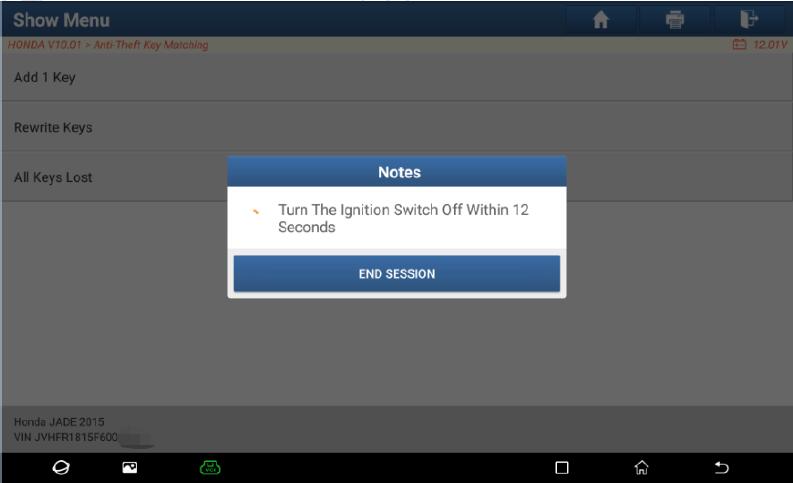
9.Turnthe ignition switch to ON within 20 seconds without changing the key
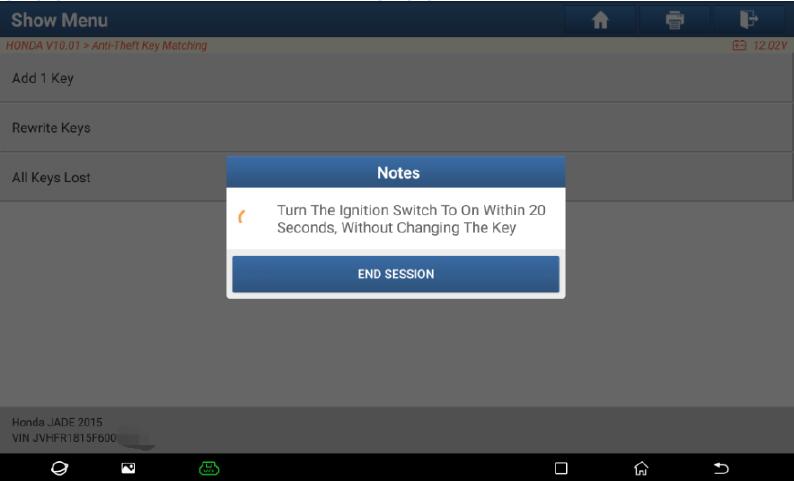
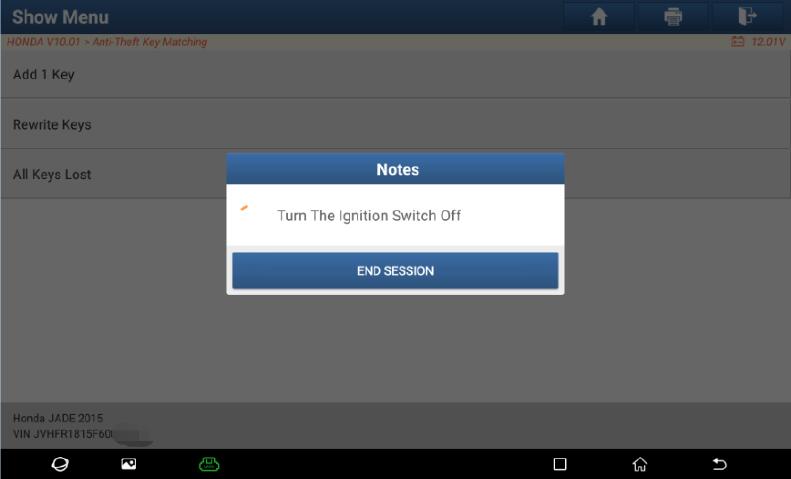
10.Turn the ignition switch off.
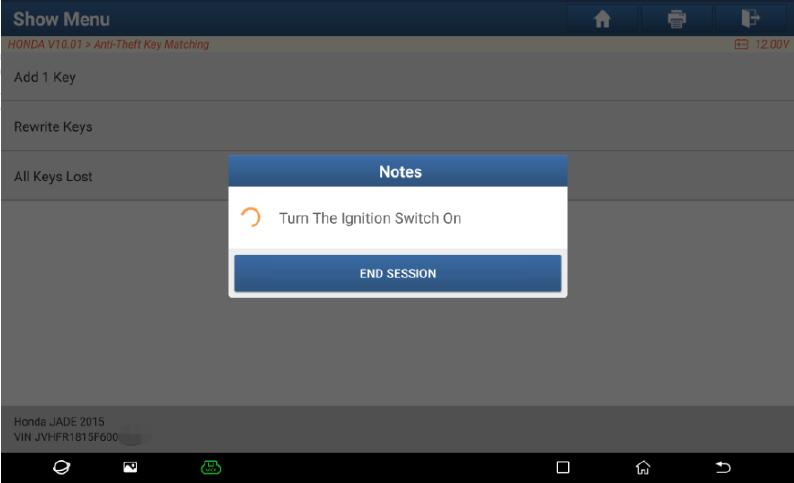
11.Turn the ignition switch on
12.Check whether the immobilizer indicator light goes off.If it is not off, the matching failed; If it is off, continue to check whether the key matching is successful
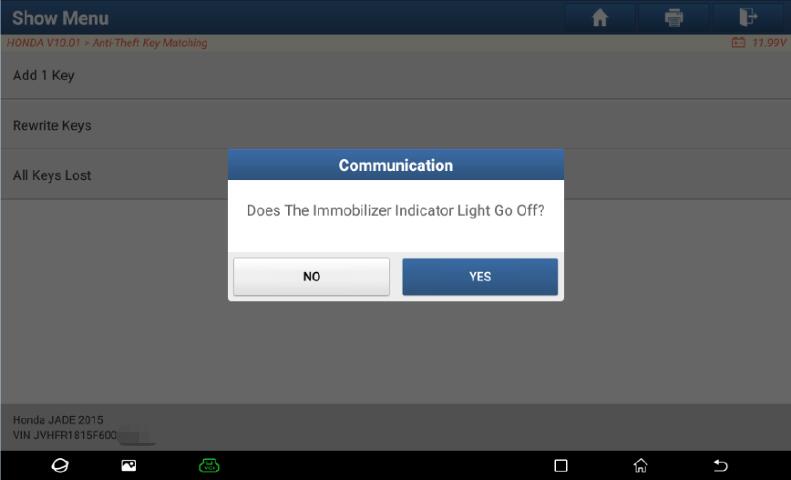
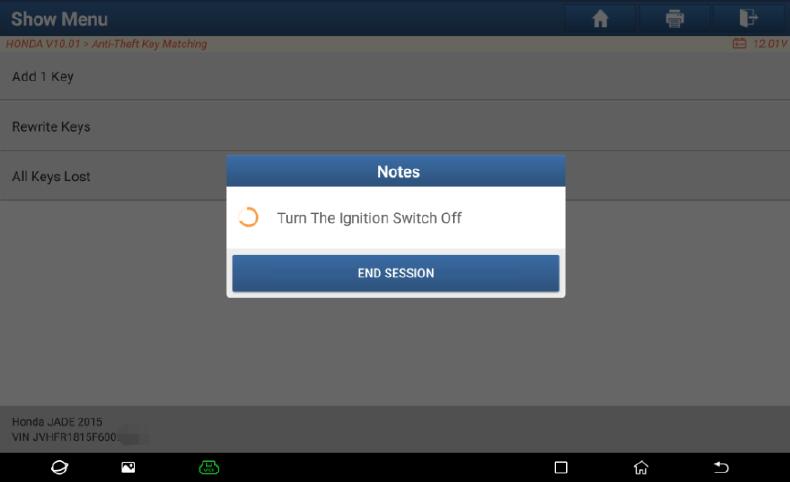
13.Click “Yes”and it will prompt again to turn the ignition switch off
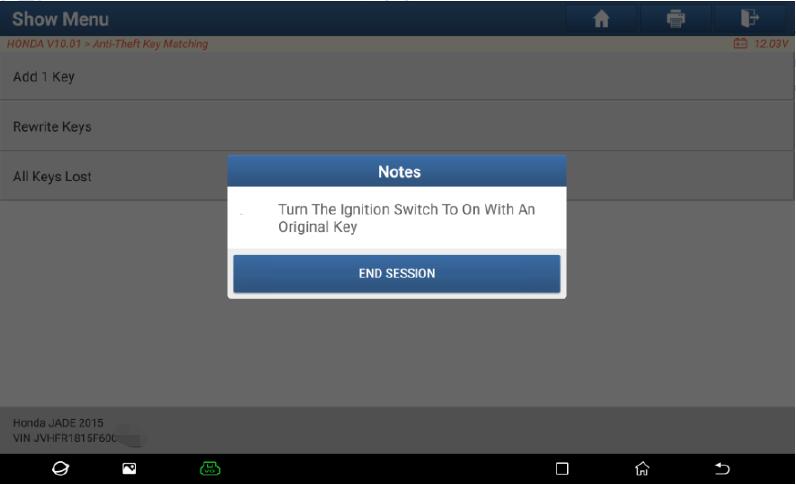
14.Turn the ignition switch to ON with an original key
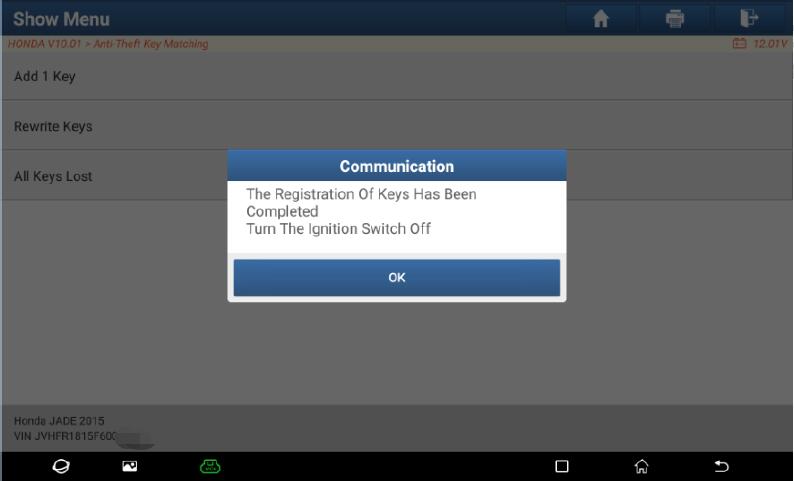
15.The registration of keys has been completed.Turn the ignition switch off
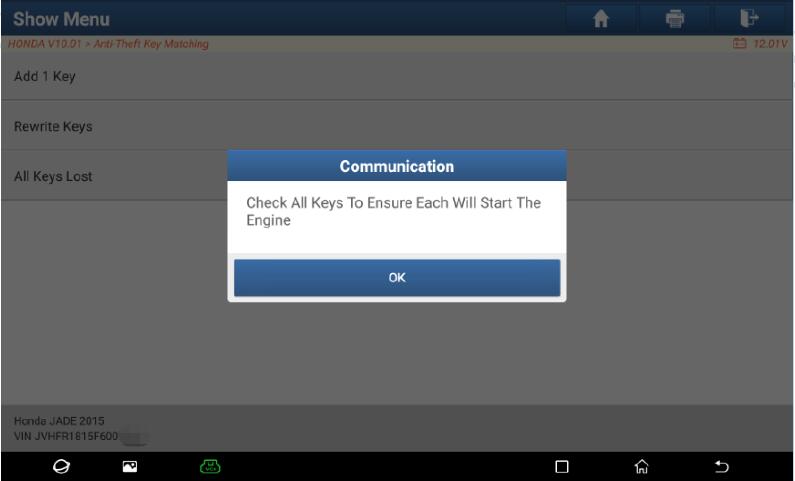
16.Check all keys to ensure that each key can start the engine
17.Turn the ignition switch ON. Add 1Key completed.

For more Honda repair case,please refer to:Honda Trouble Repair.

Monday, January 3, 2022

Nissan Teana 2015 Key Programming by Launch X431

This illustration show you guide on how to use Launch X431 device to do key programming for Nissan Teana 2015.

Related Device:
Launch X431 V Pro or Launch X431 PAD V

Notes:
1.Obtain all the keys, and ensure that the vehicle battery voltage is not less than 12V and the device has sufficient power. Do not use devices that emit strong electromagnetic waves around the antenna of Anti-theft locking system, such as mobile phones, wireless transceivers, etc. when performing “Initialization ECU”
2.It is recommended to turn on the hazard warning light switch to prevent the ECU communication from entering the sleep mode during the execution of the function;

3.After the key registration completed, it is necessary to perform operation check on all registered keys to ensure vehicle remote controls and key ignition are normal.

Procedures:

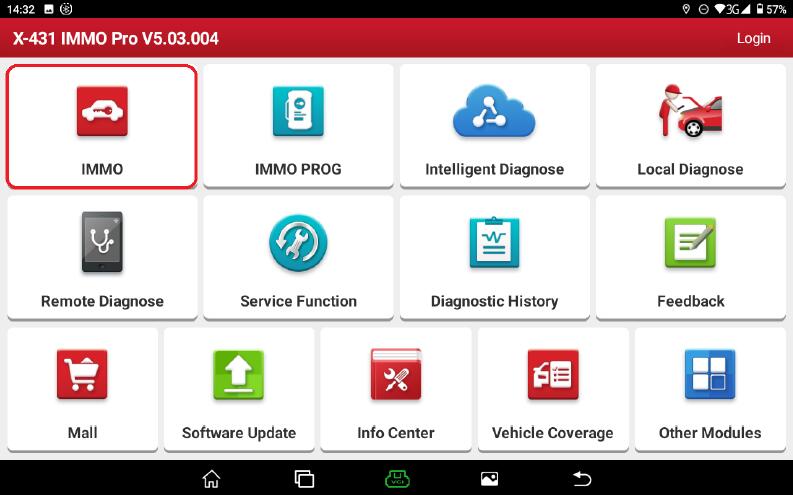
1.Prepare the key that needs to be matched, connect the diagnostic connector, and select “IMMO”

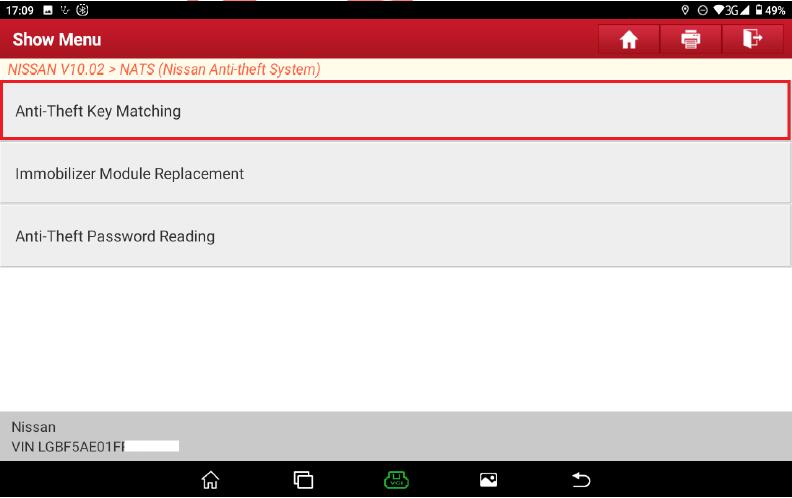
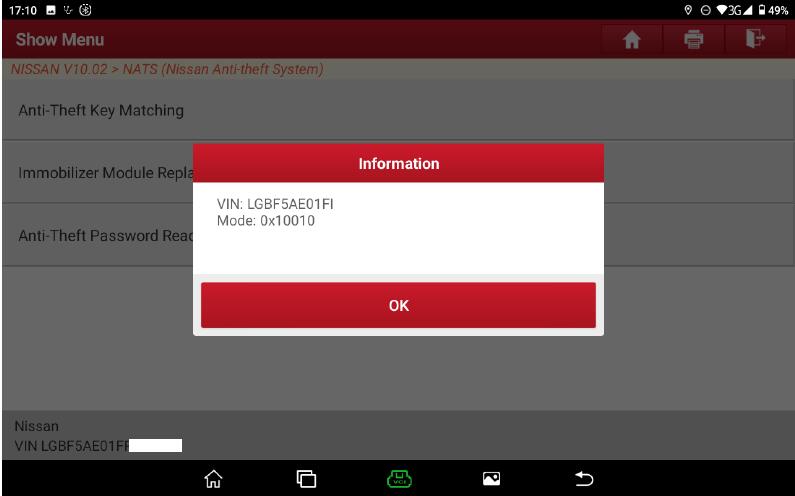
2.Select the menu “Anti-Theft Key Matching”, the software starts to automatically scan the system and search for the Anti-theft mode of the vehicle model, click “OK”to enter the corresponding menu path.


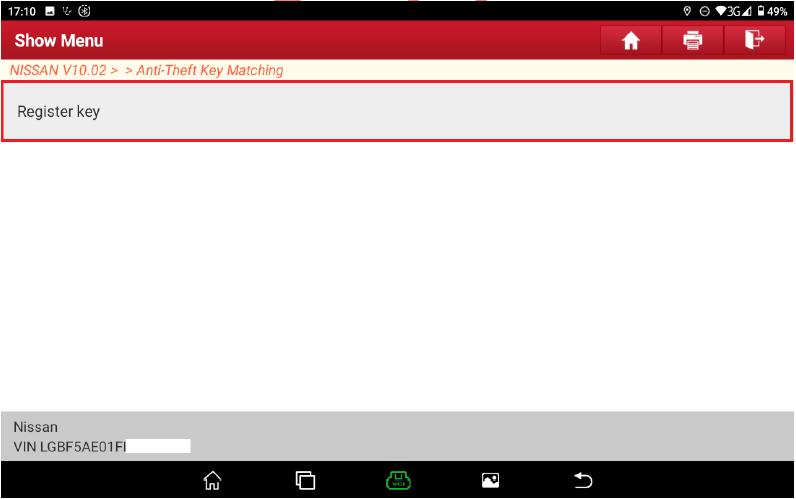
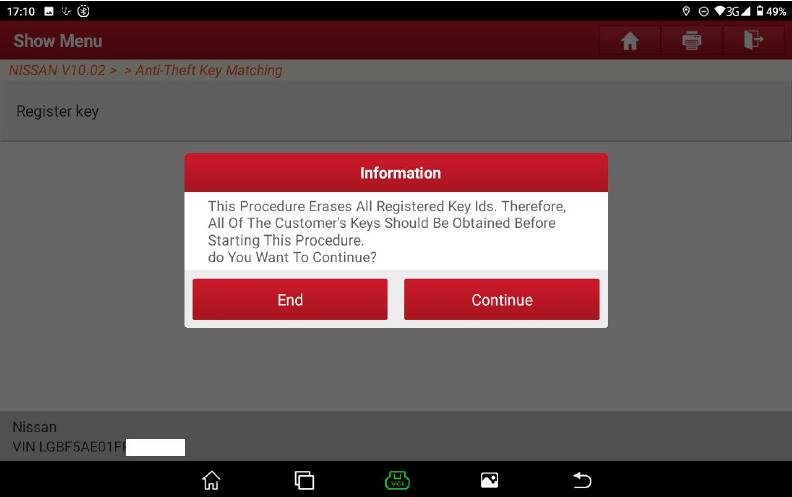
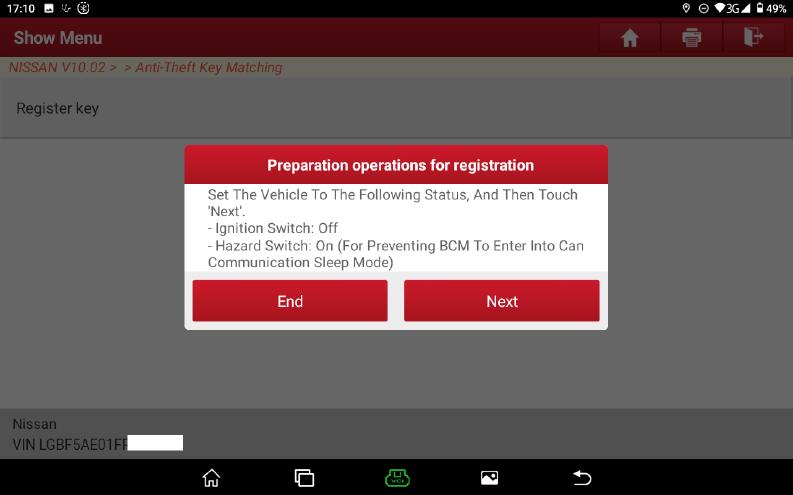
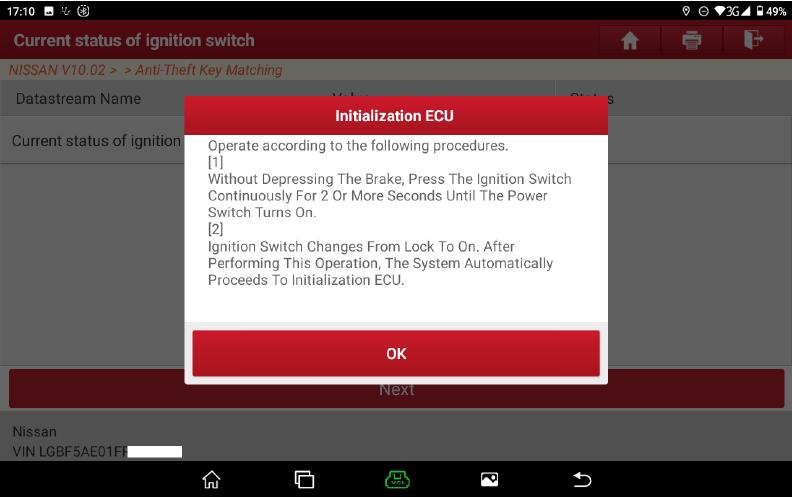
3.Select the menu “Register Key”, it prompts to delete all registered key IDs, and then prompts the operation of turning off the power and turning on the hazard warning lamp


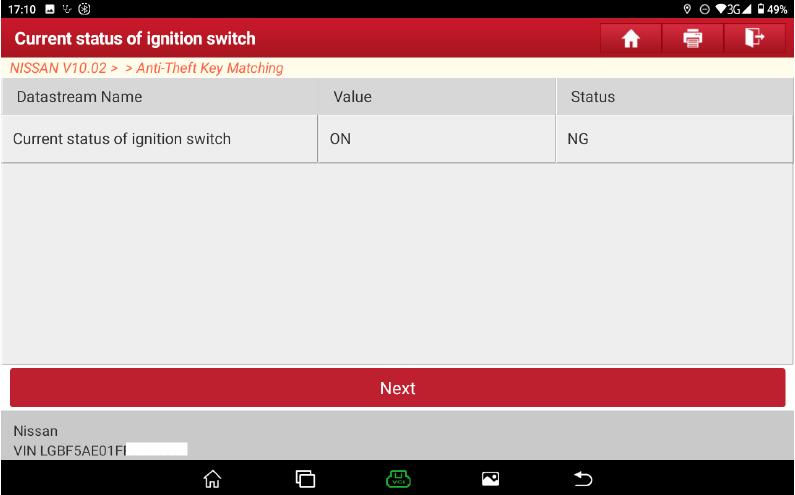
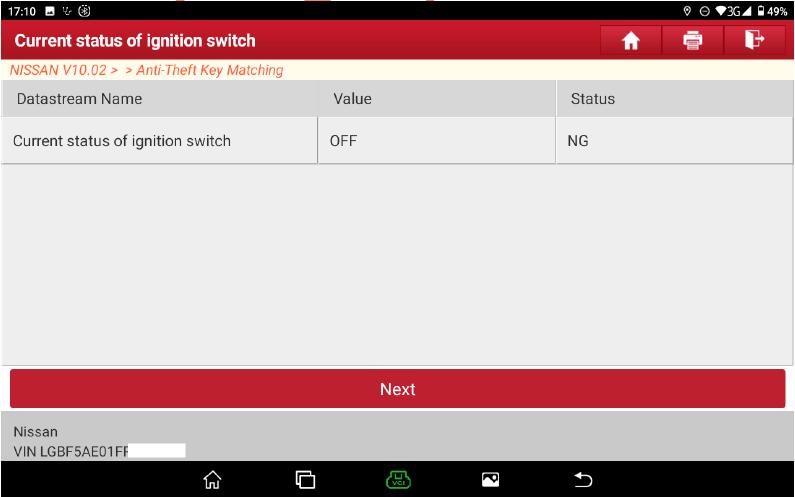
4.After clicking “Next”, the software will determine whether the power is turned off, if the poweris not turned off

It will automatically skip to step 8 when the power is off

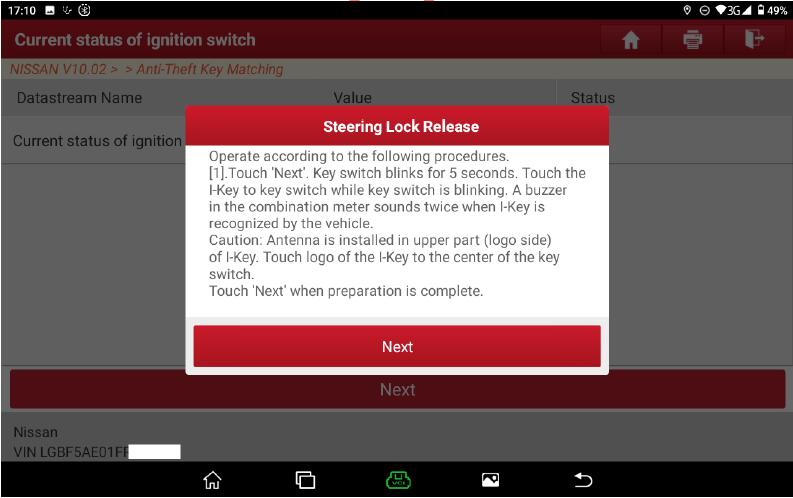
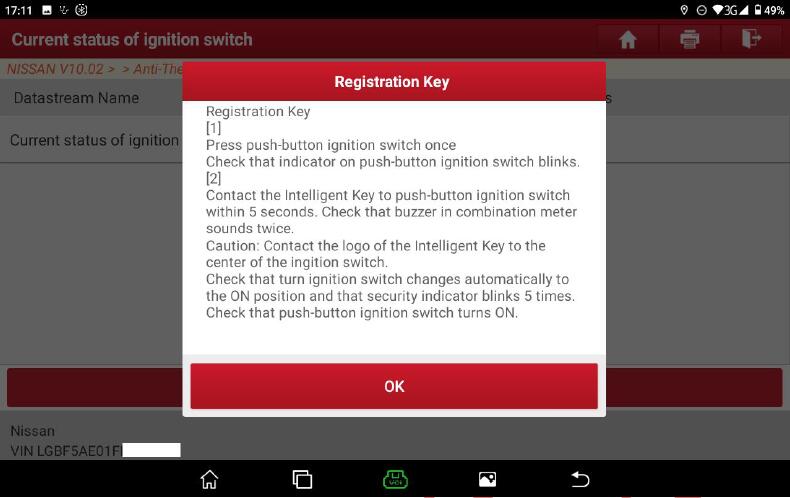
5.After clicking “Next”, click the ignition button and touch the button with the key emblem side. With smooth network connection, the software will automatically obtain the Anti-theft password and perform the operation of Steering Lock Release. After the execution completed,it will display the prompt of powering on

6.After clicking“OK”, if the power is not turned on

it will automatically skip to step 7if the power is ON).

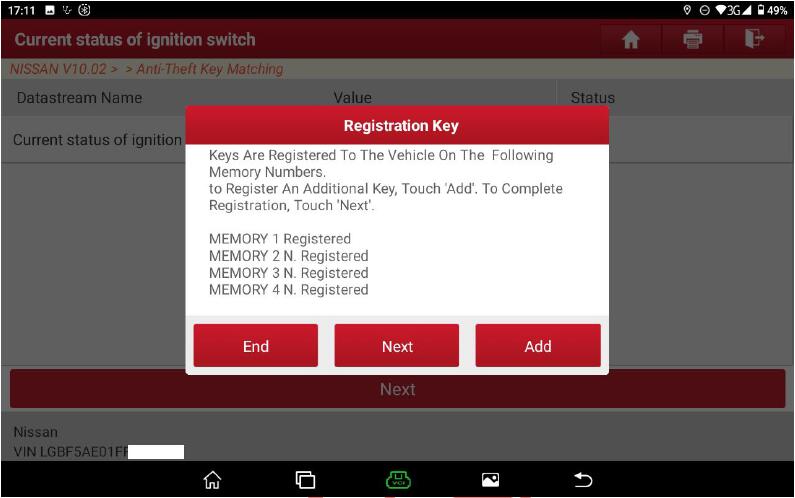
7.After the power is turned on, all key IDs will be automatically deleted, and the read key registration information and enter the prompt of key registration operation

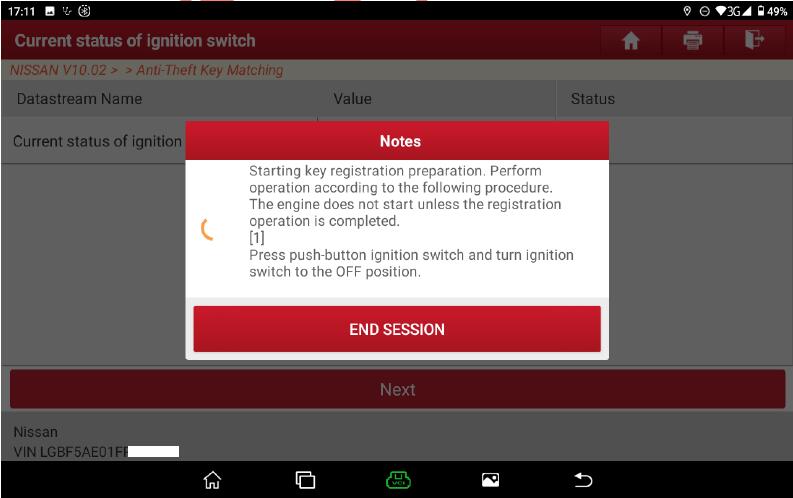
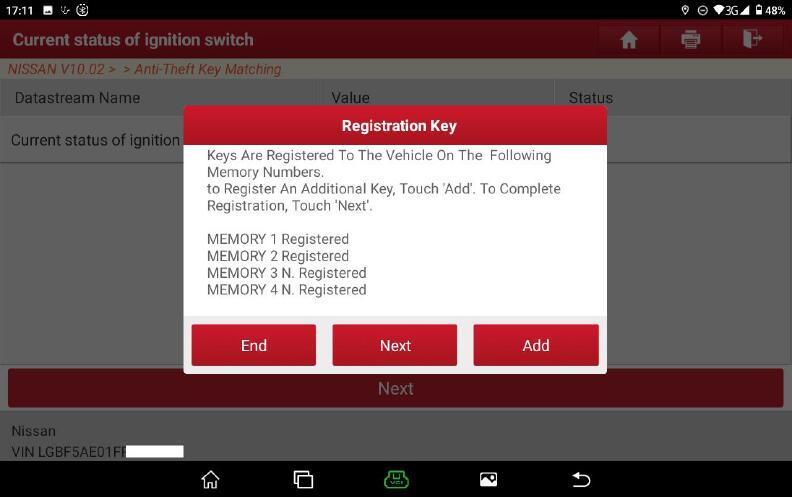
8.Click the “Add”button to enter the interface of key registration operation prompt

operate the ignition switch and intelligent key according to the prompt, and click “Next”to step 9


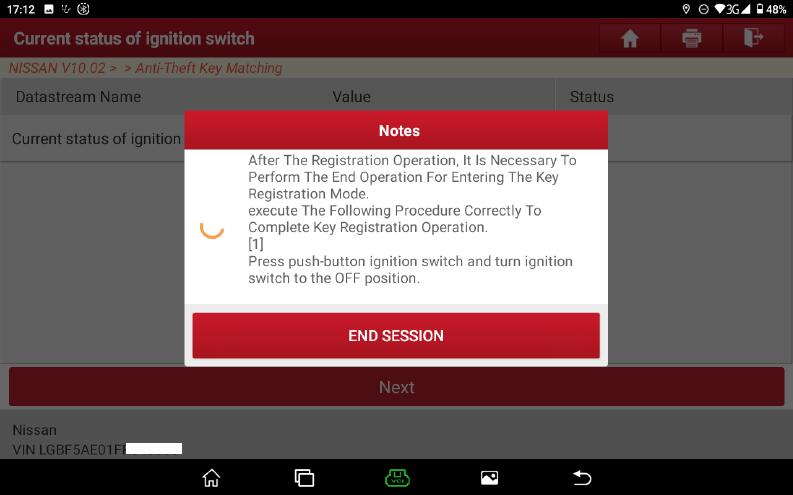
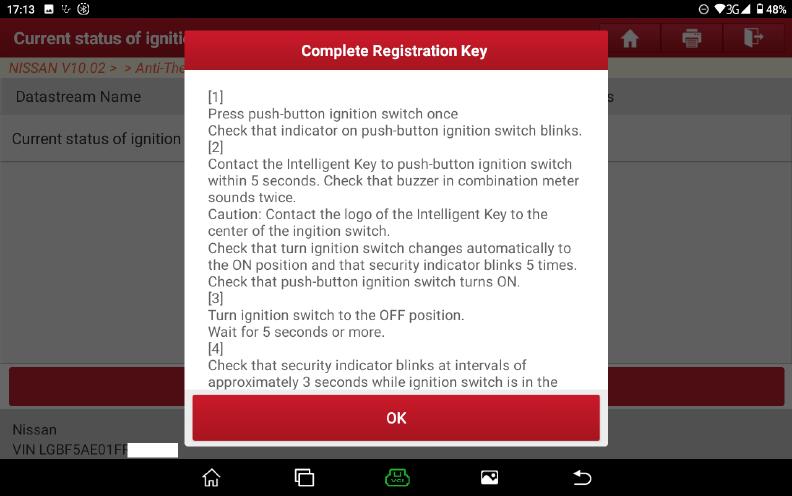
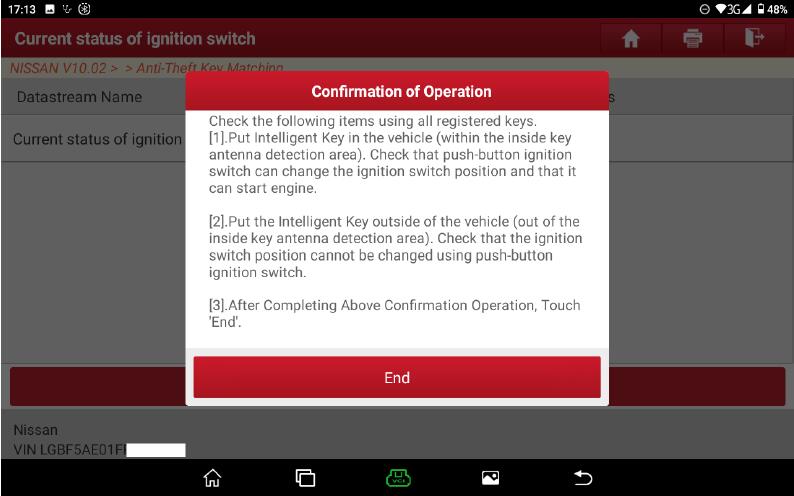
9.After the registration operation, it is necessary to perform Complete Registration Key and Confirmation of Operation


More test report about Launch X431 please check:Launch X431 Test report

Key Tool Max + Lonsdor K518ISE Program 2013 Toyota Prius All Keys Lost

Today we lost all keys on a 2013 Toyota Prius and we have a logged key from the junkyard so this is a used key so we need to unlock that used key first with Xhorse VVDI Key Tool Max and then generate the key with Lonsdor K518ISE plus LKE Smart Key Emulator and then generate a key to add a key.

Key-Tool-Max-Lonsdor-K518ISE-Program-2013-Toyota-Prius-All-Keys-Lost-1
Key-Tool-Max-Lonsdor-K518ISE-Program-2013-Toyota-Prius-All-Keys-Lost-2
Key-Tool-Max-Lonsdor-K518ISE-Program-2013-Toyota-Prius-All-Keys-Lost-3

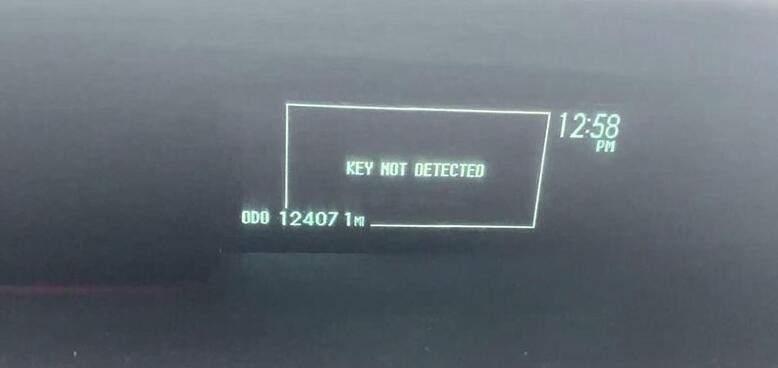
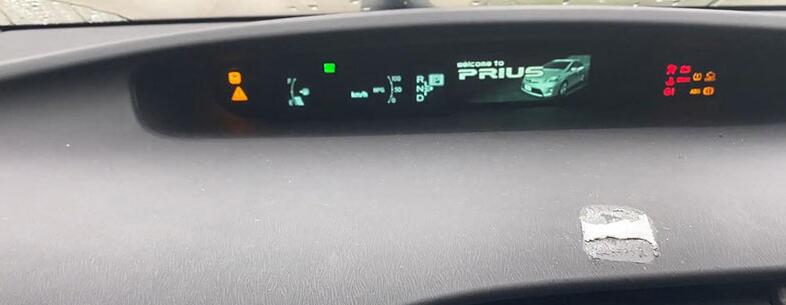
So as you can see right here once I press start button, it says no key detected right here.

Key-Tool-Max-Lonsdor-K518ISE-Program-2013-Toyota-Prius-All-Keys-Lost-4

Okay so gonna go ahead and unlock the key first, either you can use your VVDI Key Tool Max or if you have Lonsdor K518ISE you can do it.

Part 1. Use VVDI Key Tool Max to Unlock Toyota Prius Used Key.

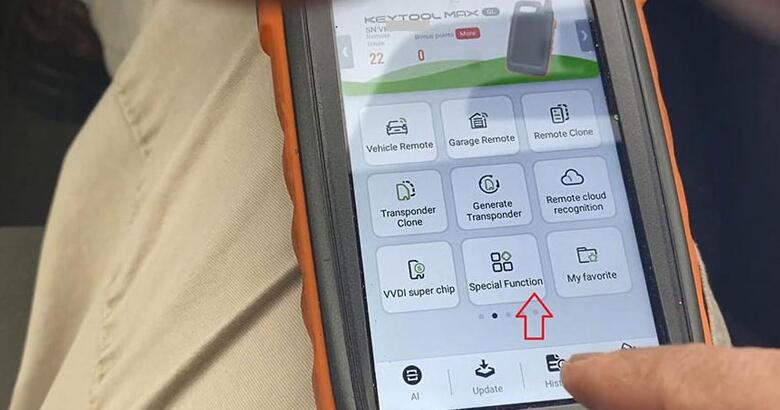
Let’s try VVDI Key Tool Max first and I’m going to this “Special Function”.

Key-Tool-Max-Lonsdor-K518ISE-Program-2013-Toyota-Prius-All-Keys-Lost-5

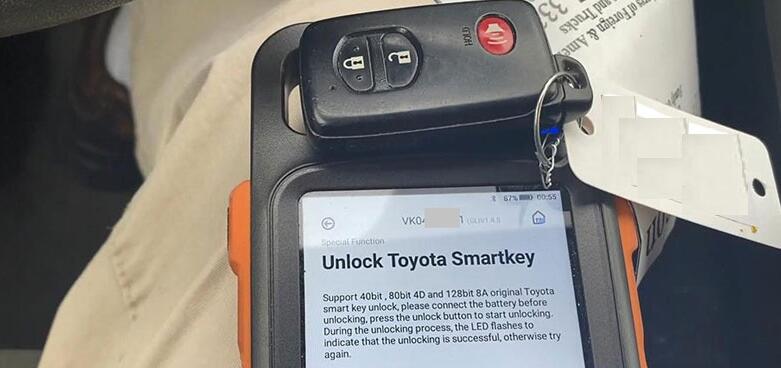
And “Unlock Toyota Smartkey” , so in order to see this is unlocked, make sure you have a good battery as you can see and you check the frequency and once it is unlocked it should have two flashes right here, we’re gonna do this like that, and we’re gonna hit “unlock”, soon unlock ok.

Key-Tool-Max-Lonsdor-K518ISE-Program-2013-Toyota-Prius-All-Keys-Lost-6

Part 2. Use Lonsdor K518ISE to Unlock Toyota Prius Used Key and add new key

So now we should go ahead and we use Lonsdor K518ISE very quickly and as we can do before with Lexus, this is a smart key we’re gonna go ahead and do “Immo & Remote” and Search “Toyota”, then “Select by type”, then “All smart key lost”, then “All key lost”.

Key-Tool-Max-Lonsdor-K518ISE-Program-2013-Toyota-Prius-All-Keys-Lost-7
Key-Tool-Max-Lonsdor-K518ISE-Program-2013-Toyota-Prius-All-Keys-Lost-8

We’re gonna do first “backup EEPROM data”, then tap “OK” to continue obtaining car data, about 3 minutes, It takes a bit little time, so just make sure that you have a good batteries. Once we have a dashboard light up we can add a key here very quick.

Key-Tool-Max-Lonsdor-K518ISE-Program-2013-Toyota-Prius-All-Keys-Lost-9
Key-Tool-Max-Lonsdor-K518ISE-Program-2013-Toyota-Prius-All-Keys-Lost-10

So all right, let’s give it a name, okay this is a 2013 and hit “OK” and then “OK” to make sure the input is correct.

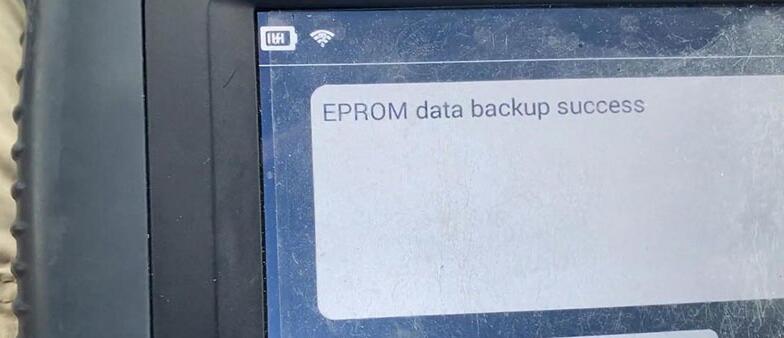
EEPROM data backup success.

Key-Tool-Max-Lonsdor-K518ISE-Program-2013-Toyota-Prius-All-Keys-Lost-12

So now we’re gonna go ahead to make emulator key and use our Lonsdor LKE emulator. Open the key slot of K518ISE and put the emulator in and should have light come up when it comes “generate LKE”.

Key-Tool-Max-Lonsdor-K518ISE-Program-2013-Toyota-Prius-All-Keys-Lost-13
Key-Tool-Max-Lonsdor-K518ISE-Program-2013-Toyota-Prius-All-Keys-Lost-14

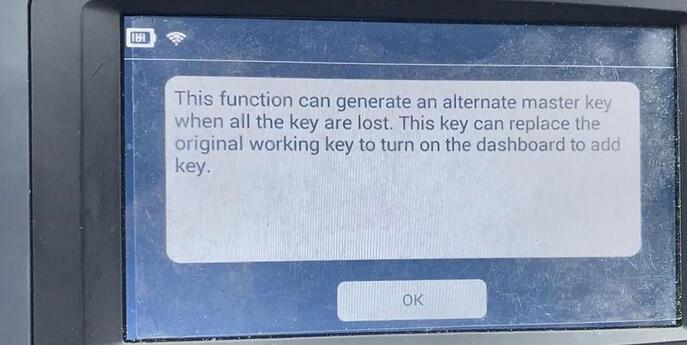
This function can generate an alternate master key when all the key are lost. This key can replace the original working key to turn on the dashboard to add key, click “OK”, and we already place key emulator into this device’s card slot as required, so click on “Ok”.
Key-Tool-Max-Lonsdor-K518ISE-Program-2013-Toyota-Prius-All-Keys-Lost-15

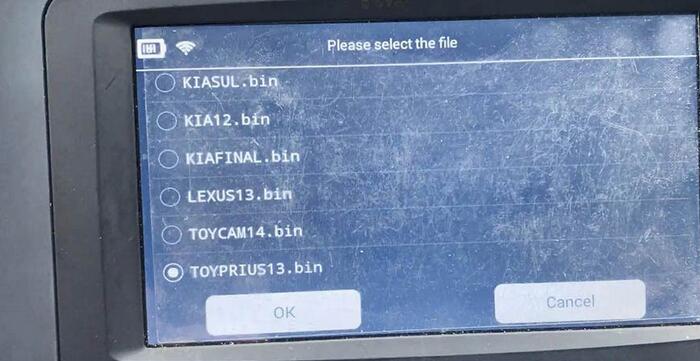
So let’s go ahead and load the above file, which is a “TOYPRIUS13.bin”.

Key-Tool-Max-Lonsdor-K518ISE-Program-2013-Toyota-Prius-All-Keys-Lost-16

Generating.
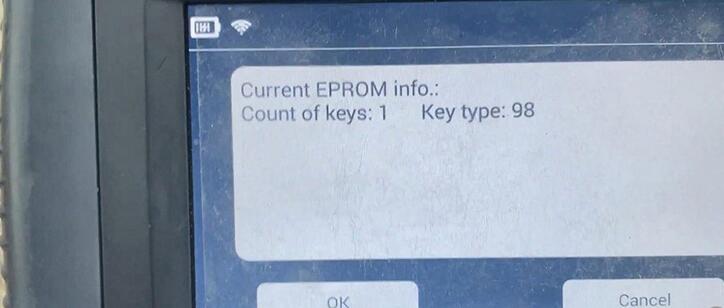
Count of keys:1 Key type:98, click “OK”
Generating…

Key-Tool-Max-Lonsdor-K518ISE-Program-2013-Toyota-Prius-All-Keys-Lost-17

Once the key is generated, put the spare key close to the ignition, turn on the dashboard, and select ‘Add key’ function to program new key.

Key-Tool-Max-Lonsdor-K518ISE-Program-2013-Toyota-Prius-All-Keys-Lost-18

So this little junkyard is not programmed yet 2014.
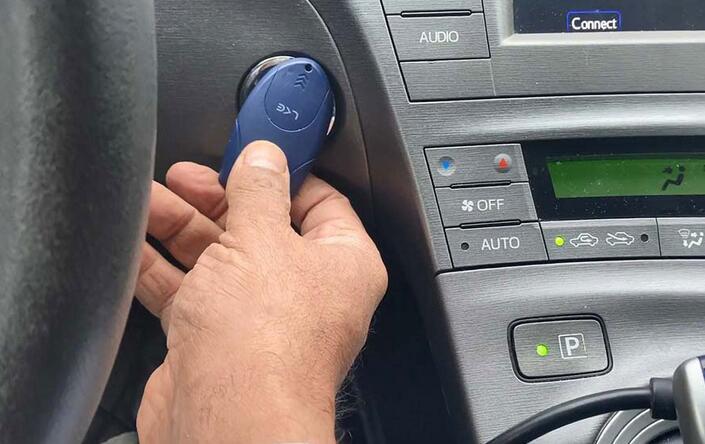
The second step is we’re going to take out the emulator and put it close to the Start button, it should start.
Key-Tool-Max-Lonsdor-K518ISE-Program-2013-Toyota-Prius-All-Keys-Lost-19
Key-Tool-Max-Lonsdor-K518ISE-Program-2013-Toyota-Prius-All-Keys-Lost-20

So let’s go ahead and we’re gonna to “Add Smart key”.
Make sure smart key battery is full, insufficient power may cause program failure.
Put the emulator key close to the Start /Stop button, and then click on “OK”.
Key-Tool-Max-Lonsdor-K518ISE-Program-2013-Toyota-Prius-All-Keys-Lost-21

Count of the registered keys: 1
Count of the registrable keys: 6
Put the back side of the emulator key close to the Start / Stop button.
Put back of the key (to be registered) close to the Start / Stop button, when buzzer beeps twice, remove the key.
Operation completed!
Count of the registered keys: 2
Count of the registrable keys: 2

Key-Tool-Max-Lonsdor-K518ISE-Program-2013-Toyota-Prius-All-Keys-Lost-22
Key-Tool-Max-Lonsdor-K518ISE-Program-2013-Toyota-Prius-All-Keys-Lost-23
Key-Tool-Max-Lonsdor-K518ISE-Program-2013-Toyota-Prius-All-Keys-Lost-24
Key-Tool-Max-Lonsdor-K518ISE-Program-2013-Toyota-Prius-All-Keys-Lost-25

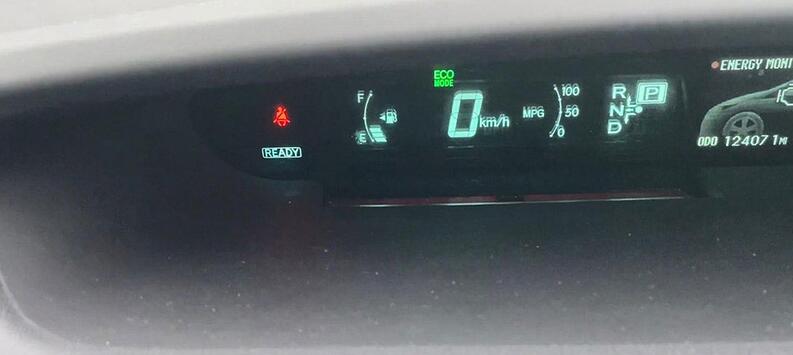
So let’s check the used key, yeah, it says it’s ready as this is a hybrid.
Here you go.

Key-Tool-Max-Lonsdor-K518ISE-Program-2013-Toyota-Prius-All-Keys-Lost-26

So let’s check lock, unlock, well the car is running.
Let’s turn it back off, we test our remote: open and close the door, just to make sure we are out of any programming mode.
Okay test the lock unlock, lock and unlock.
Now it says ready, make sure you hit the brake, now we should start up.
Alright it was quick and easy.

And just one note before you unlock this used key with Xhorse Key Tool Max:
Make sure that the batter is good and you have a good signal.
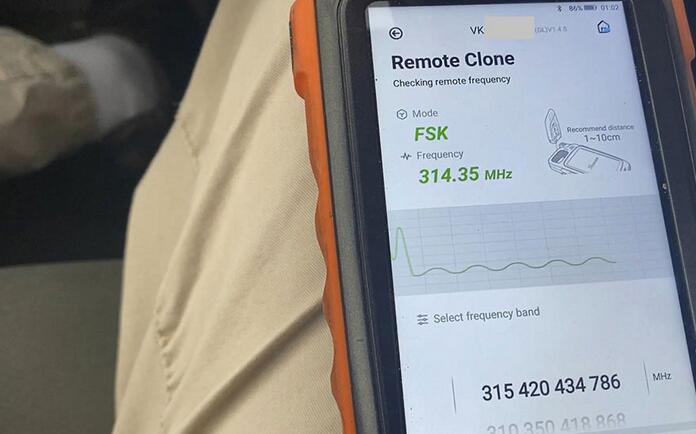
And when you go back there “Remote Clone”, make sure you have a signal, okay 314.35 MHz, go ahead and read it.

Key-Tool-Max-Lonsdor-K518ISE-Program-2013-Toyota-Prius-All-Keys-Lost-27

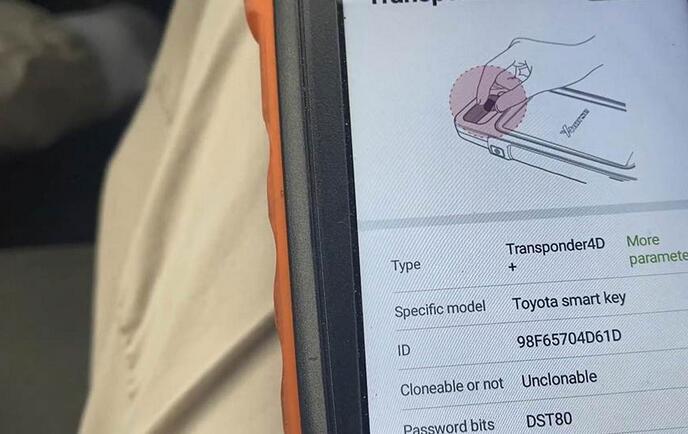
And “transponder Clone”, place the key into the slot and read it.
Alright, it’s 4D.

Key-Tool-Max-Lonsdor-K518ISE-Program-2013-Toyota-Prius-All-Keys-Lost-28

The second step: since this key is used, it comes with a cut key, so like what we did before we’re gonna go ahead and get a code from the driver’s side or passenger side whatever the lock is and should be nice and easy, it shouldn’t take more than 10 minutes.
Alright, I hope this article helps someone!

If you want to know more about Toyota key programmer, please click Toyota Trouble Repair.