Wednesday, January 19, 2022

Mercedes All Keys Lost Programmed by Autel IM608 Scanner

This article is to guide customers through the whole process of All Keys Lost for a Mercedes with Autel IM608 Scanner. We need to do some necessary preparation before this All Keys Lost for a Mercedes Programming Test.

What tools are needed:
G-box, XP400 Pro, cable to connect XP400 Pro with EIS component, JVCI, JVCI cable
Make sure the network connection is good and follow the instructions for key learning with all keys lost.

Select the model type of “Mercedes Benz”, tap “Smart selection”>>All Keys Lost (Fast)>>On Bench (G-box Fast)

Mercedes-All-Keys-Lost-Programmed-by-Autel-IM608-Scanner-1
Mercedes-All-Keys-Lost-Programmed-by-Autel-IM608-Scanner-2
Mercedes-All-Keys-Lost-Programmed-by-Autel-IM608-Scanner-3

Since we are working on bench, we don’t need to read VIN.
We can check EIS number on the EIS and select it on screen. In this case, it is 209.
So tap “W209/2006-”, it will come to a Note like this:

Mercedes-All-Keys-Lost-Programmed-by-Autel-IM608-Scanner-4
Mercedes-All-Keys-Lost-Programmed-by-Autel-IM608-Scanner-5

Connect the power adapter to the G-box, follow the below diagram to connect the wires to EIS component.

Mercedes-All-Keys-Lost-Programmed-by-Autel-IM608-Scanner-6

You still have to connect the JVCI and JVCI cable to the G-box.
Ready to begin now!
Follow the instructions on the screen and enter a blank key into the XP400 Pro.

Mercedes-All-Keys-Lost-Programmed-by-Autel-IM608-Scanner-7

It will begin communicating the key. Please wait…

If there is no password for the key, tap “NO”. Then you will have to enter “Password Calculation process”.

Mercedes-All-Keys-Lost-Programmed-by-Autel-IM608-Scanner-8
Mercedes-All-Keys-Lost-Programmed-by-Autel-IM608-Scanner-9

Please strictly follow this:

Mercedes-All-Keys-Lost-Programmed-by-Autel-IM608-Scanner-10

This Password Calculation process will take about 5 minutes.

Success!

Mercedes-All-Keys-Lost-Programmed-by-Autel-IM608-Scanner-11

Once the Password Calculation process is completed, the key learning process will just take a few more seconds.

It is now at generating key file>>Write BE key file

Follow this step until it is done.

Mercedes-All-Keys-Lost-Programmed-by-Autel-IM608-Scanner-12

All keys lost completed!

Mercedes-All-Keys-Lost-Programmed-by-Autel-IM608-Scanner-13

The G-box makes the All Keys Lost process much simpler when working with a Mercedes.

A big success in all keys lost programming with Autel IM608 professional scanner.

Monday, January 17, 2022

Audi A6 ID8E Ignition Key Programming Done by Xtool X100 Pad2 Pro

Today Obd2tool.com will share a new test report on an Audi A6 ID8E key programming using XTOOL X100 PAD2 Pro auto key programmer in 3 steps.

Main steps:
Step 1: Get PIN/CS
Step 2: Make dealer key
Step 3: Learn keys

The operation procedure:

Connect X100 PAD2 Pro key programmer to Audi A6 ID8E car via the main cable directly, and connect to KC100 adapter via USB cable

Select Immobilization-> Audi-> 4th/5th immobilizer system

Audi-A6-ID8E-Ignition-Key-Programming-Done-by-Xtool-X100-Pad2-Pro-1

Turn the ignition switch on

Select 4th immobilizer system-> Q7 A6L_C6 (Recommend)-> Chip Type 9S12DT256 (after 2009)

Audi-A6-ID8E-Ignition-Key-Programming-Done-by-Xtool-X100-Pad2-Pro-2Audi-A6-ID8E-Ignition-Key-Programming-Done-by-Xtool-X100-Pad2-Pro-3

There are 5 options can be performed depending on the specific situation as below:

Backup EEPROM data
Get PIN/CS
Make dealer key
Learn keys
Unlock key

Audi-A6-ID8E-Ignition-Key-Programming-Done-by-Xtool-X100-Pad2-Pro-4

Step 1: Get PIN/CS

Read out immobilizer data

Audi-A6-ID8E-Ignition-Key-Programming-Done-by-Xtool-X100-Pad2-Pro-5

Step 2: Make dealer key

Put the new key that ready to add into the coil of XTOOL KC100

Audi-A6-ID8E-Ignition-Key-Programming-Done-by-Xtool-X100-Pad2-Pro-6

Make dealer key successfully

Audi-A6-ID8E-Ignition-Key-Programming-Done-by-Xtool-X100-Pad2-Pro-7

Step 3: Learn keys

Input the key number want to learn manually

Audi-A6-ID8E-Ignition-Key-Programming-Done-by-Xtool-X100-Pad2-Pro-8

Turn off the ignition, pull out the key, then insert all keys that need to be programmed into the ignition, then twist to the right and wait for about 3 seconds, the meter will automatically light up

Audi-A6-ID8E-Ignition-Key-Programming-Done-by-Xtool-X100-Pad2-Pro-9

After the key has been learned successfully, test all keys to check if they can start the car and do remote normally.

Audi-A6-ID8E-Ignition-Key-Programming-Done-by-Xtool-X100-Pad2-Pro-10
Audi-A6-ID8E-Ignition-Key-Programming-Done-by-Xtool-X100-Pad2-Pro-11

Done!

FYI…

Besides Audi A6 ID8E, other Audi car models also can work well with X100 PAD2 (Pro).

Check the real feedback as below.

Audi A4 2007 add remote- OK

Audi A1 2016 Change mileage, Learn key, Works good

Audi a4 2012 (eu cars) read, make dealer key and program key all ok, Remote key not proximity

Audi TT 2001 read pin, add key and remote all ok

2007 Audi A4 2.0 TDi add remote 2 mins very good shows what slots are programmed and lets you pick slot 1-4 for new remote.

Audi Q7 2008 mileage correction – OK, done the job under menu 2009-2011 – waiting time around 20 minutes, must be patient

2010 Audi A3 program remote function very fast with no issues

A4 2010 add key ok

…

For your convenience, here is the XTOOL X100 PAD2/X100 PAD2 Pro car list for Audi Immobilization.

Note: it also applies to VW, SKODA, BENTLEY and SEAT.

System type Include car models Function
Diagnostic function AUDI, SKODA, VW, BENTLEY, SEAT 01 Engine09 Central control

17 Dashboard

25 Immobiliser

35 Central lock

46 Central comfort module

02 Automatic transmission

03 Anti-lock brakes

08 Automatic air conditioning

15 Airbag

16 Steering wheel

19 Gateway can

44 Power Steering

53 Parking Brake

55 Xenon lamp

56 Radio

76 Parking Aid

Read security code AUDI 17 Dashboard25 Immobiliser

Jetta (2010-)

GTI

SKODA, VW, BENTLEY, SEAT 1.01 Engine1.1.SantanaVista

1.2.Lavida

1.3.Touareg

1.4.Beetle

1.4.1.-2006

1.4.2.2007-

1.5.Other

Program keys AUDI, SKODA, VW, BENTLEY, SEAT 17 Dashboard25 Immobiliser

Jetta (2010-)

GTI

Program remote AUDI, SKODA, VW, BENTLEY, SEAT 09 Central control (CANBUS)09 Central control (UDS)

35 Central lock (KWP1281)TYPE 1

35 Central lock (KWP1281)TYPE 2

46 Central comfort

module (KWP1281)TYPE 1

ECU Synchronization AUDI, SKODA, VW, BENTLEY, SEAT 1.Imm21.1.Replace the engine ECU

1.2.Replace the immobilizer ECU

1.Imm3

1.1.Replace the engine ECU

1.2.Replace the Dashboard

1.Imm3.5

1.1.Replace the engine ECU

1.2.Replace the immobilizer ECU

4th/5th Immobilizersystem 4th Immobilizer system 1.CDC+24C322.NEC+24C32

3.9S12XHZ51(Golf6 MM7-2011)

4.NEC+95320

5.NEC+95320 (HohnSon/JCI)

6.NEC 35XX

7.NEC+24C64

8.NEC+C64 Color screen

9.NEC+24C64 (2013) Blank screen

10.NEC+24C64 (2013) Color screen

11.NEC+24C64 (2015-)

12.A1/Q3NEC+24C64 (-2014)

13.Magotan/CC

14.A6L/Q7

15.AUDI A4R8 (2005-)

16.AUDI A4R4 (-2004)

17.AUDI A3/TT/R8

5th Immobilizer system 1.Match the key2.Online mode

3.A6/A7/A8 All-lost Online

A8/Phaeton/Touareg/Bentley(46 chip) 1.upload data2.Download data

3.Generate dealer key

4.Learning key

5.Read PIN code and CS code (OBD)

6.Get the seventh byte of CS code

4th immo 96-bit key(copy/learn)
1.upload data2.Download data

3.Generate dealer key

4.Learning key

5.Learning Key (UDS)

6.Unlock key

7.Online mode

MQB platform
1.Read anti-theft data2.Generate dealer key

3.Learning key

4.Reset meter

MQB platform(Online
1.upload data2.Download data

3.Generate dealer key

4.Learning key

5.Online mode

A6L/Q7(Online)
1.upload data2.Download data

3.Generate dealer key

4.Learning key

5.unlock key


Friday, January 14, 2022

Program 2014 Audi A6 AKL by Autel MaxiIM IM608

Car model and year: 2014 Audi A6 with all keys lost, it is proximity key and does not has slot. Car has bcm2 unencrypted.

Tool to use: Autel IM608

Program-2014-Audi-A6-AKL-by-Autel-MaxiIM-IM608-1
Program-2014-Audi-A6-AKL-by-Autel-MaxiIM-IM608-2
Program-2014-Audi-A6-AKL-by-Autel-MaxiIM-IM608-3

Autel wants this done to get immo info. Has anyone had success with this Procedure?

Autel official reply:

Currently, the pin and cs of VW A6 Immo4 cannot be calculated and the user needs to obtain it from others.

Here I share one user’s feedback:

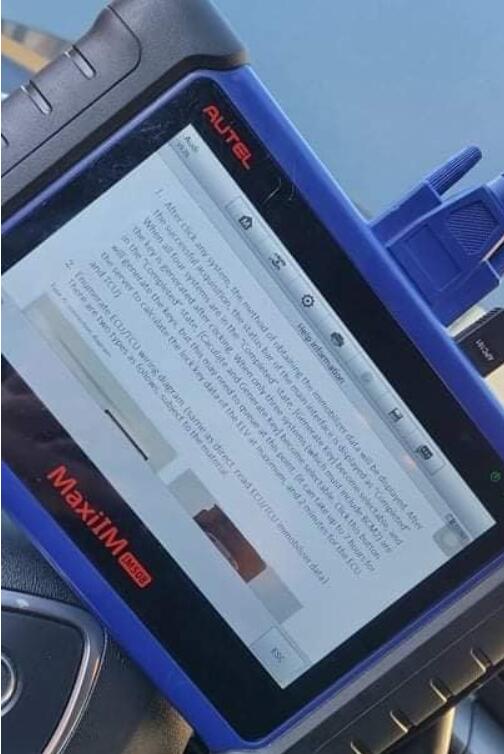
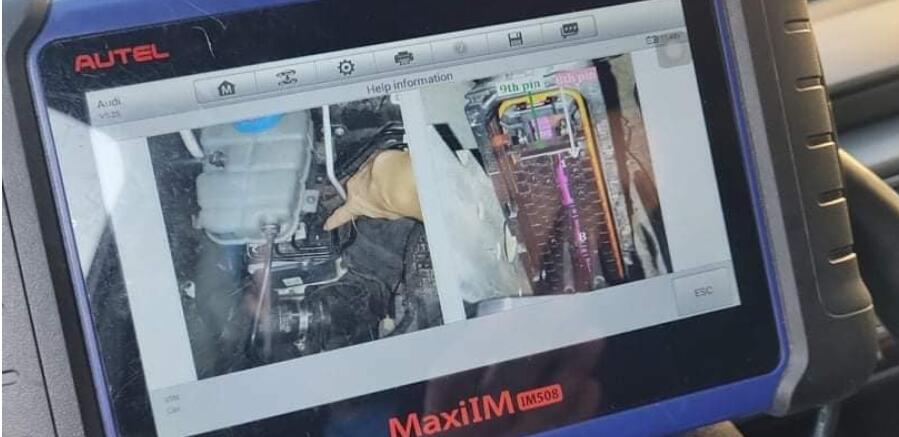
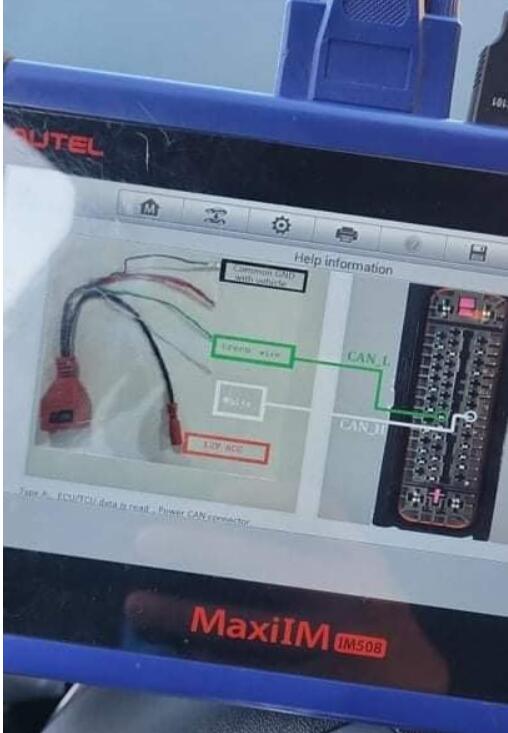
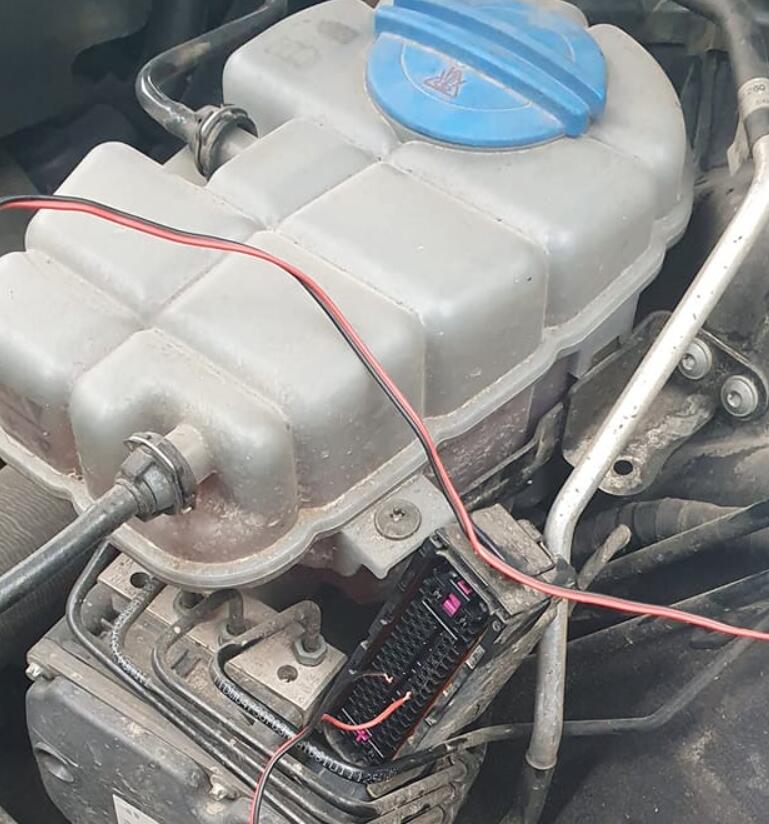
I did, you need read bcm on bench, write key in dump to can turn ignition on, then read ecu and tcu over abs CAN-L and CAN-H.

Then I unlock key with KEYDIY KD-X2 and make dealer key again and adopt on car.

BTW, you don’t need data from elv.

FYI, I use cable from MPPS, only +12, GND, CAN-L-H.
Program-2014-Audi-A6-AKL-by-Autel-MaxiIM-IM608-4
Program-2014-Audi-A6-AKL-by-Autel-MaxiIM-IM608-5
Program-2014-Audi-A6-AKL-by-Autel-MaxiIM-IM608-6

I mean unlock key with KEYDIY KD-X2 (shown as following image):

Program-2014-Audi-A6-AKL-by-Autel-MaxiIM-IM608-8

For the proximity key with no slot:

Put the jumper on 1 and 16 and ignitions. I already have bcm2 immo data. That was easy.

If you already have information about BCM2 you should know that you can now reprogram keys you do not need to do the other procedure, unless you need to do an ECU adaptation but you can do that with a testing harness that you should also know how to do it.

Yup just went thru all that fun stuff?

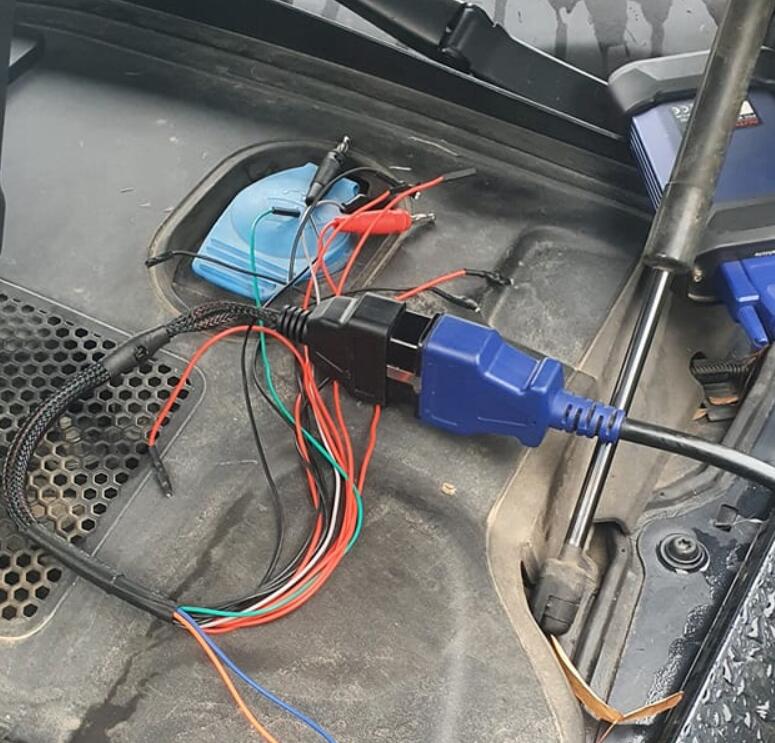
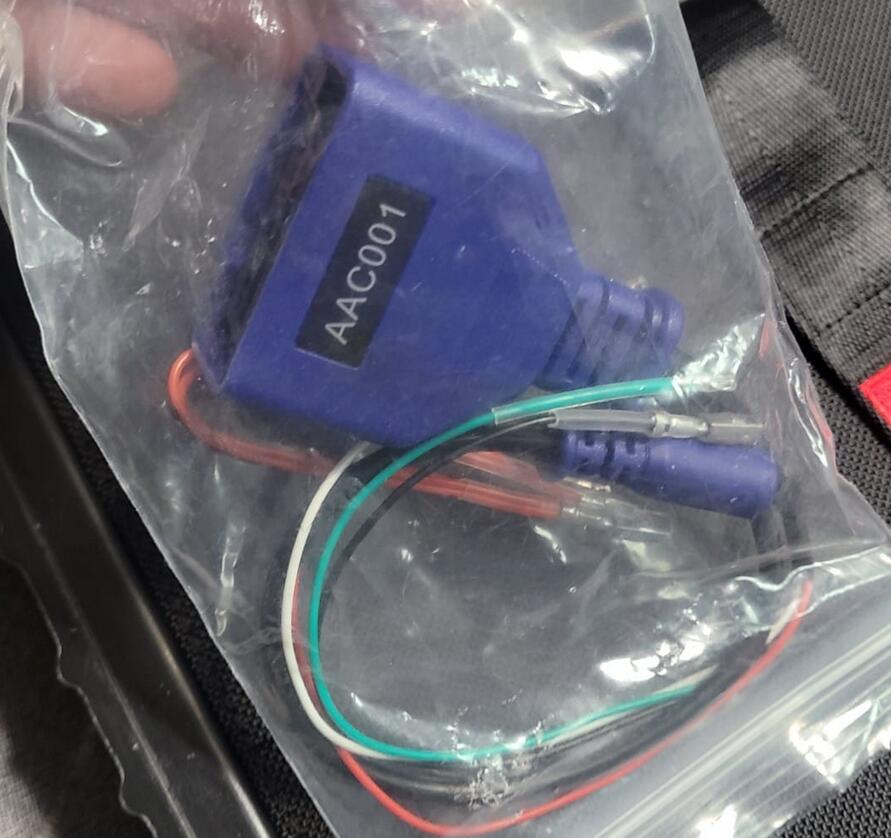
good to know. . So the AAC001 cable (comes with the xp400 kit I believe)  just requires can h and l and that’s it. I looked at diagram looks like it taps into the txu/ecu through harness directly so that’s pretty cool.

Friday, January 7, 2022

How to do MQB Key Programming With Autel IM508 & IM608 & IM608 Pro Immo Tools

Autel MaxiIM IM508, IM608, IM608 Pro immo tools have good feedback on the market .
Engineer have made some details how to do MQB key programming instructions for VW V5.10 as bellowing , please check :
1.Go to Advanced Mode

How-to-do-MQB-Key-Programming-With-Autel-IM508-&-IM608-&-IM608-Pro-Immo-Tools-1
1.MQB
Add key and all key lost two menus as follows:
Advanced Mode>MQB(Beta)>Key learning
Advanced Mode>MQB(Beta)>All keys lost

How-to-do-MQB-Key-Programming-With-Autel-IM508-&-IM608-&-IM608-Pro-Immo-Tools-2

2.IMMO IV
3.Add key and all key lost two menus as follows:
Advanced Mode>IMMO 4 Instrument CAN>Key learning
Advanced Mode>IMMO 4 Instrument CAN>All keys lost

How-to-do-MQB-Key-Programming-With-Autel-IM508-&-IM608-&-IM608-Pro-Immo-Tools-3
How-to-do-MQB-Key-Programming-With-Autel-IM508-&-IM608-&-IM608-Pro-Immo-Tools-4

4.IMMO IV+MQB
5.Add key and all key lost two menus as follows:
Advanced Mode>IMMO 4 Instrument CAN>Key learning
Advanced Mode>IMMO 4 Instrument CAN>All keys lost

How-to-do-MQB-Key-Programming-With-Autel-IM508-&-IM608-&-IM608-Pro-Immo-Tools-5
How-to-do-MQB-Key-Programming-With-Autel-IM508-&-IM608-&-IM608-Pro-Immo-Tools-6

IMMO data computation request interface.
Sever computation failed. Please contact the dealer!
Error code:1001

How-to-do-MQB-Key-Programming-With-Autel-IM508-&-IM608-&-IM608-Pro-Immo-Tools-7

Manually input pincode and cs code to do the key learning.
1.IMMO IV
Make dealer key
Expert Selection>IMMO IV Instrument CAN>VDO NEC 24C64 2014>Make dealer key
Key learning:
Expert Selection>IMMO IV Instrument CAN>VDO NEC 24C64 2014>Key learning

How-to-do-MQB-Key-Programming-With-Autel-IM508-&-IM608-&-IM608-Pro-Immo-Tools-8
How-to-do-MQB-Key-Programming-With-Autel-IM508-&-IM608-&-IM608-Pro-Immo-Tools-9
How-to-do-MQB-Key-Programming-With-Autel-IM508-&-IM608-&-IM608-Pro-Immo-Tools-10
How-to-do-MQB-Key-Programming-With-Autel-IM508-&-IM608-&-IM608-Pro-Immo-Tools-11

Make dealer key input cs code

How-to-do-MQB-Key-Programming-With-Autel-IM508-&-IM608-&-IM608-Pro-Immo-Tools-12

Key learning input pincode and cs code interface.

How-to-do-MQB-Key-Programming-With-Autel-IM508-&-IM608-&-IM608-Pro-Immo-Tools-13

2.Immo iv+MQB key programming
Make dealer key:
Expert Selection>IMMO 4+MQB key >Generate dealer key
Key learning:
Expert Selection> IMMO 4+MQB key >Key learning

How-to-do-MQB-Key-Programming-With-Autel-IM508-&-IM608-&-IM608-Pro-Immo-Tools-14
How-to-do-MQB-Key-Programming-With-Autel-IM508-&-IM608-&-IM608-Pro-Immo-Tools-15

IMMO IV+MQB make dealer key input cs code interface.

How-to-do-MQB-Key-Programming-With-Autel-IM508-&-IM608-&-IM608-Pro-Immo-Tools-16

IMMO IV+MQB Key learning interface.

How-to-do-MQB-Key-Programming-With-Autel-IM508-&-IM608-&-IM608-Pro-Immo-Tools-17

3.MQBkey programming
Menu Path
Expert Selection>Instrument MQB >VDO NEC 35XX>Make dealer key
Expert Selection>Instrument MQB >VDO NEC 35XX>Key learning

How-to-do-MQB-Key-Programming-With-Autel-IM508-&-IM608-&-IM608-Pro-Immo-Tools-18
How-to-do-MQB-Key-Programming-With-Autel-IM508-&-IM608-&-IM608-Pro-Immo-Tools-19

MQB make dealer key input CS code interface.
Without original key then has to input the 32 digits sync data.

How-to-do-MQB-Key-Programming-With-Autel-IM508-&-IM608-&-IM608-Pro-Immo-Tools-20
How-to-do-MQB-Key-Programming-With-Autel-IM508-&-IM608-&-IM608-Pro-Immo-Tools-21
How-to-do-MQB-Key-Programming-With-Autel-IM508-&-IM608-&-IM608-Pro-Immo-Tools-22

MQB key learning input CS code interface.
For more interesting of our Autel scan tool , welcome to check our website
www.cnautotool.com
Or contact us at sale@cnautotool.com
Thank you