Tuesday, February 1, 2022

Toyota Yaw Rate Acceleration Sensor and VSC Light Reset by Launch X431


ECB (Electronic Control Brake System), according to the driving status of vehicle and using the oil pressure brake system, controls S-VSC (Steering-assisted Vehicle Stability Control System), braking assist system and ABS equipped with EBD. ECB controls oil pressure brake system and the brake power produced by regenerative braking system according to actual operation status, to put regenerative braking power into fullplay and to enhance fuel efficiency.

Yaw rate sensor(also called angle speed sensor), inspect the deviation of vehicle along the vertical axis. The deviation represents the stability degree of vehicle. If the deviation angle is up to certain threshold value, it indicates that side slide occur or the vehicle has danger of excursion, so at this time VSC controlling will be triggered. When the vehicle deviates from the vertical axis, the vibration plane of micro turning fork in sensor will be changed. Acceleration sensor has two types; vertical acceleration sensor along vehicle advance direction and transverse acceleration sensor vertical to the direction of advance.

The two sensors provide parameters of vehicle status for VSC.When these sensors has malfunction or after these sensors are replaced, it needs to reset.And at same time, VSC light is lit, which has to be extinguished with diagnostic device.Here we discuss how to reset and put out the fault light with X431.The function is available in the working supporting menu of ABS of X431 TOYOTA program. The non-CANBUS systems must be used TOYOTA-16 connector or CAN BUS II connector.

The main procedures are introduced as below:

After entering ABS menu, select “clearing yaw ratio/acceleration sensor zero point (to ECB), and then the screen will prompt a dialog box.

Toyota-Yaw-Rate-Acceleration-Sensor-and-VSC-Light-Reset-by-Launch-X431-1

it will prompt that if you want to execute the function, the warning light will be light,and how to extinguish the light. Click [YES] to continue.

Then enter the function menu, there are 3 steps to do, and there are prompts for relative conditions and status for every step. Please follow the instructions.

Toyota-Yaw-Rate-Acceleration-Sensor-and-VSC-Light-Reset-by-Launch-X431-2

Note: please operate with ignition switch ON and in P position.

Toyota-Yaw-Rate-Acceleration-Sensor-and-VSC-Light-Reset-by-Launch-X431-3

Note: VSC/ABS warning light will be light after doing this operation. The light can’t be cleared by clearing DTC function. The DTC is C1336-yaw sensor is being reset.

The operation for extinguishing warning light is available in MODE CHANGE menu:

1.Turn ignition key ON when warning light is lit.

2.Turn ignition switch ON and enter the WORKING SUPPORT menu of ABS.

3.Under MODE CHANGE menu, make it in check mode.
Toyota-Yaw-Rate-Acceleration-Sensor-and-VSC-Light-Reset-by-Launch-X431-4

Operation with X431:

Select NO to enter check mode menu. See fig.8. Click [YES] to enter check mode.

Toyota-Yaw-Rate-Acceleration-Sensor-and-VSC-Light-Reset-by-Launch-X431-5

4.Now, ABS/VSC/ECB warning light will be flash. If not, please repeat the operation as mentioned above till the frequency of warning light turn 1Hz to 4Hz.

Note: the frequency of unit time to be set is 1Hz.

5.It will take about 1 minute for the operation, which will be different as different vehicle.

6.Now, enter normal mode (or turn ignition switch OFF to normal mode), the warning light will be extinguished.

Operation with X431:

Click [YES], then it will enter normal mode.

Toyota-Yaw-Rate-Acceleration-Sensor-and-VSC-Light-Reset-by-Launch-X431-6


Monday, January 31, 2022

Toyota Crown 2013 All Keys Lost & Remote Programming by Launch X431

This article show a guide on how to use Launch X431 to program keys and remote for Toyota Crown 2013.

Procedures:

Connect Launch X431 to Toyota Crown,and enter the menu to select “Toyota v48.81”

This software can diagnose Powertrain,Chassis and Body system on Toyota vehicles.
Toyota-Crown-2013-All-Keys-Lost-&-Remote-Programming-by-Launch-X431-1

Select “16 PIN DLC (Europe and Other)”

Toyota-Crown-2013-All-Keys-Lost-&-Remote-Programming-by-Launch-X431-2

Select “Automatically Search”

Toyota-Crown-2013-All-Keys-Lost-&-Remote-Programming-by-Launch-X431-3

Select “CROWN,Up to 11/2009”

Toyota-Crown-2013-All-Keys-Lost-&-Remote-Programming-by-Launch-X431-4

Select “w/o Smart Key”

Toyota-Crown-2013-All-Keys-Lost-&-Remote-Programming-by-Launch-X431-5

Now it will show the vehicle information as below

Toyota-Crown-2013-All-Keys-Lost-&-Remote-Programming-by-Launch-X431-6

Select “System Selection”

Toyota-Crown-2013-All-Keys-Lost-&-Remote-Programming-by-Launch-X431-7

Select “Immobiliser”

Toyota-Crown-2013-All-Keys-Lost-&-Remote-Programming-by-Launch-X431-8 Toyota-Crown-2013-All-Keys-Lost-&-Remote-Programming-by-Launch-X431-9

Select “Special Function”

Toyota-Crown-2013-All-Keys-Lost-&-Remote-Programming-by-Launch-X431-10

Select “Auto Search Special Function”

Toyota-Crown-2013-All-Keys-Lost-&-Remote-Programming-by-Launch-X431-11

Select “All Missing Keys”

Toyota-Crown-2013-All-Keys-Lost-&-Remote-Programming-by-Launch-X431-11

It will prompt with the massage:

1.This function will remove all keys

2.You need at least 1 keys or more

There is at least 1 master key.[OK] to continue.

Toyota-Crown-2013-All-Keys-Lost-&-Remote-Programming-by-Launch-X431-12

Now,it will prompt you to operate key programming:

1.Program 1 master key

Insert the master key into ignition lock and wait for 5 seconds(Only insert the key to OFF position.Do not turn to ON position)

Insert the master key you programmed,turn ignition switch quickly on and off for 5 times.

If you find the security light off,it mean the programming progress completed.

2.Program 2 Master Keys and 1 Spare Key

Insert the first master key into ignition and wait for about 5 seconds(Only insert the key to OFF position.Do not turn to ON position.)

Insert second master key into ignition and wait for about 5 second (Only insert the key to OFF position.Do not turn to ON position)

Insert third spare key to ignition and wait for about 5 seconds

Insert the first programmed master key.Quickly turn the ignition on and off for 5 times.Then you will find the security light off,it mean programming completed.

3.Program 2 Master Key

Insert the first master key into ignition and wait for about 5 seconds(Only insert the key to OFF position.Do not turn to ON position.)

Insert second master key into ignition and wait for about 5 second (Only insert the key to OFF position.Do not turn to ON position)

Pull out the key from ignition switch.Insert the first programmed master key.Quickly turn the ignition on and off for 5 times.Then you will find the security light off,it mean programming completed.

Then click “OK” to continue

Toyota-Crown-2013-All-Keys-Lost-&-Remote-Programming-by-Launch-X431-13

Remotes Programming:

Back to select “Body”

Select “Special Function”

Toyota-Crown-2013-All-Keys-Lost-&-Remote-Programming-by-Launch-X431-14

Select “Auto Search Special Function”

Toyota-Crown-2013-All-Keys-Lost-&-Remote-Programming-by-Launch-X431-15

Select Wireless Code Registration“

16

Step 1:

Now it will prompt you to perform below operations:

1.Ignition on

2.Driver side door is opened and other door are closed.

3.Driver side door is unlocked

Note:The remote programming will fail if the time limit is exceeded for any help

Toyota-Crown-2013-All-Keys-Lost-&-Remote-Programming-by-Launch-X431-16

It will prompt you that number of remotes that can be registered is 2

Toyota-Crown-2013-All-Keys-Lost-&-Remote-Programming-by-Launch-X431-17

Step 2:

On the next screen,you will have to perform the following operations within 30 seconds

On the remote transmitter,push:

1.Lock and unlock simultaneously for 1 second

2.Within 3 seconds,press either the lock or unlock button again for 1 second

Toyota-Crown-2013-All-Keys-Lost-&-Remote-Programming-by-Launch-X431-19

Step 3:

On the remote transmitter,push:

1.Lock and unlock simultaneously for 1 second.

2.Within 3 seconds,press either the Lock or unlock button for 1 second.

Toyota-Crown-2013-All-Keys-Lost-&-Remote-Programming-by-Launch-X431-20

After then it will prompt you wireless code registration is complete

Press OK to register another key code,or press cancel to exit this function.

Toyota-Crown-2013-All-Keys-Lost-&-Remote-Programming-by-Launch-X431-21 Toyota-Crown-2013-All-Keys-Lost-&-Remote-Programming-by-Launch-X431-22
Toyota-Crown-2013-All-Keys-Lost-&-Remote-Programming-by-Launch-X431-22

And if you want to add another remote,just follow the Launch X431 prompt you operate.

Friday, January 28, 2022

How to Solve XTOOL PAD2 can not do BMW Key programming


Recently have customer got his new xtool x100 pad 2 but he found that the item not work. Used the pad2 to do BMW KEY programming but fail to do that.

How to solve the problem? Let us find out.

How-to-Solve-XTOOL-PAD2-can-not-do-BMW-Key-programming

Customer: I tried a Q7 2006 to diagnostic the pneumatic shock absorbers the aircraft supports only 5 marked so Jaquar land rover, benz and another brand. And my BMW 3 seris E91 for DPF system because I have the light FAP lit nothing it does not work.
Today I tried to program a key on a Golf 2000 gasoline and I can not, I try to make a BMW e46 it does not work either. I would like to have the procedure to follow.
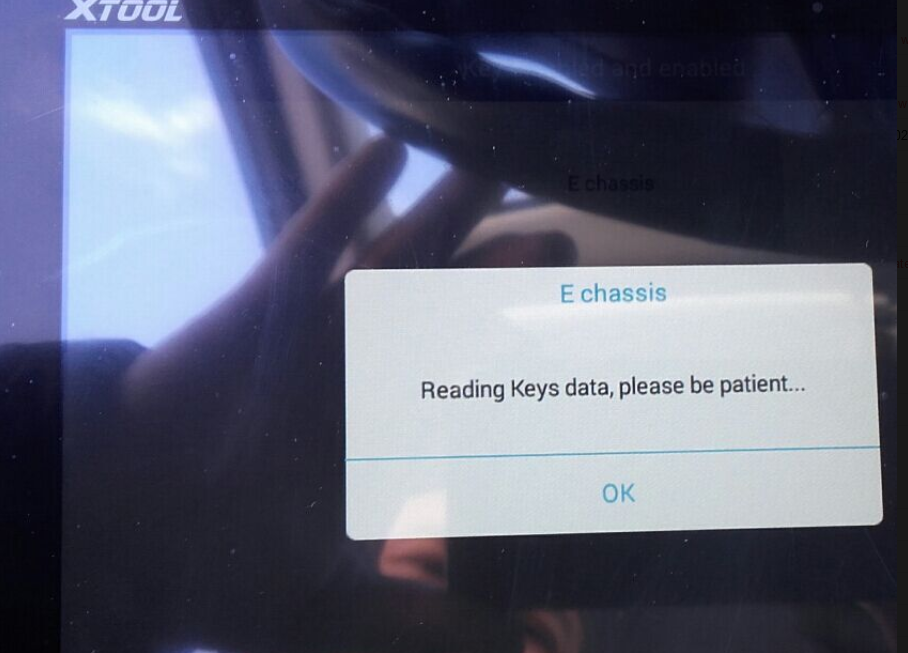
Engineer suggest customer change the menu from “F chassis and E chassis” to “CAS 1-3”
While customer still can’t do BMW key program after using the ‘CAS 1-3”. And it appears a “Fail to communicate” and a CAS 1-3 using note:

How-to-Solve-XTOOL-PAD2-can-not-do-BMW-Key-programming-1
How-to-Solve-XTOOL-PAD2-can-not-do-BMW-Key-programming-2

Here are some tips to use Xtool x100 pad 2:
Choose the right menu or change the menu when you meet problem programming
Update the device to the latest version software.
If the x100 pad 2 still can’t work after update, you should tap the help on the device to test the device so that the engineer could give you more detail solutions.

Thursday, January 27, 2022

Autel IM508/608 Program A New PCM on Honda Acura Guide

This article is about to show you how to program a new PCM for most Hondas and Acuras using Autel MaxiIM IM508/IM608.

The support list: https://www.autel.com/vehicle-coverage/coverage2

Here we have a Acura MDX 2005 to handle by the Autel IM508 Key Programmer.

This is the 3rd generation immobilizer, which is used on many Hondas like Accord or Acuras like TLX.

The car won’t start because of the new ECU in.

Autel-IM508-608-Program-A-New-PCM-on-Honda-Acura-Guide-1

We will reprogram it, so the key will work again.

Go to

IMMO>>Acura>>Automatic selection

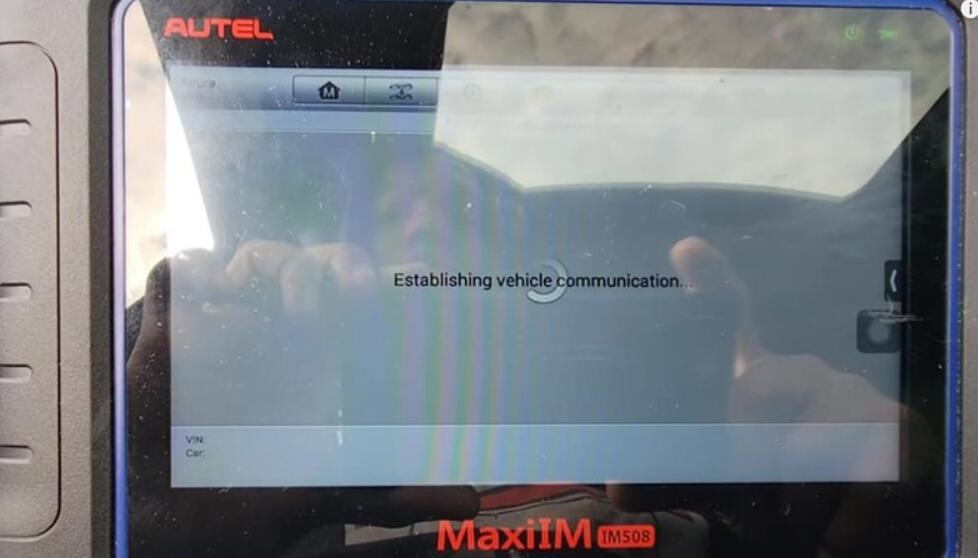
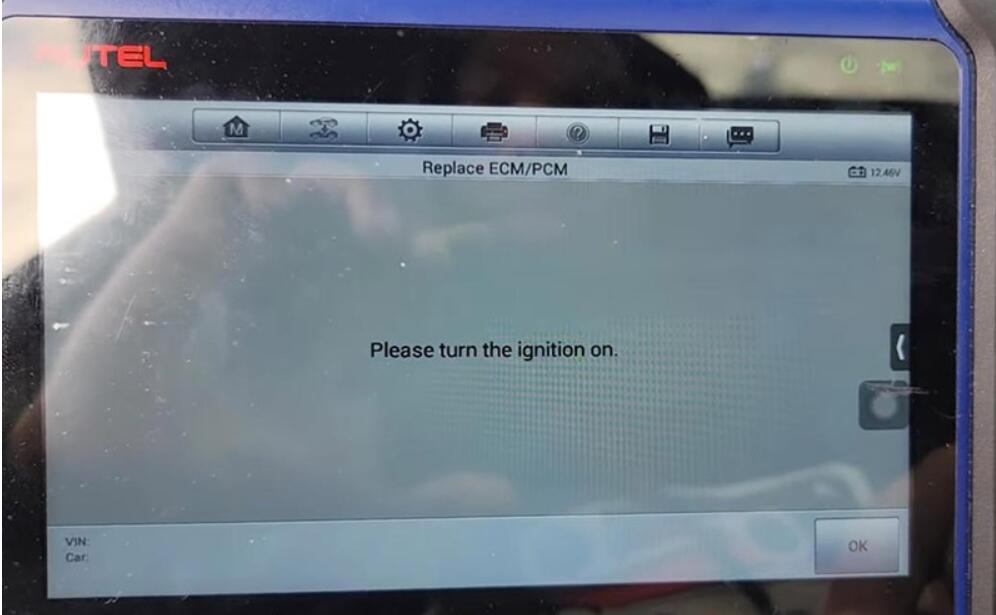
Turn on the ignition so it will pull out the VIN.

Then go to

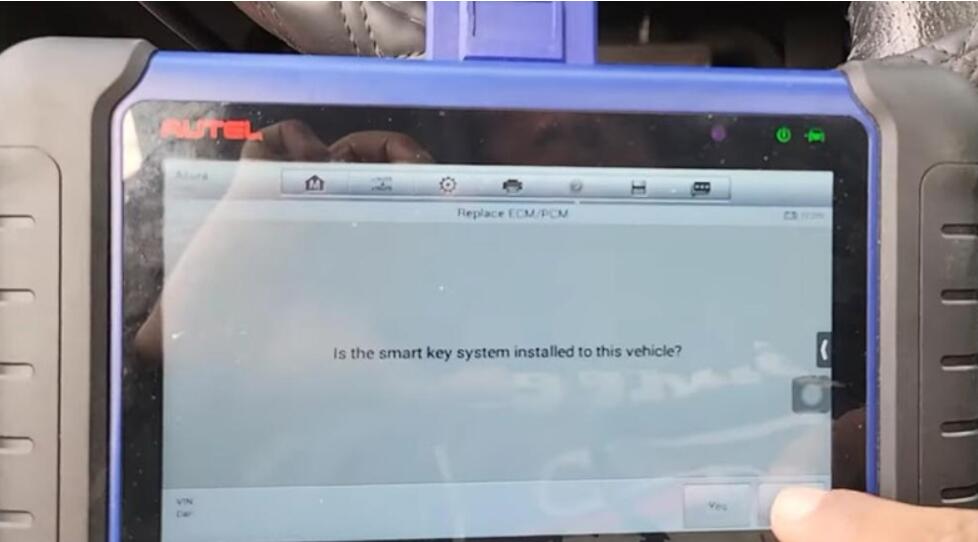
The 3rd mechanical key system>>Replace ECM/PCM

Autel-IM508-608-Program-A-New-PCM-on-Honda-Acura-Guide-2
Autel-IM508-608-Program-A-New-PCM-on-Honda-Acura-Guide-3

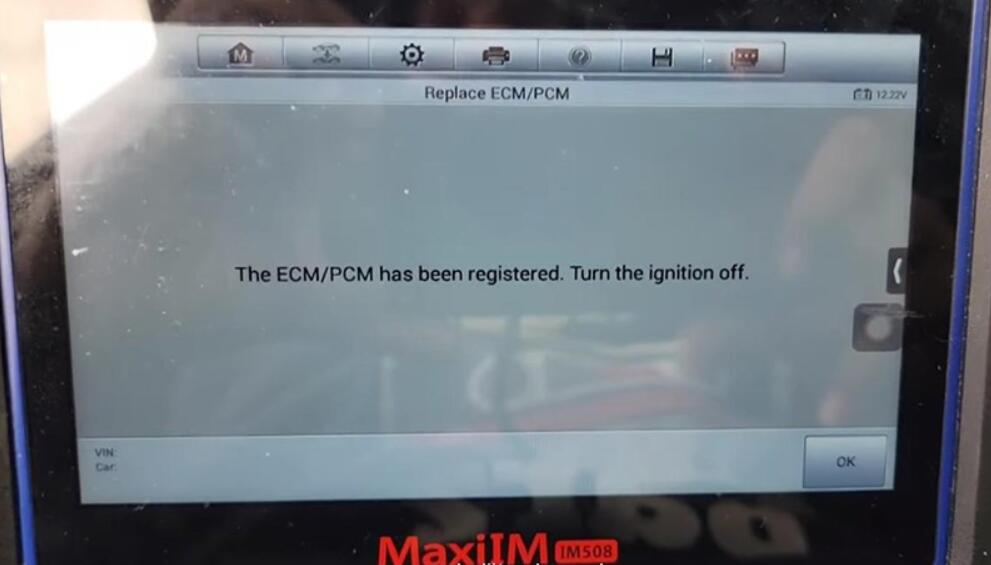
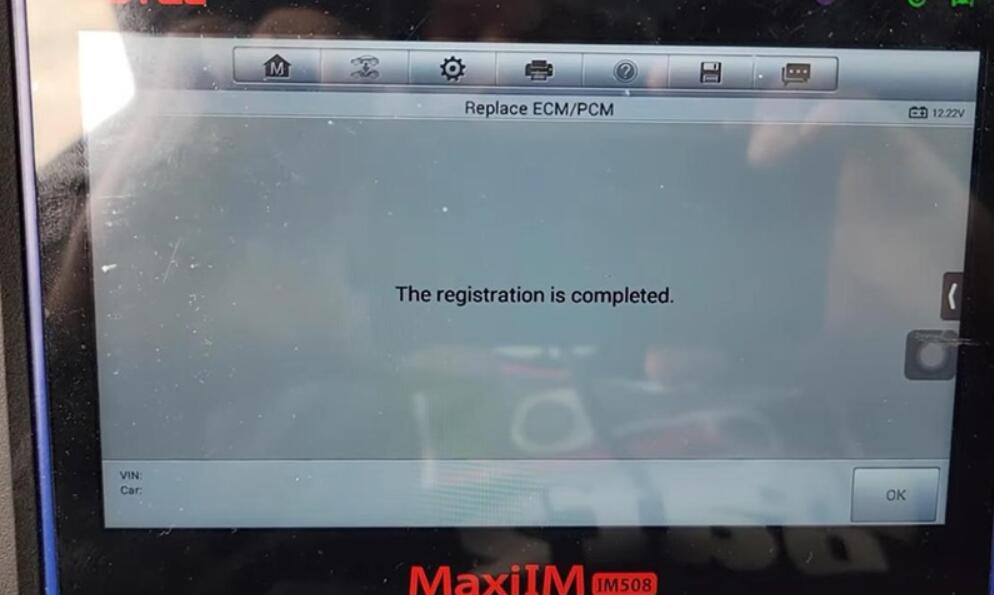
After about 5 minutes, we’ve registered the PCM.

Autel-IM508-608-Program-A-New-PCM-on-Honda-Acura-Guide-4

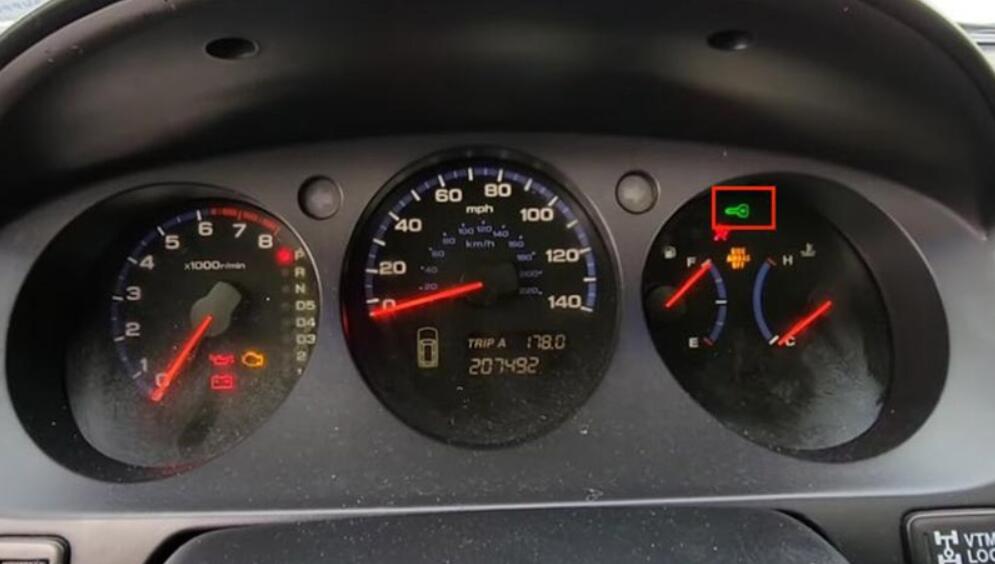
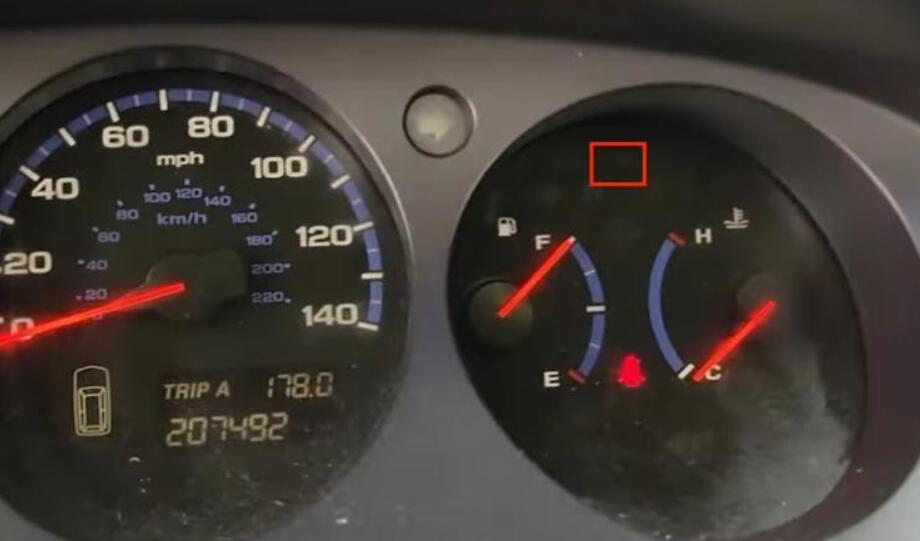
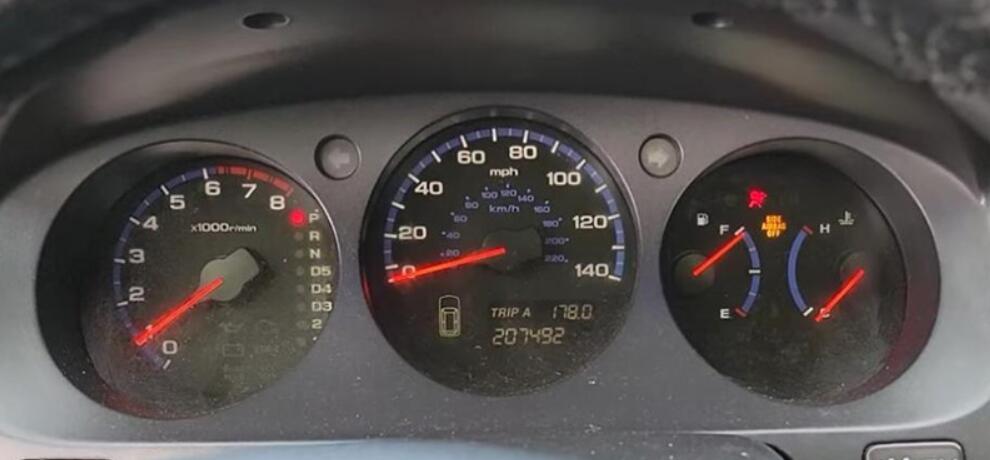
Meanwhile, the immobilizer light disappears.

Autel-IM508-608-Program-A-New-PCM-on-Honda-Acura-Guide-5

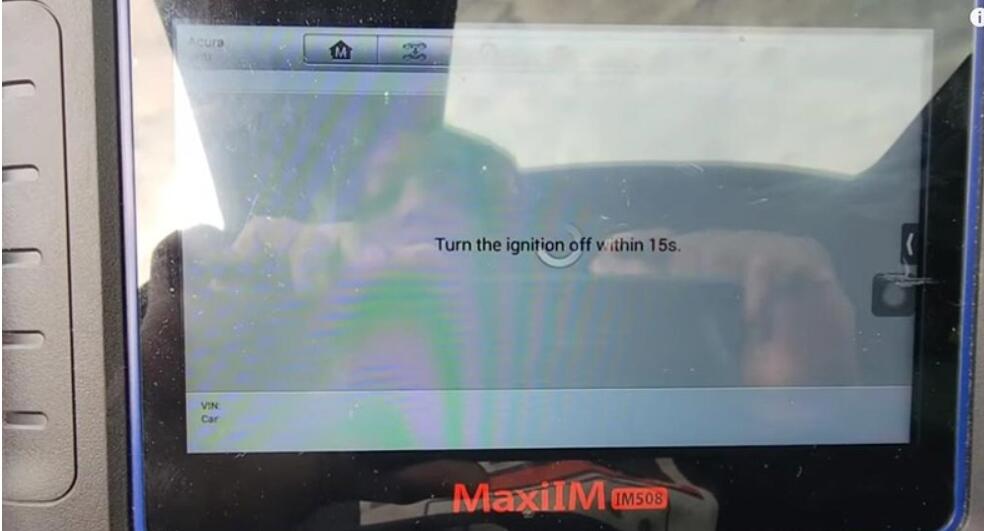
Turn off the ignition as required.

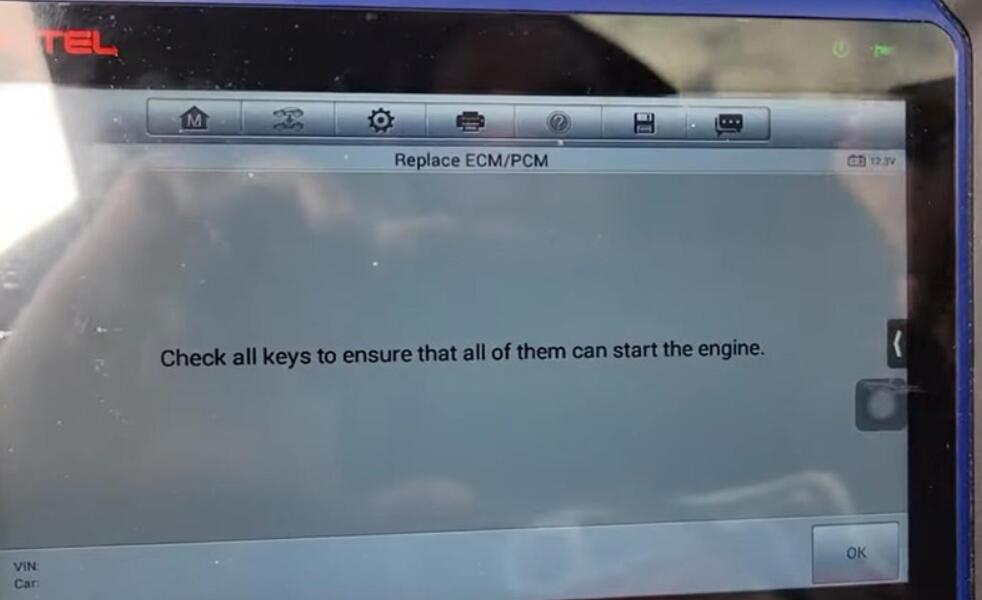
Follow instructions to check keys.

Autel-IM508-608-Program-A-New-PCM-on-Honda-Acura-Guide-6
Autel-IM508-608-Program-A-New-PCM-on-Honda-Acura-Guide-7
Autel-IM508-608-Program-A-New-PCM-on-Honda-Acura-Guide-8
Autel-IM508-608-Program-A-New-PCM-on-Honda-Acura-Guide-10

The car starts without any issues.

Autel-IM508-608-Program-A-New-PCM-on-Honda-Acura-Guide-9

Done! Nice and simple!

That’s the guide of programming a new PCM module using Autel IM508/Autel IM608.

This guide is from MODS FOREVER Team.

Any questions, contact us.

Monday, January 24, 2022

OBDSTAR X300 PRO4 Smart 453 Add Key & AKL Confirmed

OBDSTAR X300 Pro4 is verified to program key for smart 453 (add key & AKL).

OBDSTAR-X300-PRO4-Smart-453-Add-Key-&-AKL-Confirmed-1

1. OBDSTAR X300 PRO4 Smart 453 key add (by working together with obdstar P001 Adapter): confirmed

Please directly add key by following the on-screen guide (PS: it is not in the Mercedes Benz menu)

Look at X300 PRO4 Smart function list:

OBDSTAR-X300-PRO4-Smart-453-Add-Key-&-AKL-Confirmed-2

2. OBDSTAR X300 PRO 4 Smart V31.22 immo upgrade: all key lost for Smart 453 (all by OBD).

PS: it is relatively high risk when all keys lost, if any risk, please follow the device prompt to do.

OBDSTAR-X300-PRO4-Smart-453-Add-Key-&-AKL-Confirmed-3
OBDSTAR-X300-PRO4-Smart-453-Add-Key-&-AKL-Confirmed-4
OBDSTAR-X300-PRO4-Smart-453-Add-Key-&-AKL-Confirmed-5


Program Mitsubishi Triton 2019 AKL by Autel IM508 + Xhorse Key Tool Max

Use Autel MaxiIM IM508/ MaxiIM IM608 + Xhorse VVDI Key Tool MAX can successfully program Mitsubishi Triton 2019 when all keys lost. Refer to the following steps to start key programming.

Program-Mitsubishi-Triton-2019-AKL-by-Autel-IM508-Xhorse-Key-Tool-Max-1

Generate Remote
Put the smart key into the VVDI Key Tool MAX coil, go access
Vehicle remote >>Mitsubishi>> Eclipse Cross KeylessGo ID47 >> Generate Remote

Wait for processing until 100%…
Burn success.

Program-Mitsubishi-Triton-2019-AKL-by-Autel-IM508-Xhorse-Key-Tool-Max-2
Program-Mitsubishi-Triton-2019-AKL-by-Autel-IM508-Xhorse-Key-Tool-Max-3
Program-Mitsubishi-Triton-2019-AKL-by-Autel-IM508-Xhorse-Key-Tool-Max-4

Key Learning
Connect Autel IM508 with OBD2, select
IMMO >> Accept >> Mitsubishi >> Manual selection >> Australia >> TRITON(KK#, KL#) >> 2016- >> Smart key >> Yes >> Immo status scan >> Immo learning >> All keys lost

Insert a key into the key card slot, take all other keys out of the vehicle.
(The slot is near the bottom of the steering wheel, or in the co-pilot storage compartment. If there is no card slot, please close the key to the start button).

Learning succeeded.
Press “Yes” to learn the next one. Otherwise, press “No”.

Learning completed.
Test the key, it can normally start the car.
Done!

Program-Mitsubishi-Triton-2019-AKL-by-Autel-IM508-Xhorse-Key-Tool-Max-5
Program-Mitsubishi-Triton-2019-AKL-by-Autel-IM508-Xhorse-Key-Tool-Max-6
Program-Mitsubishi-Triton-2019-AKL-by-Autel-IM508-Xhorse-Key-Tool-Max-7
Program-Mitsubishi-Triton-2019-AKL-by-Autel-IM508-Xhorse-Key-Tool-Max-8
Program-Mitsubishi-Triton-2019-AKL-by-Autel-IM508-Xhorse-Key-Tool-Max-9

Both Autel IM508 Price & VVDI Key Tool MAX Price are lower than usual. Come to pick out your Christmas gift.