Monday, December 20, 2021

Autel IM608 Program 2008 Volvo XC70 All Keys Lost

This is a 2008 Volvo XC70, the client lost all of the keys for the vehicle and we have to program a new semi-smart key to this vehicle with Autel MaxiIM IM608 and XP400 Pro.
In order to do so, we need to remove the CEM module or central electrical module which is located behind the glow component.

Autel-IM608-Program-2008-Volvo-XC70-All-Keys-Lost-1
Autel-IM608-Program-2008-Volvo-XC70-All-Keys-Lost-2
Autel-IM608-Program-2008-Volvo-XC70-All-Keys-Lost-3

it’s behind the glove compartment right over there where you see the m plugs it goes right against the wall firewall and you need to remove the glow compartment.
Now go to immobilizer section with im608, select Volvo- Manual Selection- XC70 – 2008 to 2010- Semi smart key- confirm vehicle information

Autel-IM608-Program-2008-Volvo-XC70-All-Keys-Lost-4
Autel-IM608-Program-2008-Volvo-XC70-All-Keys-Lost-5
Autel-IM608-Program-2008-Volvo-XC70-All-Keys-Lost-6
Autel-IM608-Program-2008-Volvo-XC70-All-Keys-Lost-7
Autel-IM608-Program-2008-Volvo-XC70-All-Keys-Lost-8

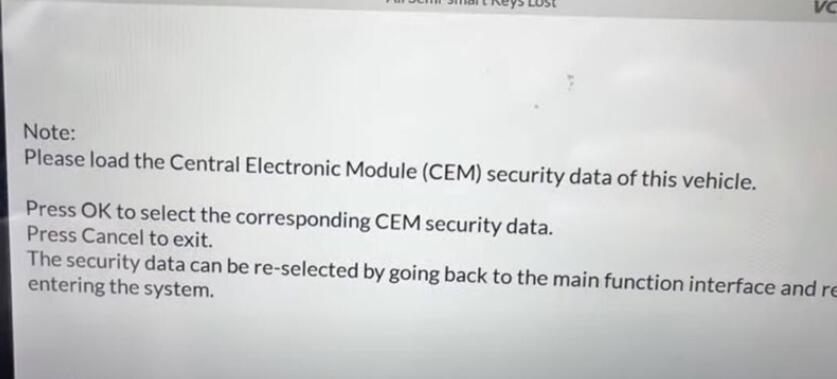
i’m gonna get a control unit- Read CEM security data
We basically have to first read the cem module data okay and then you’re gonna be gonna have to use xp 400 it’s not a very simple programming it might be a little bit confusing for some other people but it’s not hard all you have to do is follow the diagrams follow the instructions and you should be good to go.
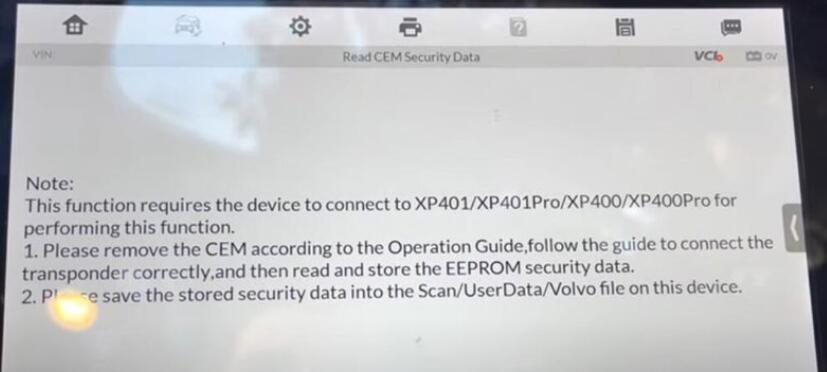
Autel-IM608-Program-2008-Volvo-XC70-All-Keys-Lost-9

so it’s showing you right now where the CEM module is located and you need to determine what type of sound module you have

in this case this is mine the type two

Autel-IM608-Program-2008-Volvo-XC70-All-Keys-Lost-10
Autel-IM608-Program-2008-Volvo-XC70-All-Keys-Lost-11

there are some other types to check see if yours looks like this one or the other one
I did do my connections on a circuit board according to the wiring diagram.
I did do the connections to the xp400 pro right over here and connected it to my m608

Autel-IM608-Program-2008-Volvo-XC70-All-Keys-Lost-12
Autel-IM608-Program-2008-Volvo-XC70-All-Keys-Lost-13

Let’s minimize
this one for the send type two
and right now it’s going to try to read it out

Autel-IM608-Program-2008-Volvo-XC70-All-Keys-Lost-14
Autel-IM608-Program-2008-Volvo-XC70-All-Keys-Lost-15
Autel-IM608-Program-2008-Volvo-XC70-All-Keys-Lost-16

okay we did it successfully okay
i’m going to save it on in here
Autel-IM608-Program-2008-Volvo-XC70-All-Keys-Lost-17

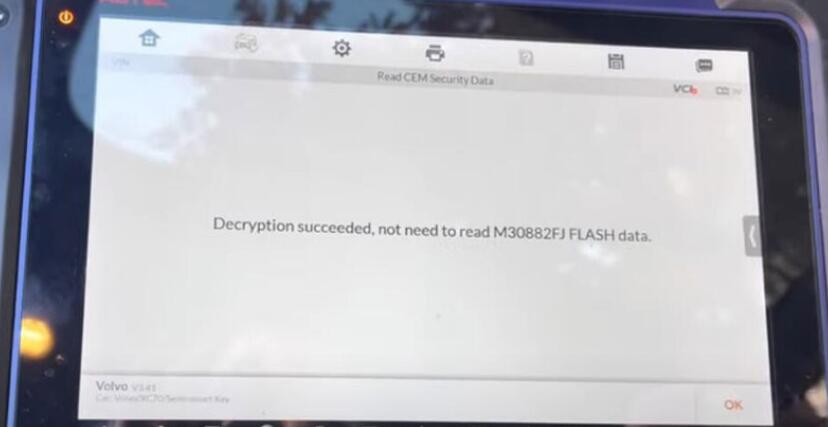
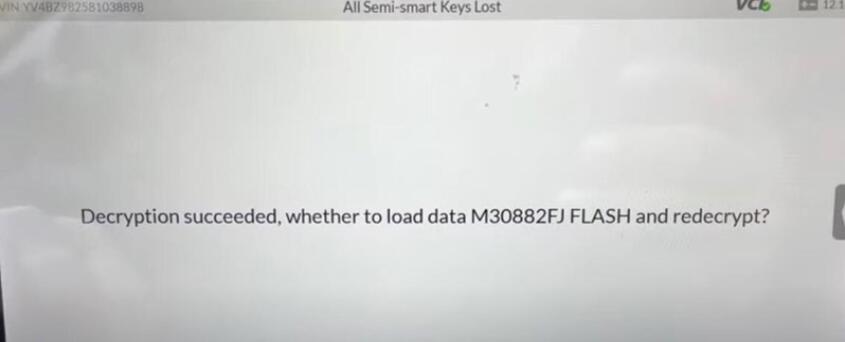
IM608 says decryption succeeded, not need to read M30882FJ Flash data. so which is easier for us we don’t have to do a whole bunch of the programming, reading, and writing stuff to the module
press ok
We need to desolder everything put it back together
Put the module back together and put it back on the car close everything up
then we’re gonna continue through the obd
We’re back at the car, get the obd plugged in IM608
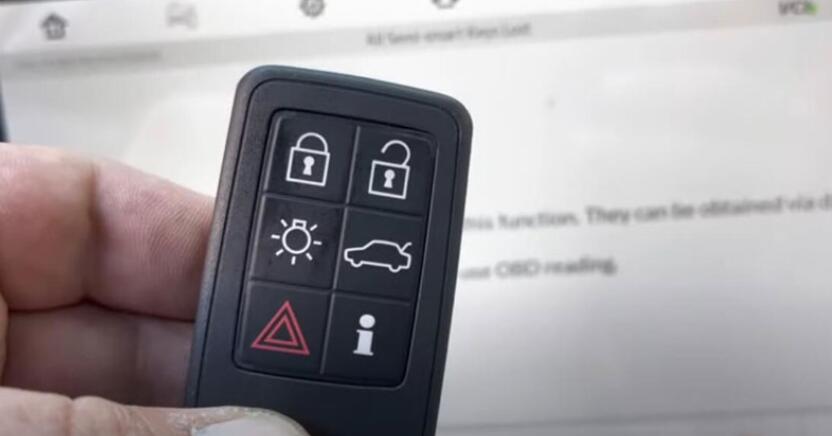
Select all semi-smart keys lost
press the start button
Autel-IM608-Program-2008-Volvo-XC70-All-Keys-Lost-18

Autel-IM608-Program-2008-Volvo-XC70-All-Keys-Lost-19

Autel-IM608-Program-2008-Volvo-XC70-All-Keys-Lost-20

once okay whatever you guys don’t have the key right here and okay from the dealer okay i
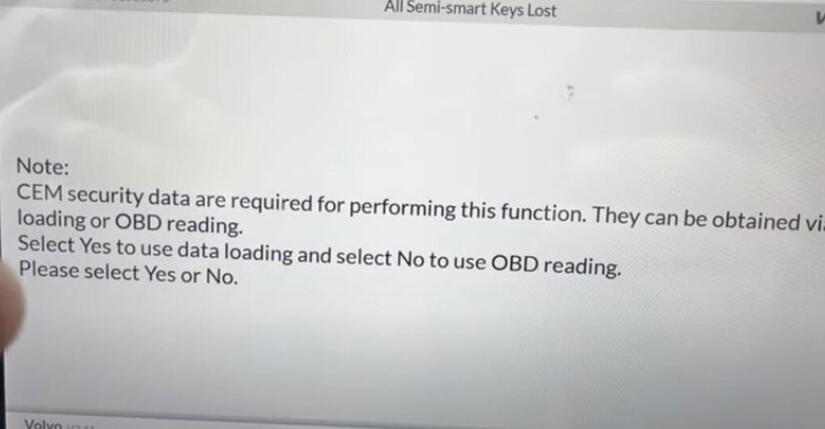
I’m programmed so this is what it says right now same security data are required for performing this function
they can be obtained via data loading or obd reading as much as i know guys to do obd reading on this thing it it takes a very long time as much as i remember at least for the last time so that’s why we had to remove it and read it on the bench much quicker
It says on you select yes to upload data
Select yes to use data loading
Autel-IM608-Program-2008-Volvo-XC70-All-Keys-Lost-21

Then select No, not to load the data flash. You know the flash data which no we don’t need to load it.
if you want to continue perform function there must be one key yes the original key
if clear successfully need to be learned again we don’t have to do that because we have only one key all the keys are lost
verify the type of key first

Autel-IM608-Program-2008-Volvo-XC70-All-Keys-Lost-22
Autel-IM608-Program-2008-Volvo-XC70-All-Keys-Lost-23
Autel-IM608-Program-2008-Volvo-XC70-All-Keys-Lost-24

would you like to continue yes
Turn the ignition off and
remove the key
all right
okay just ignition just turned on
which i just did

Autel-IM608-Program-2008-Volvo-XC70-All-Keys-Lost-25
Autel-IM608-Program-2008-Volvo-XC70-All-Keys-Lost-26
Autel-IM608-Program-2008-Volvo-XC70-All-Keys-Lost-27

Autel IM608 successfully programmed a new key to this vehicle

If you want to know more about Key Programmer , please visit our website: https://www.obd2tool.com

Thursday, December 16, 2021

OBDSTAR X300 DP Plus Program 2018 Ford Kuga backup Proximity key successfully

OBDSTAR Key Tool Master / X300 DP PLUS test report: 2018 Ford Kuga backup Proximity key successfully.
Look at the image:

OBDSTAR-X300-DP-Plus-Program-2018-Ford-Kuga-backup-Proximity-key-successfully-1

OBDSTAR Key Tool Master is as the same as X300 DP Plus (E-commerce exclusive).

Good to know:

Add new key: no need to connect to P002 adapter and Ford all keys lost cable.

If program key for Ford /Lincoln / Mustang AKL (the following list): need extra P002 adapter and OBDStar All Key Lost Cable for Ford /Lincoln / Mustang.

Image 2: All Key Lost Cable for Ford /Lincoln / Mustang

OBDSTAR-X300-DP-Plus-Program-2018-Ford-Kuga-backup-Proximity-key-successfully-2

Image 3: P002 adapter

OBDSTAR-X300-DP-Plus-Program-2018-Ford-Kuga-backup-Proximity-key-successfully-3

ESCAPE 2020 , ESCORT 2018-
EXPEDITION 2020 , EVEREST 2017-
EXPLORER 2017- , F-150 2017-
F-250 2017- , FOCUS 2018-
MUSTANG 2017- , TAURUS 2017-
MONDEO 2017- , FUSION 2017-
RANGER 2017- , AVIATOR 2020
CONTINENTAI 2016- , CORSAIR 2020
MKC2015- , MKT 2020
MKX2015- , MKZ2015-
NAUTILUS 2018- , NAVIGATOR 2018-

OBDSTAR X300 DP Plus Ford AKL programming guide:

1. Ford Lincoln Mustang all keys lost programming connecting methods

OBDSTAR-X300-DP-Plus-Program-2018-Ford-Kuga-backup-Proximity-key-successfully-4

1). Diag cable OBD connector(male)
2). Connect P002 connector(female)
3). Connect vehicle OBD diag connector(male)
4). Red clip(battery terminal)
5). Orange clip(positive cable)
6). P002 adapter

2. Operation guide
IMMO⇒Americas⇒FORD LINCOLN MERCURY⇒V34.45⇒FORD⇒EUROPE⇒EDGE⇒PROXIMITY⇒
2016.4-

OBDSTAR-X300-DP-Plus-Program-2018-Ford-Kuga-backup-Proximity-key-successfully-5
OBDSTAR-X300-DP-Plus-Program-2018-Ford-Kuga-backup-Proximity-key-successfully-6
OBDSTAR-X300-DP-Plus-Program-2018-Ford-Kuga-backup-Proximity-key-successfully-7
OBDSTAR-X300-DP-Plus-Program-2018-Ford-Kuga-backup-Proximity-key-successfully-8
OBDSTAR-X300-DP-Plus-Program-2018-Ford-Kuga-backup-Proximity-key-successfully-9

All Keys Lost.

OBDSTAR-X300-DP-Plus-Program-2018-Ford-Kuga-backup-Proximity-key-successfully-10

Make sure the internet connection is normal, then have P002 adapter and AKL for Ford cable correctly connected to the vehicle.

OBDSTAR-X300-DP-Plus-Program-2018-Ford-Kuga-backup-Proximity-key-successfully-11
OBDSTAR-X300-DP-Plus-Program-2018-Ford-Kuga-backup-Proximity-key-successfully-12

Switch ignition off.

OBDSTAR-X300-DP-Plus-Program-2018-Ford-Kuga-backup-Proximity-key-successfully-13

Have Key count and VIN.

OBDSTAR-X300-DP-Plus-Program-2018-Ford-Kuga-backup-Proximity-key-successfully-14

Insert the key into the card slot, the position is as follows.

OBDSTAR-X300-DP-Plus-Program-2018-Ford-Kuga-backup-Proximity-key-successfully-15

Is the alarm active?

OBDSTAR-X300-DP-Plus-Program-2018-Ford-Kuga-backup-Proximity-key-successfully-16

Next steps are to follow the on-screen guide until key programming successfully.

OBDSTAR-X300-DP-Plus-Program-2018-Ford-Kuga-backup-Proximity-key-successfully-17
OBDSTAR-X300-DP-Plus-Program-2018-Ford-Kuga-backup-Proximity-key-successfully-18
OBDSTAR-X300-DP-Plus-Program-2018-Ford-Kuga-backup-Proximity-key-successfully-19
OBDSTAR-X300-DP-Plus-Program-2018-Ford-Kuga-backup-Proximity-key-successfully-20
OBDSTAR-X300-DP-Plus-Program-2018-Ford-Kuga-backup-Proximity-key-successfully-21
OBDSTAR-X300-DP-Plus-Program-2018-Ford-Kuga-backup-Proximity-key-successfully-22
OBDSTAR-X300-DP-Plus-Program-2018-Ford-Kuga-backup-Proximity-key-successfully-23
OBDSTAR-X300-DP-Plus-Program-2018-Ford-Kuga-backup-Proximity-key-successfully-24
OBDSTAR-X300-DP-Plus-Program-2018-Ford-Kuga-backup-Proximity-key-successfully-25
OBDSTAR-X300-DP-Plus-Program-2018-Ford-Kuga-backup-Proximity-key-successfully-26
OBDSTAR-X300-DP-Plus-Program-2018-Ford-Kuga-backup-Proximity-key-successfully-27

Good to know:

There is a operation guide manual on how to use OBDSTAR X300 DP Plus to program Ford AKL

And there is also built-in tips in the obdstar X300 DP Plus (Look at the following image, click on “Tips” for instruction).

OBDSTAR-X300-DP-Plus-Program-2018-Ford-Kuga-backup-Proximity-key-successfully-28